1818
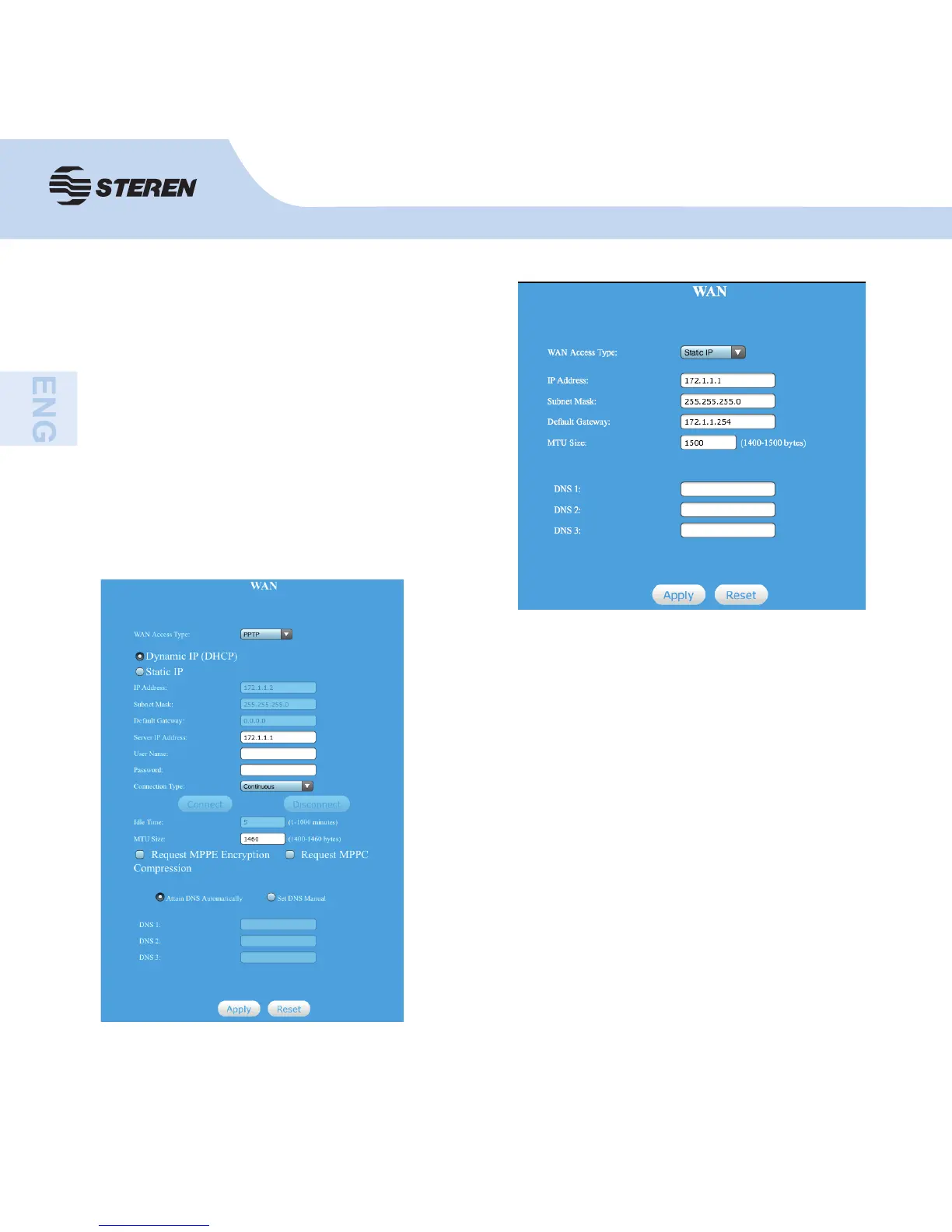
This item should be used when users use a PPTP
client as well as a static IP address to access the
Internet. You should input the information that you get
from your ISP.
IP Address: the local IP address of your computer.
Subnet mask: Specify a Subnet Mask for your WAN
segment.
Default Gateway: provided by your ISP.
Dirección IP del servidor: La dirección IP local de su
equipo.
User ID: input the user ID provided by your ISP.
Password: input password provided by your ISP.
If your ISP gives you a static or fi xed IP
address, subnet mask, gateway and DNS
settings, select static IP.
Enter the IP address / Subnet mask / default
gateway / MTU size / primary and secondary
DNS in dotted-decimal notation provided by
your Internet service provider.



 To Next Page