77
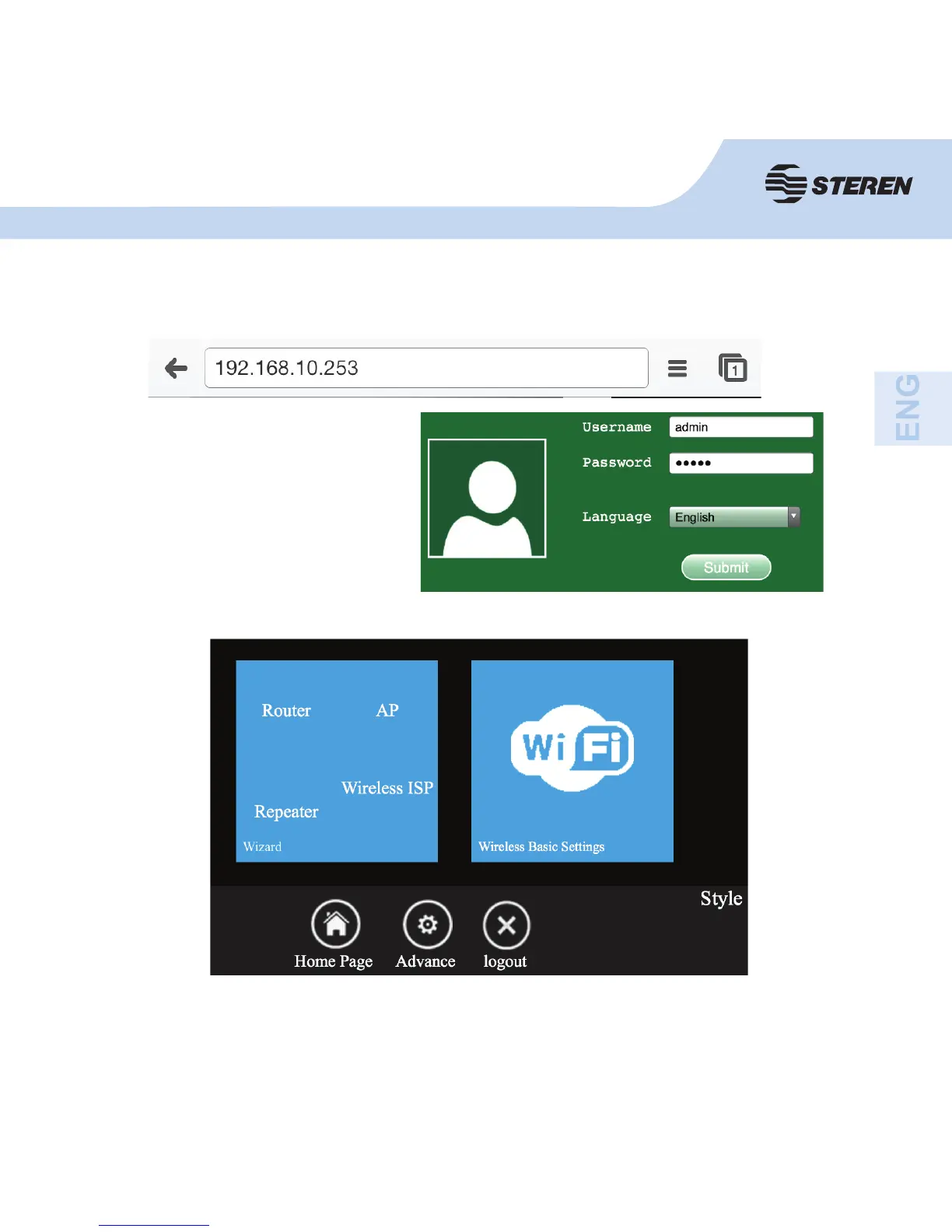
Login screen will then appear.
- Enter the user name and
password, click OK to start the
session.
- The default user name is “admin”
and the password is “admin”.
3. Open the web browser and type http://192.168.10.253 in the browser’s address box.
This number is the IP default address for the router.
After logging in, you can confi gure your router.



 To Next Page