7
en
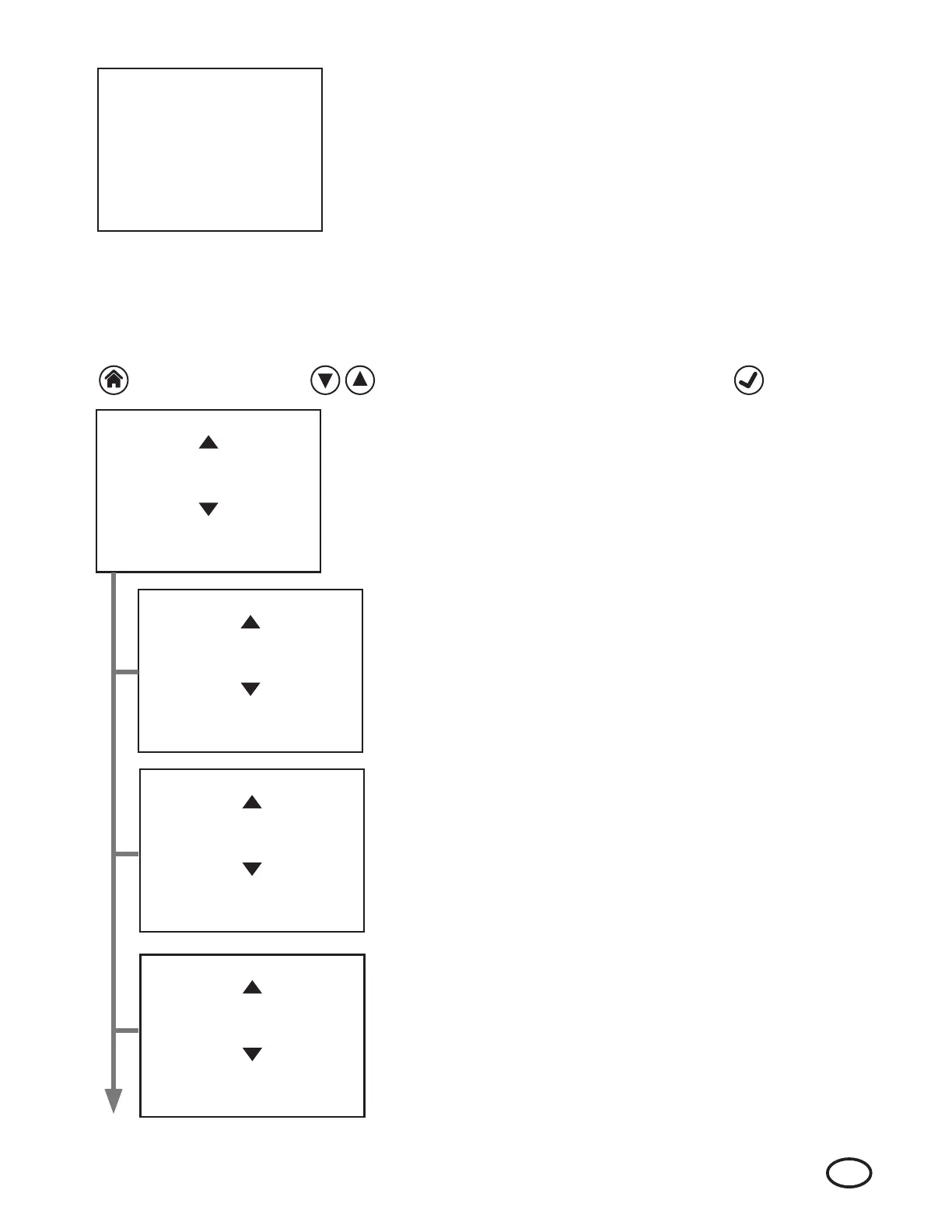
Settings Menu:
Press the HOME button on the Incubator. This will bring up the Settings Menu.
The Settings Menu screen is displayed on the left. Use the NAVIGATION buttons
to toggle through the available options and highlight the following options:
Language · Buzzer Volume · Buzzer Mode
Date · Time · Network · Set Broker IP · Set Broker Port
Press the ENTER button to select the desired option.
Changing the Buzzer Volume:
The Buzzer Volume has been factory set to “Medium”. The setting can be
changed at any time.
Use the NAVIGATION buttons to highlight the desired volume option and
select by pressing the ENTER button.
Changing the Buzzer Mode:
The Buzzer Mode has been factory set to “Neg O ”. This means that the
Incubator will not sound an audible alarm once a negative result is available.
This setting can be changed at any time. If “Neg On” is selected, an audible
alarm will be sounded once a negative result is available.
Use the NAVIGATION buttons to highlight the desired buzzer mode option
and select by pressing the ENTER button.
Changing the Language Setting:
The default language in which the incubator will communicate can be set
at any time. The Language Selection display screen will appear.
Use the NAVIGATION buttons to highlight the desired language and select
by pressing the ENTER button.
F. Options
HOME Button Up and Down NAVIGATION Buttons ENTER Button
To access options, use the following buttons to navigate the Incubator's on screen interface.
7. For a positive result, the Incubator will sound an alarm (three beeps every
fi ve minutes) and the LED adjacent to the well will turn from slow fl ashing
green to a rapid fl ashing red light. The LCD screen will display a “+” next to
the well number. The operator must press the ENTER button to acknowledge
the result and silence the alarm. Once the result is acknowledged, the LED
will turn solid red.
a. The fi nal unprocessed or control BI must show a positive result.
b. If the processed (test) BI shows a positive result, this indicates a
sterilization process failure. Follow facility guidelines for reporting
sterilization failures.
1
2
3 +
4
5
6
7
8
Settings Menu
Language
Buzzer Volume
Buzzer Mode
Press ENTER
to Select
Language
English
Portuguese
French
Press ENTER
to Select
Buzzer Volume
Low
Medium
High
Press ENTER
to Select
Buzzer Mode
Neg On
Neg Off
Press ENTER
to select


 To Next Page
 Loading...