Operation 5
Driving
123
456
789
PRG
PRG
1047_003-012
2
3
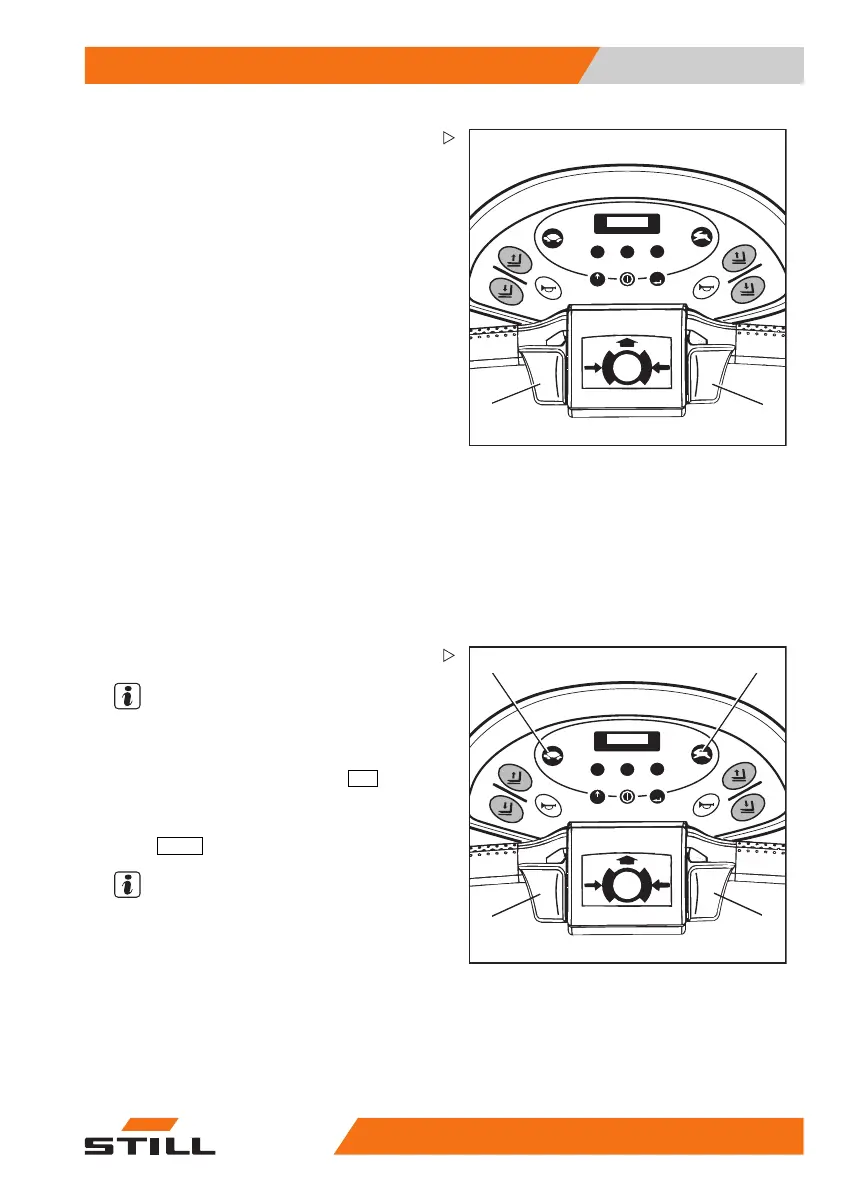
Forwards
– Press the top section of the throttle (2) or (3)
with your thumb.
– The speed increases with the mo
vement of
the throttle.
– When the travel throttle is released, the
truck brakes electrically.
Backwards
– Press the lower section of the throttle (2) or
(3) with your thumb.
– The speed increases with th
e movement of
the throttle.
– When the travel throttle is released, the
truck brakes electrically.
Reversing the direction of travel
– Release the throttle.
– Operate it in the oppos
ite direction, progres-
sively until the requi
red speed is reached.
123
456
789
PRG
PRG
1047_003-013
2 3
4
5
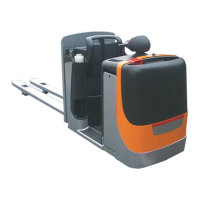
Selecting the drivi
ng mode
NOTE
The pallet truck has 2 selectable driving
modes.
– For regular driving depress the
hare
button
(3).
– For driving with
gentle acceleration depress
the
tortoise
button (2).
NOTE
The travel control (4) and (5) can be operated
with both the left and the right hand. Always
operate the travel control slowly to avoid jerky
starting, braking or reverslng.
50
108043033 [EN] 71


 To Next Page