Operation 4
Driving
5060_003-082
1
2
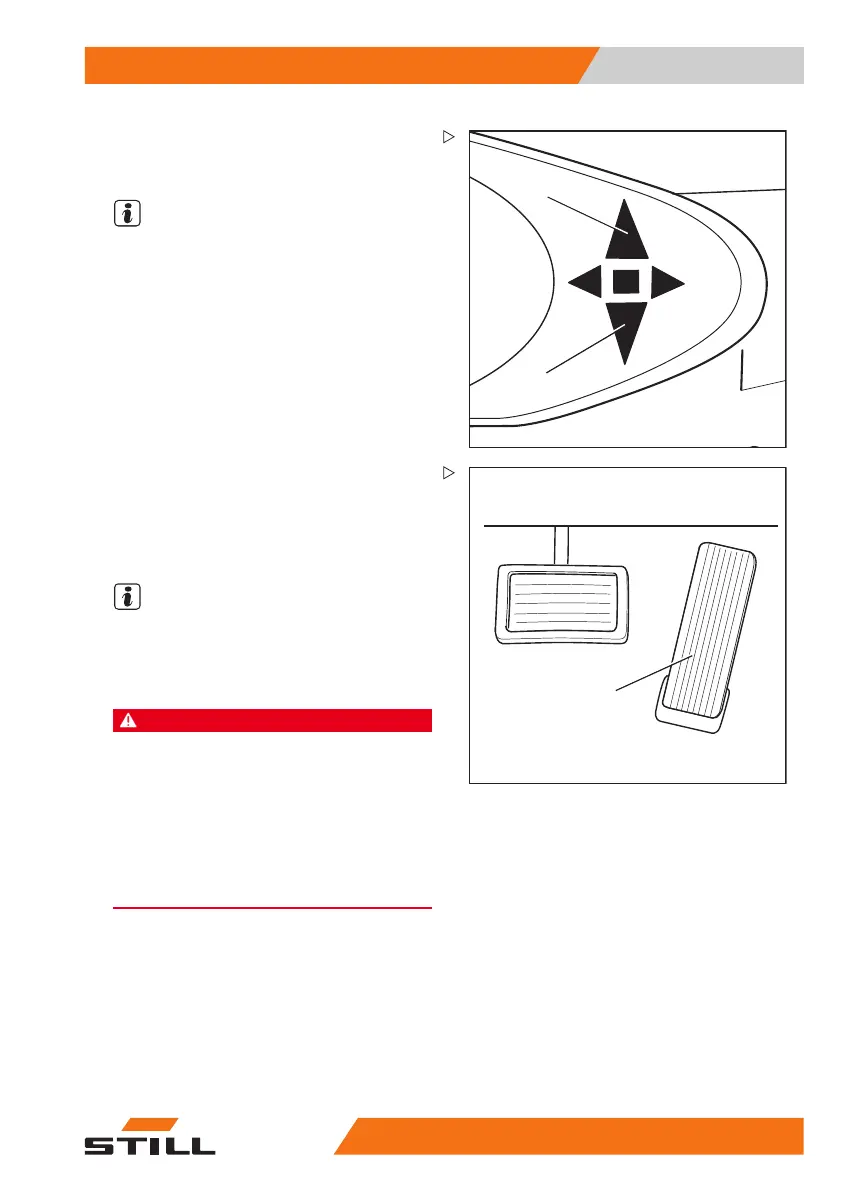
The indicator for the selected drive direction
("forwards" (1) or "backwards" (2)) lights up on
the display and operating unit.
NOTE
Depending on the equipment, an acoustic
signal (variant) may sound a warning during
reverse travel, the warning light (variant) may
light up or the hazard warning system (variant)
may flash.
3
5060_003-084
– Actuate the accele
rator pedal (3).
The truck will travel in the selected drive direc-
tion. The speed is controlled by the accelera-
tor pedal position. When the accelerator pedal
is released, the truck decelerates.
NOTE
The truck can briefly be stopped on upward
or downward gradients without actuating
the parking brake (electric brake). The truck
begins to creep downwards slowly.
DANGER
Risk of accident due to brake failure!
The electric brake only functions while the key
switch is switched on, the emergency off switch
has not been actuated and the parking brake is
released.
– Use the brake pedal if the electric brake malfunc-
tions.
– Do not leave the truck without applying the
parking brake!
Changing the drive direction
– Remove foot from accelerator pedal.
– Select
the desired drive direction.
– Actuate the accelerator pedal.
The truck will travel in the selected drive
direction.
171
533 EN - 02/2019 - 19 137



 To Next Page