19
StingerElectronics.com
Song Detail
View
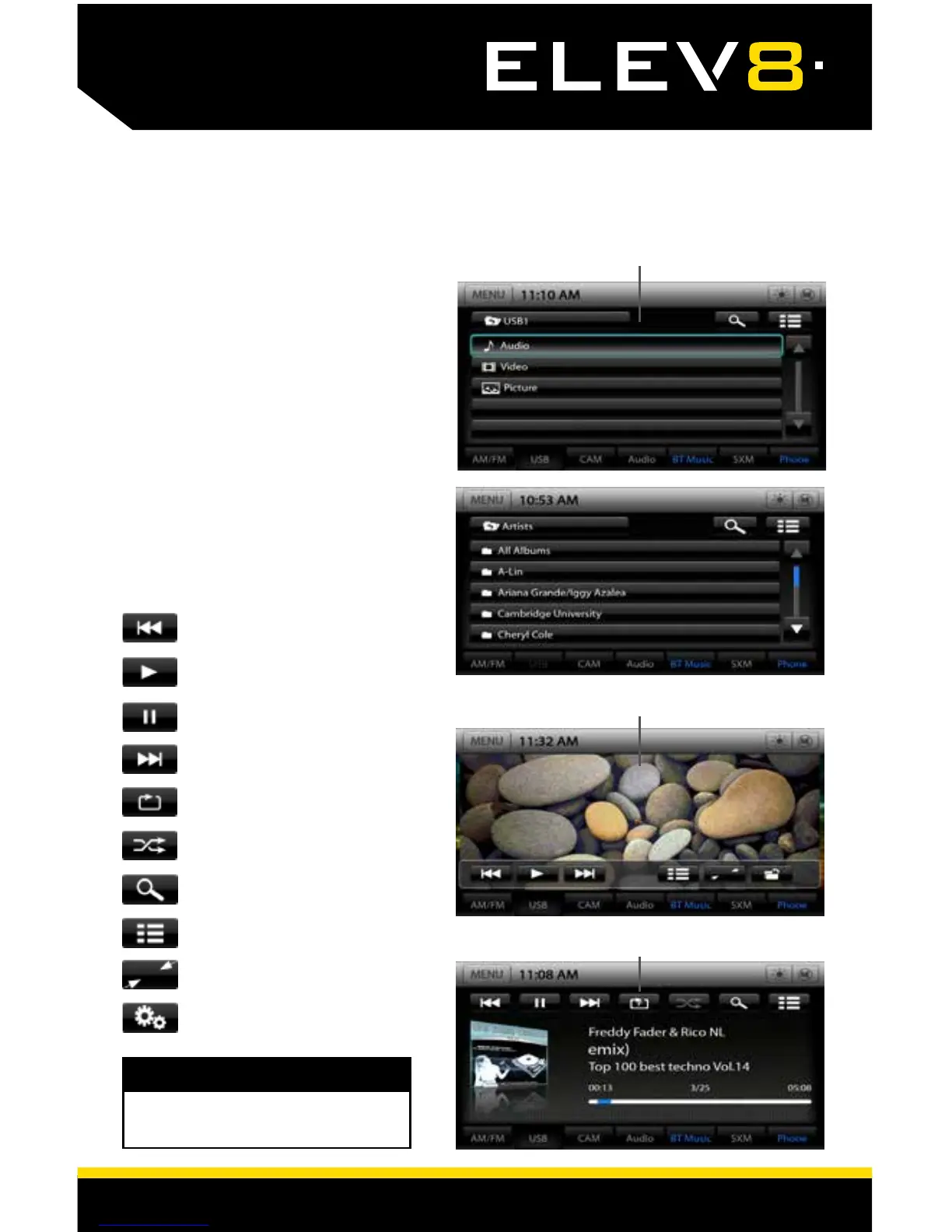
With a USB plugged in - touch the
USB Tab or press the HOME BUTTON
> USB to select USB.
From the USB Root Menu you can
browse Audio, Video and Image
les. See page 29 for a list of
supported le types.
Touch to select a le to view/play.
Note: You can use the right knob
to scroll and then press the knob to
select.
USB Root Menu
Video / Image Files
Music Files
USB Media
Media Controls
Previous Track/File
Play
Pause
Next Track/File
Repeat
Shufe
Search
Toggle Menu
Full Screen
Settings
WARNING!
Driver is prohibited by law from viewing
video on any in-dash monitor while the
vehicle is in motion.














 To Next Page