21
StingerElectronics.com
Set up Andriod Auto
Make sure your phone is running
Android 5.0 (Lollipop) or later.
Download the Android Auto app
from Google Play on your device.
Once the app is installed, open the
app and follow the setup steps.
Connect your phone
Before you connect your phone for
the rst time, turn on your car. Make
sure it's in park (P) and that you have
time to set up Android Auto.
1. Unlock your phone's screen.
2. Connect your phone using a USB
cable.
3. Your phone might ask you to
download or update certain apps,
like Google Maps.
4. Review the Safety Information and
Android Auto permissions to access
your apps.
5. Turn on notications for Android
Auto. For the best experience, we
recommend accepting all requests.
Your phone’s Bluetooth will be turned
on automatically when Android Auto
is connected to the car via USB.
To exit Android Auto, touch the Exit
icon.
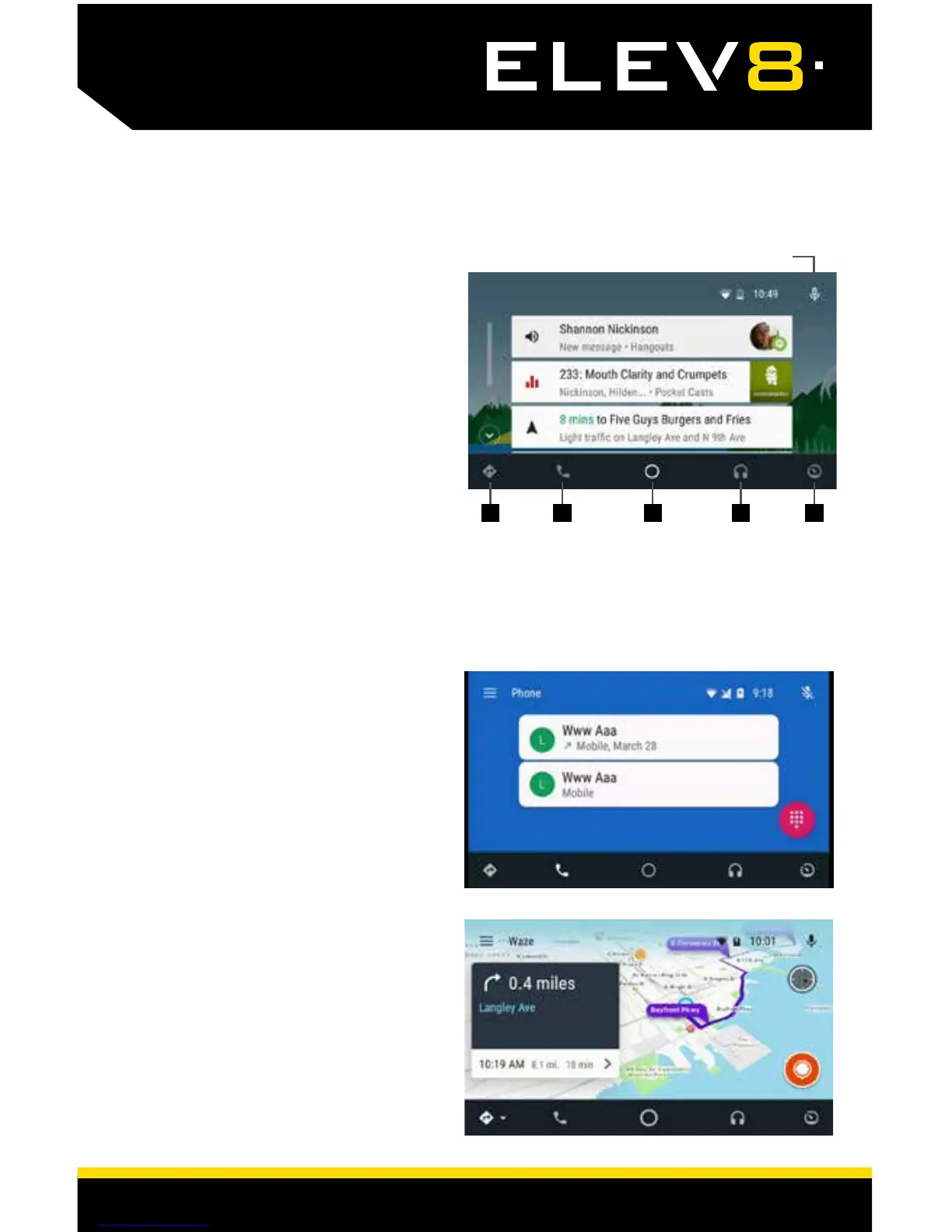
Voice Command Microphone
1 Maps & Navigation
2 Calls & Contacts
3 Home Screen
4 Music & Audio
5 Exit Android Auto
1 2 3 4 5
Android Auto
TM














 To Next Page