6
StingerElectronics.com
GETTING STARTED
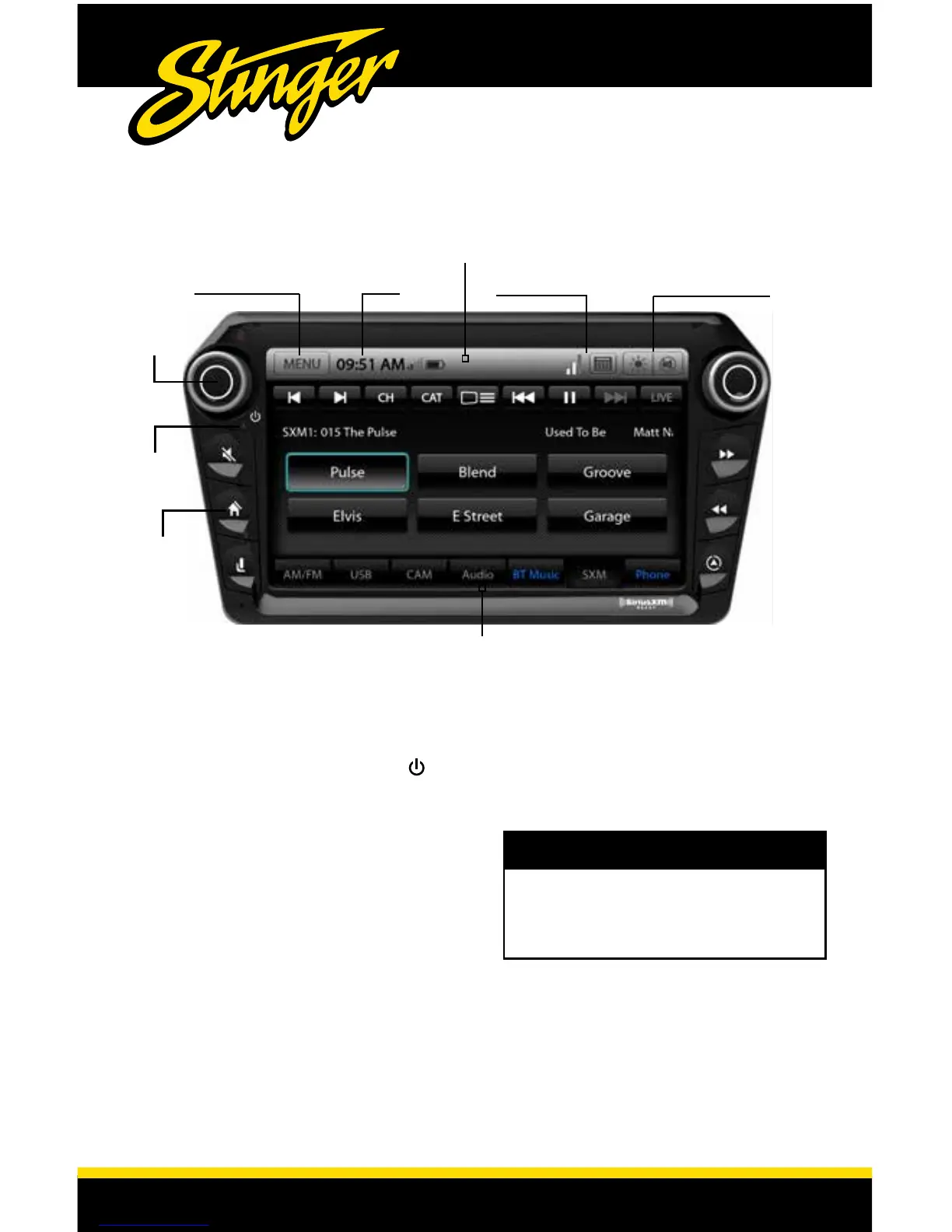
Information Bar
Source InfoTime
Customizable Source Tabs
POWER UP!
With vehicle ignition in the ON or
ACC position, Press and Hold the left
knob next to the power symbol.
The source will automatically default
to the last source used prior to
powering down.
You can adjust the audio volume at
start-up in MENU > AUDIO > VOLUME
> Start Volume Mode
The Information Bar is located at the
top of the screen. Depending on the
SOURCE, it will provide information
or content sensitive controls. Also
contains the MENU/BACK button,
time display, paired phone signal
and battery info, mute and dimming
functions.
The Source Tabs are located across
the bottom of the screen and give you
direct access to common sources. Five
of the Tabs are customizable in MENU >
SETTINGS > Tabs
The BT MUSIC and PHONE Tabs will
be highlighted Blue if a phone is
paired and connected,
NOTE!
Dimming/MuteMENU / BACK
Power
ON/OFF
HOME
RESET
If the display becomes unresponsive,
you can reset the unit by pressing
the Reset Button with a paper clip
or similiar. Vehicle ignition should be
ON when resetting.














 To Next Page