20
StingerElectronics.com
Set up Apple CarPlay
You can use Apple CarPlay to get
directions, make calls, send and
receive messages, and more.
You need an iPhone 5 or later to use
Apple CarPlay. Also, make sure that
you're in an area that supports Apple
CarPlay and that Siri is on. To turn on
Siri on your phone, go to Settings > Siri
& Search.
With the your vehicle running, plug
your iPhone into the Apple CarPlay
USB port. Apple CarPlay will launch
automatically.
If your iPhone is already plugged
into the USB, touch MENU > Apple
CarPlay or press the HOME BUTTON >
Apple CarPlay to launch CarPlay.
NOTE: If Apple CarPlay will not
launch, see Page 25 for Apple
Carplay Settings.
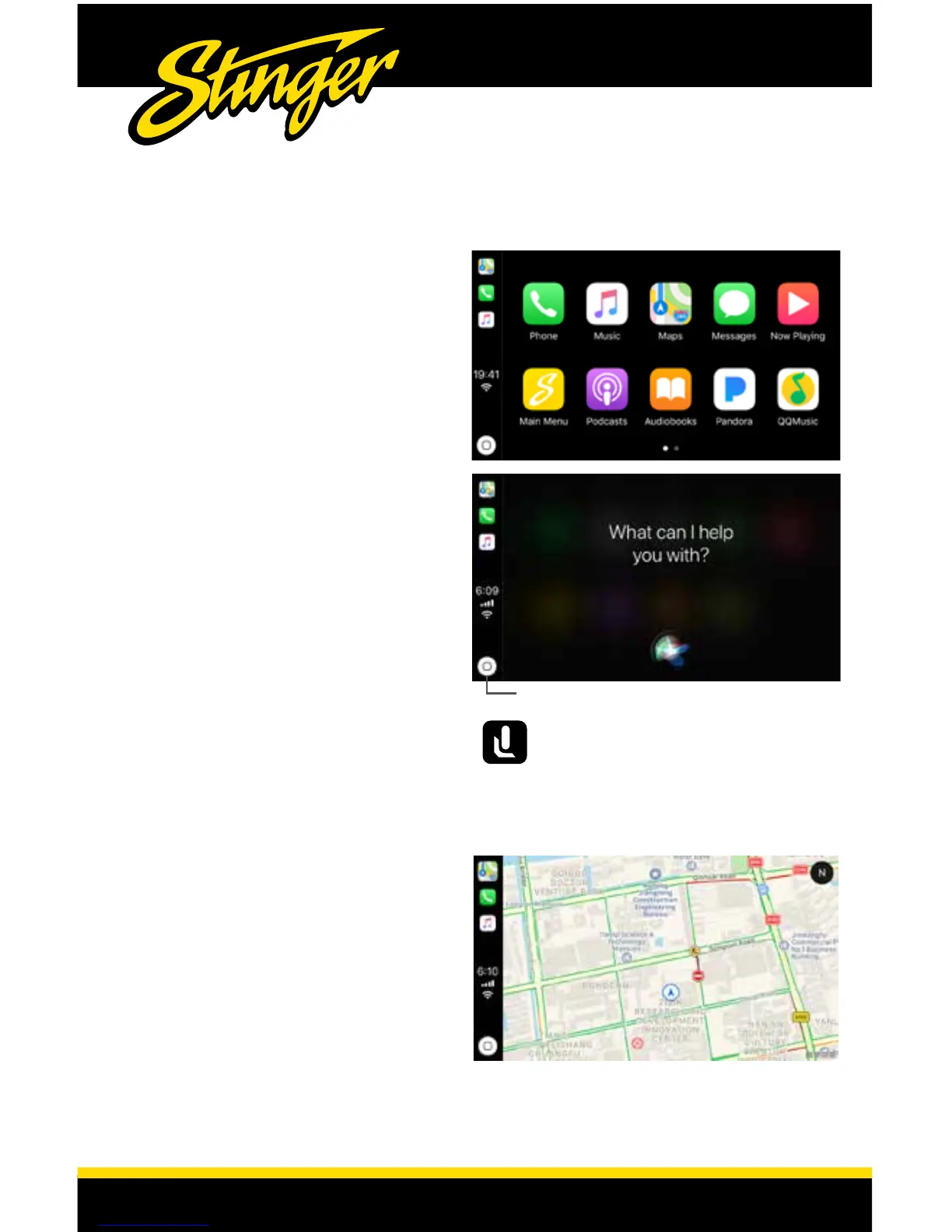
The display will show available apps.
Only apps that are supported by
Apple CarPlay will appear.
To add, remove, or customize the
order that the apps are in on your
iOS device:
1. Go to Settings > General, and tap
Apple CarPlay.
2. Select UN1880
3. Use the add or delete icons to add
or remove apps. Tap and drag an
app to change the icon order.
Ask Siri for what you need.
Press the Voice Control button or
touch the Home button in Apple CarPlay
until Siri appears on the display, then say
what you need.
Home Button / Siri
Apple CarPlay
®
For details about Apple CarPlay, visit the following site:
http://www.apple.com/ios/carplay














 To Next Page