26
StingerElectronics.com
AUDIO SETTINGS
Touch MENU > Audio or press the
HOME BUTTON > Audio to access the
AUDIO settings.
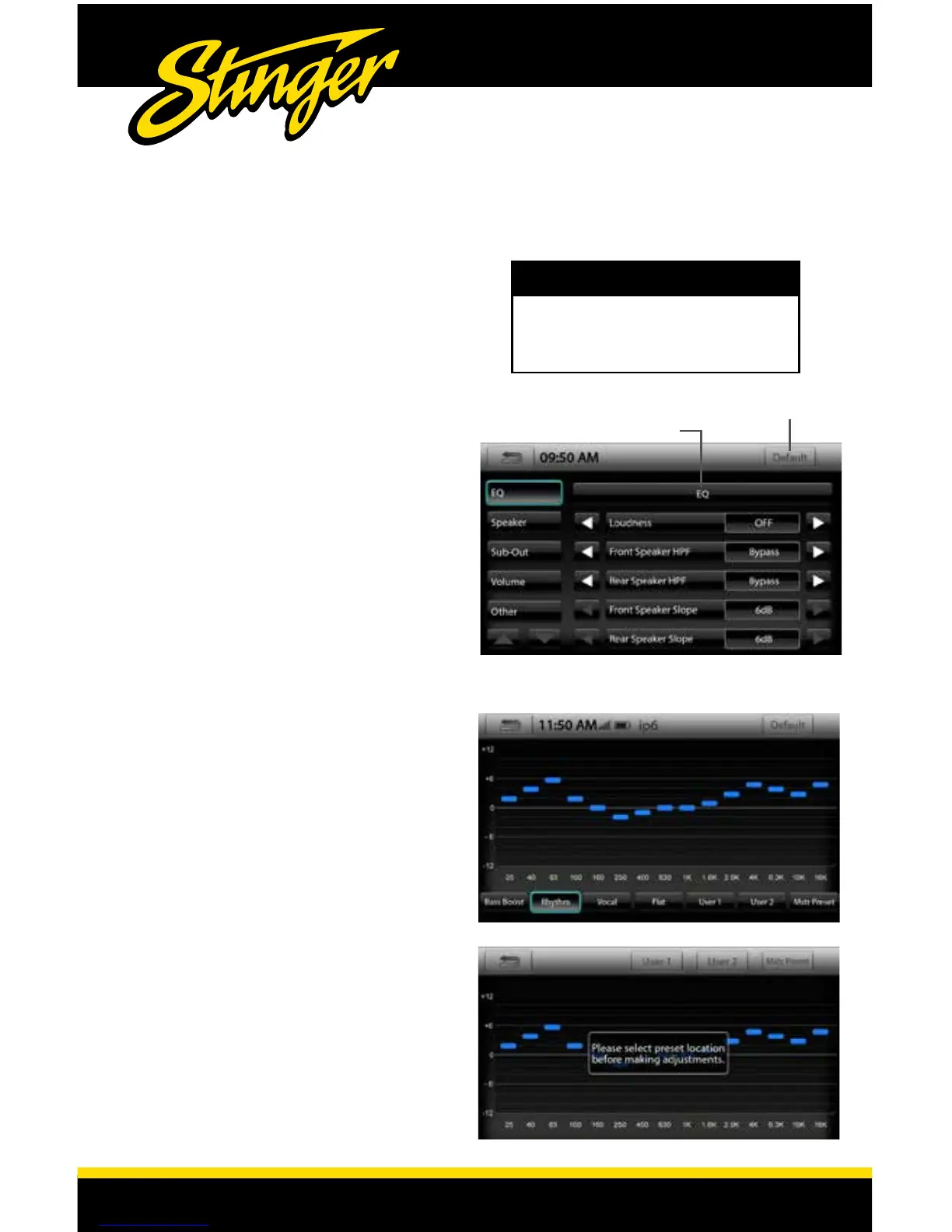
Audio > EQ
EQ
Touch to access 15 Band Equalizer and EQ presets.
Loudness [ON-OFF]
Front Speaker HPF
[BYPASS-25HZ-40HZ-63HZ-100HZ-160HZ-250HZ]
User selectable High Pass Filter for Front Speakers.
Rear Speaker HPF
[BYPASS-25HZ-40HZ-63HZ-100HZ-160HZ-250HZ]
User selectable High Pass Filter for Rear Speakers.
Front Speaker Slope
[6dB-12dB-18dB]
User selectable Slope for Front Speaker HPF
Rear Speaker Slope
[6dB-12dB-18dB]
User selectable Slope for Rear Speaker HPF
15 Band Equalizer and EQ presets
The EQ has four global factory presets: Bass
Boost - Rhythym - Vocal - Flat. There are 3
User dened presets. User 1 & 2 presets are
"source dependent" so each source can
be tuned differently. For example, if you
are listening to BT Music and access the EQ
and save a User preset, that particular User
preset will only be available when listening
to BT Music. The Master Preset is a global
setting that will EQ all audio sources.
Saving an EQ User/Master Preset
When you make an adjustment to the
equalizer you will be prompted to select
a preset location. Select a User or Master
position located on the top Information Bar.
When you are done adjusting the EQ, touch
the Back/Return Arrow to save your settings.
Note: You can also modify and save the
factory presets as User presets.
Reset to Default
Equalizer and EQ presets
NOTE
Use Left/Right Arrows to change
settings. Use BACK arrow to Save and
Exit. Default button resets settings to
default values.














 To Next Page