7
StingerElectronics.com
SELECTING A SOURCE
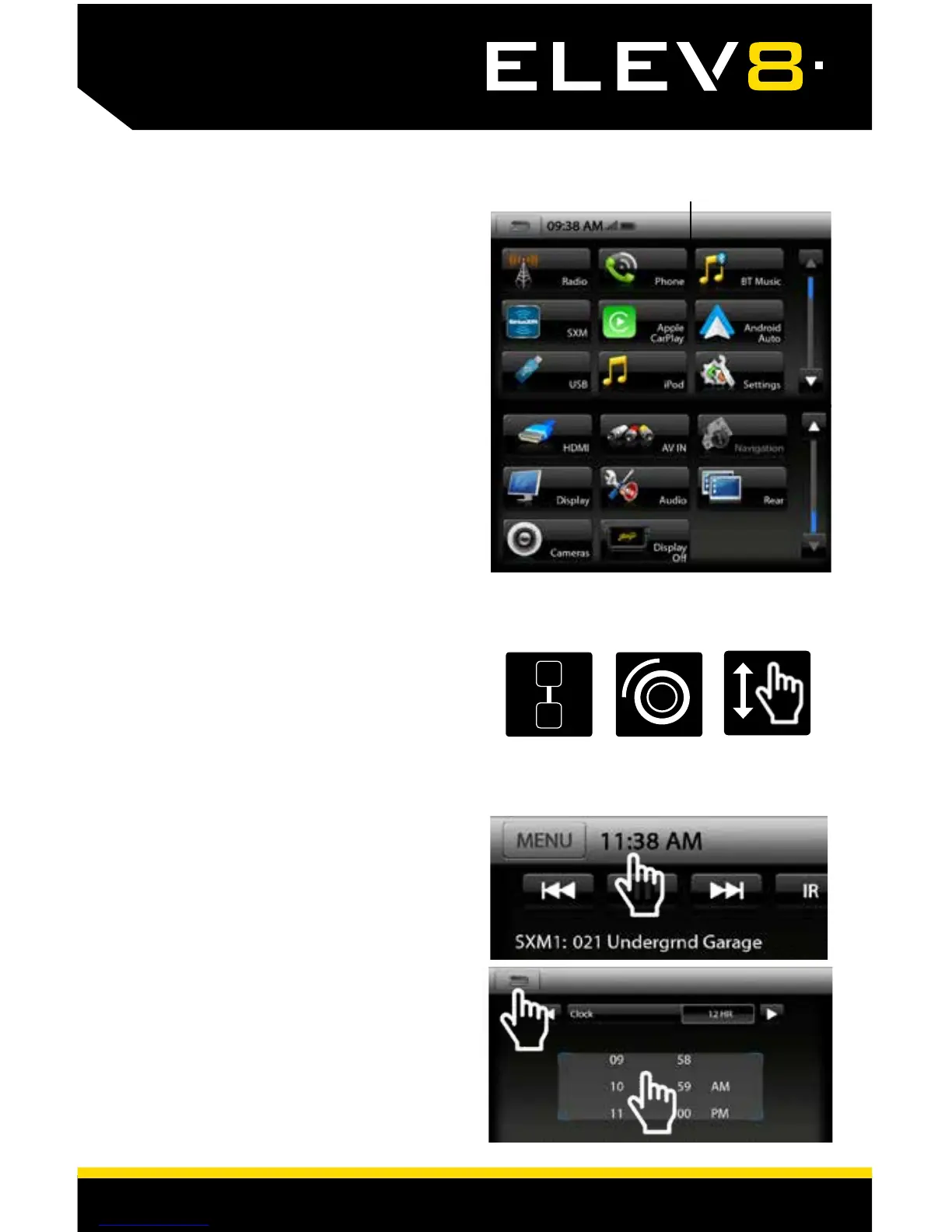
Home Menu
There are multiple ways to scroll...
Up/Down Arrows, MultiFunction Knob
and Swiping Up/Down
SETTING THE TIME
1) Touch and release the Time
Display on the Information Bar to
access the clock settings.
2) Set the time and format.
3) Touch the BACK/RETURN Arrow to
.....save and exit.
2
3
1
To select a SOURCE that is not
located on the Source Tabs, touch
MENU on the Information Bar, or
press the HOME button on the left
side of the screen to access the
HOME MENU.
The HOME MENU displays all Sources,
along with Settings, Audio, Display
and Camera options.
SOURCES that are not currently
available are grayed out.
QUICK TIP














 To Next Page