®
®
stingersolutions.com
stingersolutions.com
8
9
You can use Apple CarPlay to get
directions, make calls, send and
receive messages, and more.
You need an iPhone 5 or later to
use Apple CarPlay. Also, make sure
that you’re in an area that supports
Apple CarPlay and that Siri is on.
To turn on Siri on your phone, go
to Settings > Siri & Search.
Set up Apple CarPlay
With the your vehicle running, plug
your iPhone into the your head
unit’s USB-C port. Apple CarPlay
will launch automatically.
You can also connect your iPhone
wirelessly to enjoy Apple CarPlay.
For detailed instructions see GET
You can use Android Auto to get
directions, make calls, send and
receive messages, and more.
Make sure your phone is running
Android 5.0 (Lollipop) or later.
Download the Android Auto app
from Google Play on your device.
Once the app is installed, open the
app and follow the setup steps.
Set up Android Auto
With your vehicle running, but
parked, connect your USB-C
Android Phone into your head unit’s
USB-C port.
You can also connect your Android
device wirelessly to enjoy Android
Auto. For detailed instructions see
GET CONNECTED on Page 7.
Using Android Auto
If your Android device is already
connected, press HOME BUTTON
> Android Auto to launch Android
Auto.
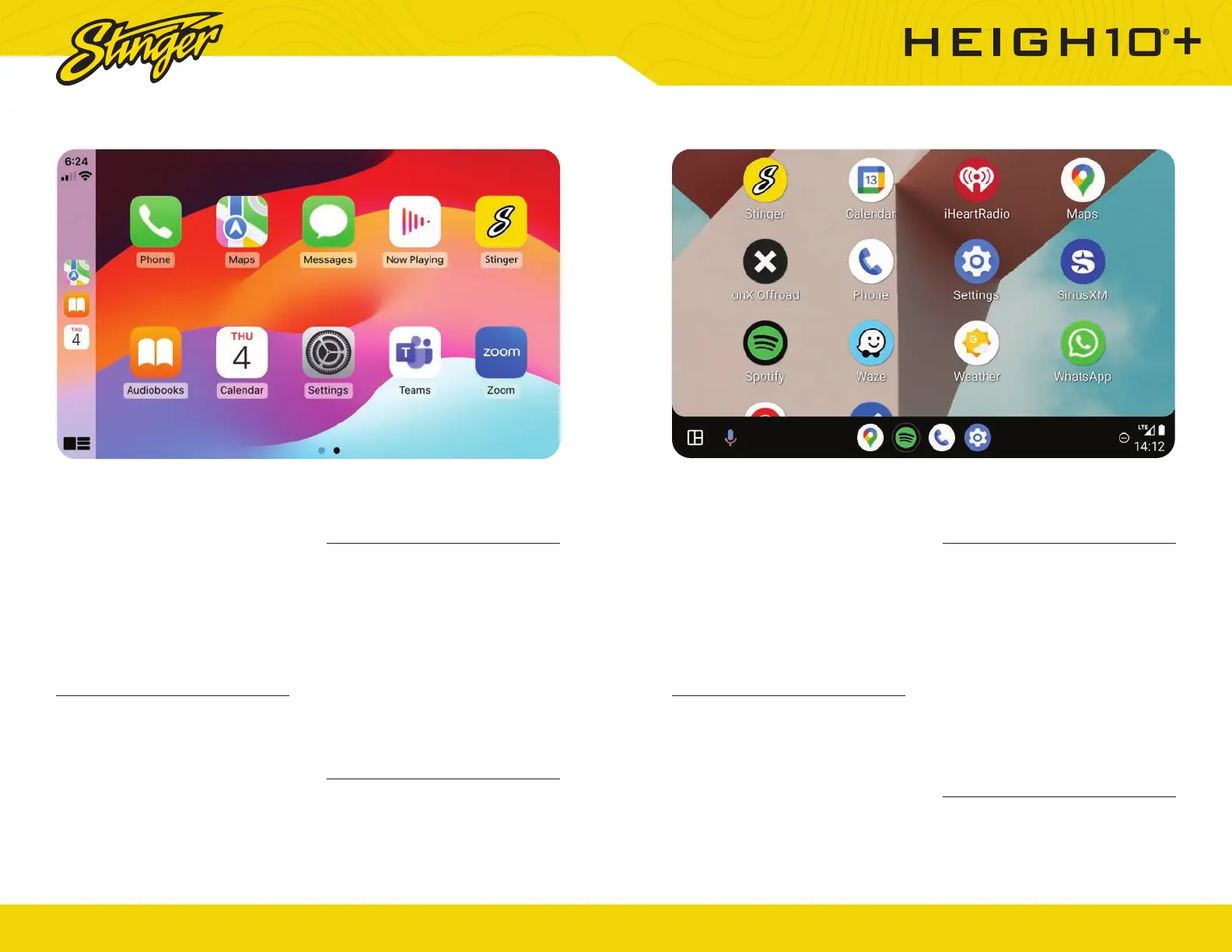
The display will show available
applications that are compatible
with Android Auto
To exit Android Auto, press the
Stinger Main Menu icon.
NOTE: If Android Auto will not launch,
see Troubleshooting.
More Info
For details about Android Auto, visit
https://www.android.com/auto/
CONNECTED on Page 7.
Using Apple CarPlay
If your iPhone is already connected,
press HOME BUTTON > Apple
CarPlay to launch Apple CarPlay.
The display will show available
applications that are compatible
with Apple CarPlay
To exit Apple CarPlay, press the
Stinger Main Menu icon.
NOTE: If Apple CarPlay will not
launch, see Troubleshooting.
More Info
For details about Apple CarPlay,
visit https://support.apple.com/
en-us/HT205634
APPLE CARPLAY™ ANDROIDAUTO™













 To Next Page