68
7 Assembly and setting up
Assembling machine
Set date and tim e
7.2.9 Set date and time
1. Switch on main switch.
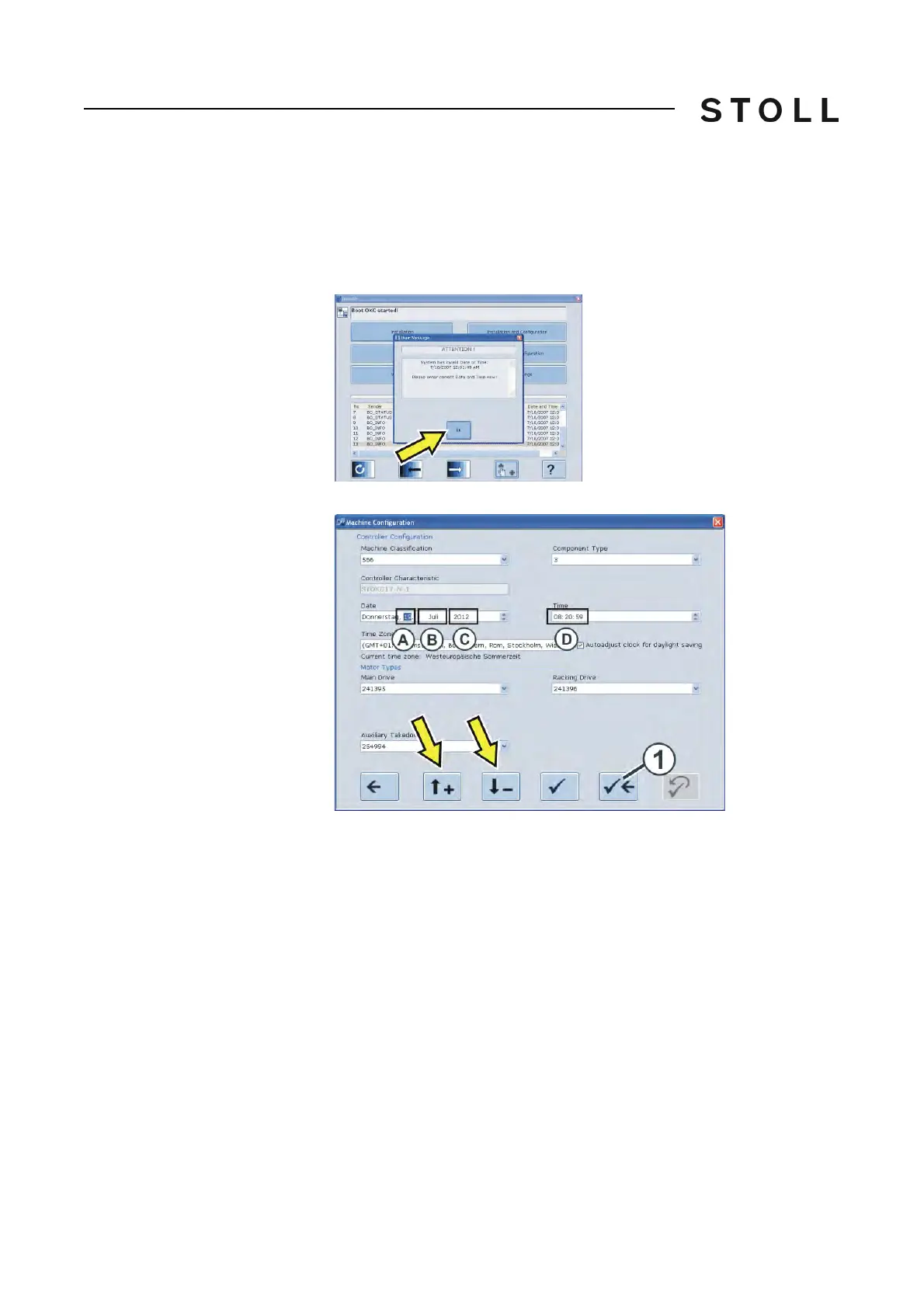
2. The "BootOKC" window appears and simultaneously also
a message
indicating that time and date are not correct.
3. Tap the "OK" key.
4. Adjust the date (A-C) and the time (D) with the help of the arrow keys.
5. Save the settings and return to the "BootOKC" window. Tap the (1)
key for
this.
6. Tap the "Restart" button in the "BootOKC" window.
7. The "Reference runs" window appears.
Aligning knitting ma chine



 To Next Page