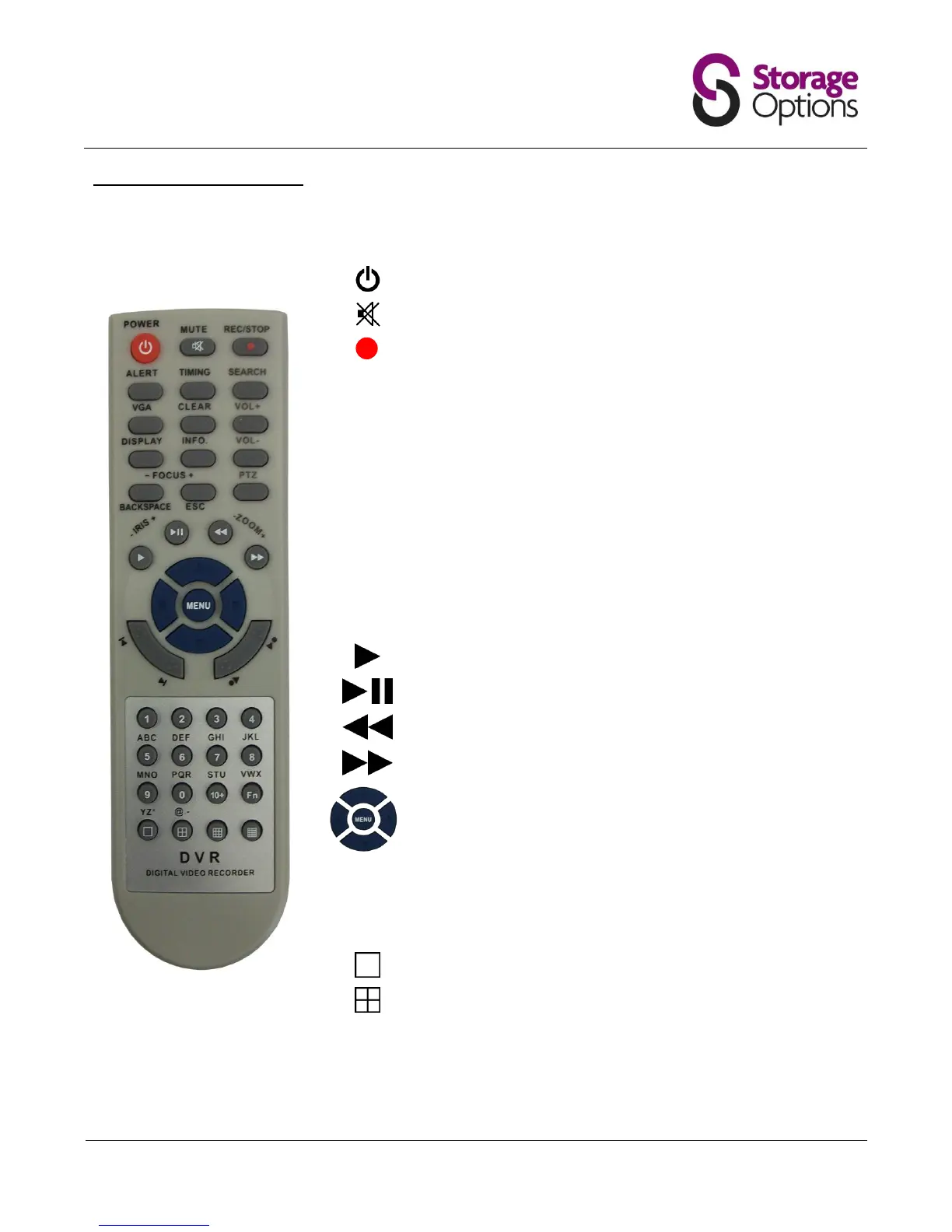
4.6 – Remote Control Functions
The remote control provides easy access to a variety of commands on the DVR system. Please insert 2x AAA
batteries before use.
Switches the DVR system on / off
Starts and stops continuous recording
Turns on / off the alert function.
Turns on / off scheduled recording
Search recorded video for specific date to review
Switch the output resolution of the VGA (monitor) port
Switches info on / off (camera names, date, time, etc)
Switches DVR system info on / off
Deletes data entered into menus, one character at a time
Plays previously recorded footage
Pauses and frame-advances recorded footage
Rewinds video playback 2x. Press again for 4x, 8x, 16x, 32x
Fast forwards video playback 2x. Press again for 4x, 8x, 16x, 32x
↑, ↓, ←, → keys navigate on-screen menus
Menu (Enter) key selects highlighted menu item
Allows input of numbers where necessary in menus
Allows selection of specific camera (1 – 4)
Allows input of alphabet in menus (press multiple times to
change character)
Switch to single camera view (use numbers to select camera)
Switch to quad camera view mode
Please note, the “Vol +”, “Vol -”, “PTZ” and “Fn” keys have no function.



 To Next Page