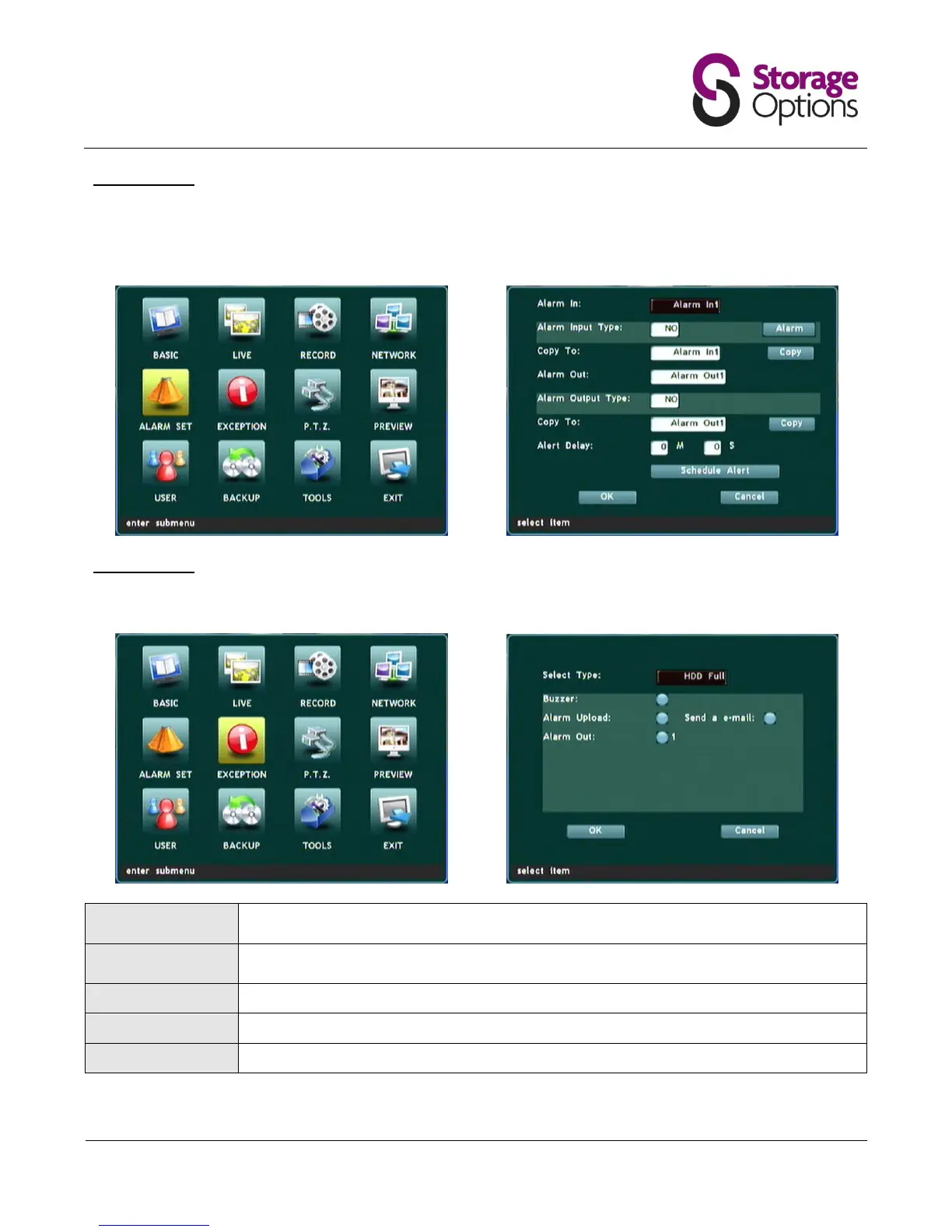
5.6 – Alarm Set
This page is for advanced users only, and allows the DVR to be connected to a building alarm system to provide
automatic activation when the DVR's own alarm (e.g. motion detection) is triggered. Due to the nature of connected
alarms all being configured differently, we cannot provide support on this feature.
5.7 – Exception
This page allows you to set alerts for system malfunctions.
Choose from HDD full, HDD error, IP conflict, network error, access error, PAL/NTSC error,
video error.
If this option is checked, a high-pitched buzz will emit from the DVR when the alarm is
triggered.
For advanced users only (requires an e-mail server).



 To Next Page