EasyManua.ls Logo

Storage Options CCTV SECURITY SYSTEM - 5.10 - User

Storage Options CCTV SECURITY SYSTEM
36 pages
Print Icon
To Next Page IconTo Next Page
To Previous Page IconTo Previous Page
Loading...
Page 21
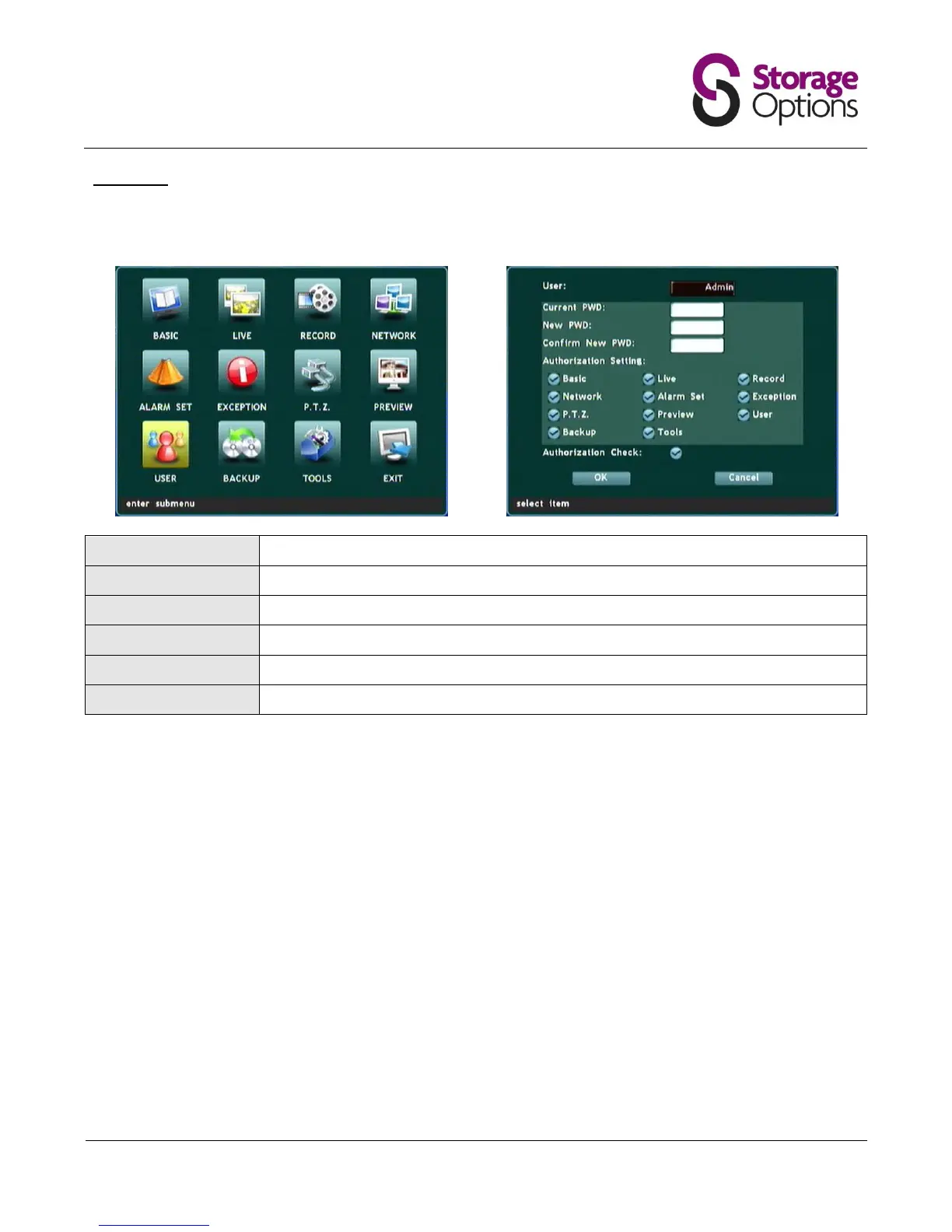
5.10 User
This page allows the user to make changes to accounts and access levels. You may set up multiple users to have
access to different features of the DVR.
User:
Choose the account you would like to edit.
Current Pwd:
Only enter the current password here if you intend to change it in the next field.
New Pwd:
Enter a new password here if you wish to change it.
Confirm New Pwd:
Repeat the new password in this field to confirm.
Authorization Setting:
Choose pages that the account holder will be able to access.
Authorization Check:
When enabled, always asks for the password before allowing menu access.

Related product manuals