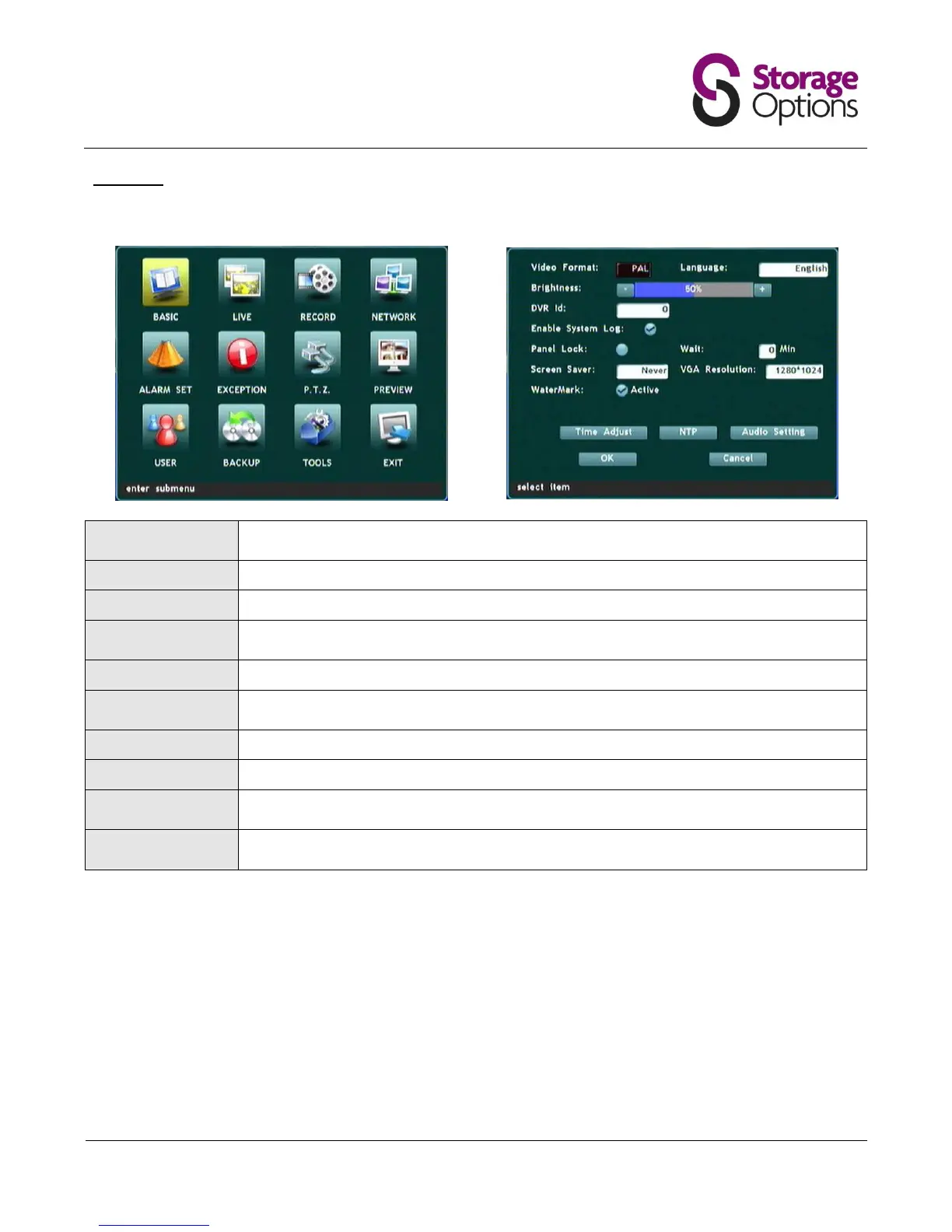
5.2 – Basic
This page allows you to adjust video output, language and screen saver settings.
Choose PAL (UK / Japan) or NTSC (other regions) depending on your location and which type
of monitor you are connecting to.
Choose from 14 languages.
Choose system-wide brightness for the DVR, scale from 0 - 100% (default 50%).
If you have more than one Storage Options DVR, you can give the unit an identification
number here.
If checked, the DVR will write system events to a log file.
Locks the front panel and remote control keys to prevent unauthorised access. Requires the
user to input their password to continue.
Set the amount of time before the screen saver activates.
Choose a resolution that matches your monitor (800x600, 1024x768 or 1280x1024)
Set the current system date and time. Highlight Year / Month / Day and enter value with
number keys on DVR front panel or remote control.
For advanced users only. Allows the user to connect to a Network Time server to synchronise
time settings.



 To Next Page