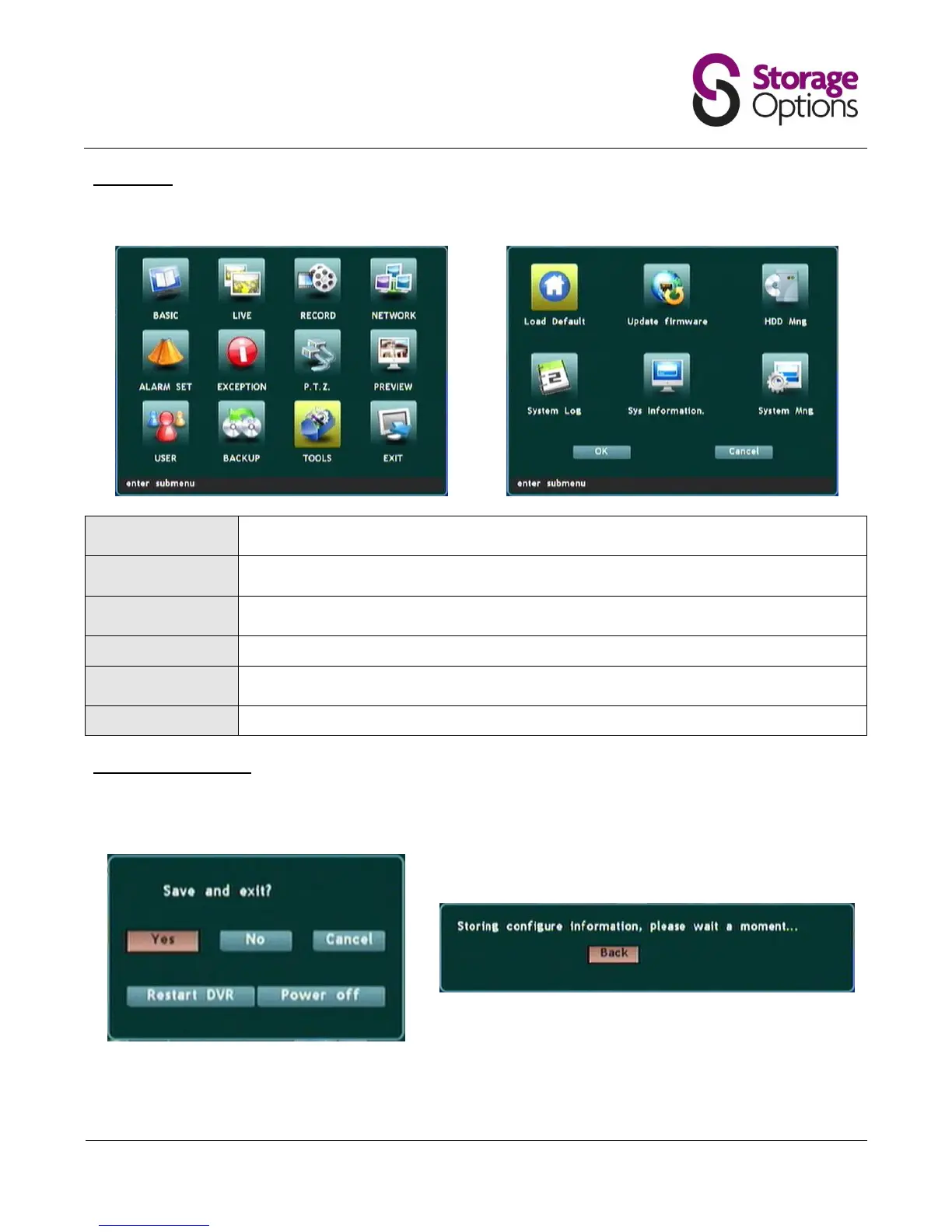
5.12 – Tools
This page contains various system tools which enable the administrator to manage the DVR.
Loads default configuration values for the DVR. Please only select if you wish to reset
configuration to factory settings!
For advanced users only. Enter the network location of a firmware update file to update the
system.
Shows a list of installed HDDs and allows the selected HDD to be formatted. Please note, if
the disk is formatted all video recordings will be lost!
Displays the system log files which show logins, updates, alarms, backups, etc.
Gives an overview of current system configuration. This page is for information only and
cannot be edited.
You may restart or power off the DVR from this menu.
5.13 – Exiting the Menu
To save any changes that have been made in previous menus, you cannot simply exit the menu. You must move to
the “Exit” icon and press “Menu/Enter”.
You will be prompted to “Save and exit”. Choose the appropriate option and press the “Menu/Enter” button again
to return to camera view.



 To Next Page