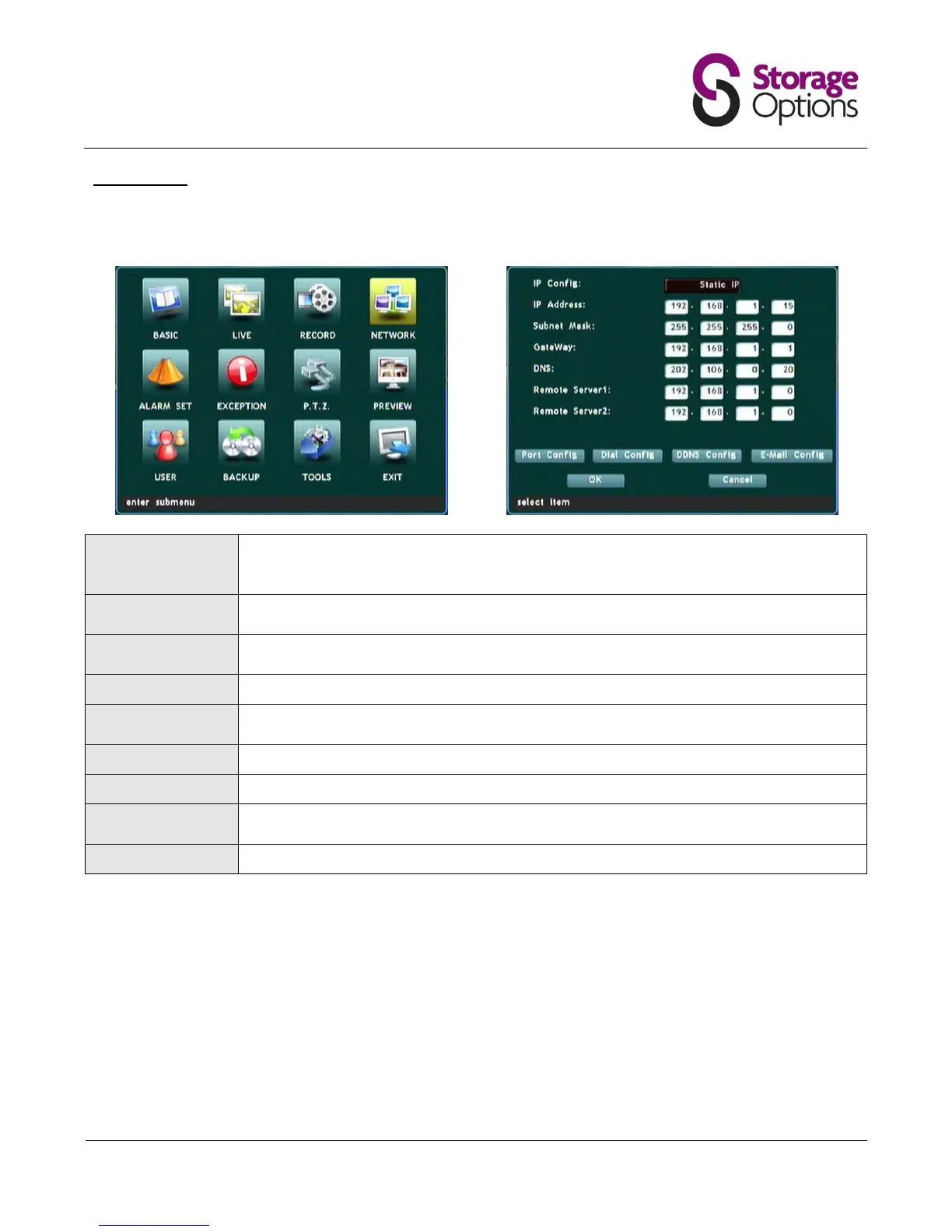
5.5 – Network
Here you can choose how the DVR connects to your network. Please connect the DVR via RJ45 LAN cable before
changing these settings. The following settings only need to be configured if you choose "Static IP".
"DHCP" allows the DVR to automatically receive network settings. Set to "Static IP" if you
would like to configure these settings manually. If you are new to network configuration, it is
strongly advised to leave this on DHCP.
This should be unique to the DVR unit, but within the same subnet as the network
(e.g. 192.168.1.x).
Enter the subnet mask here. Refer to your router's operating instructions if you are unsure
what value this should be.
This should be the address for your default gateway (e.g. router).
Provide the address of a Domain Name Server (DNS) here. Your router may also provide
DNS.
Enter details for your DDNS account here if you wish to remotely access the DVR over the
Internet. Please note, the password must contain only numeric characters.



 To Next Page