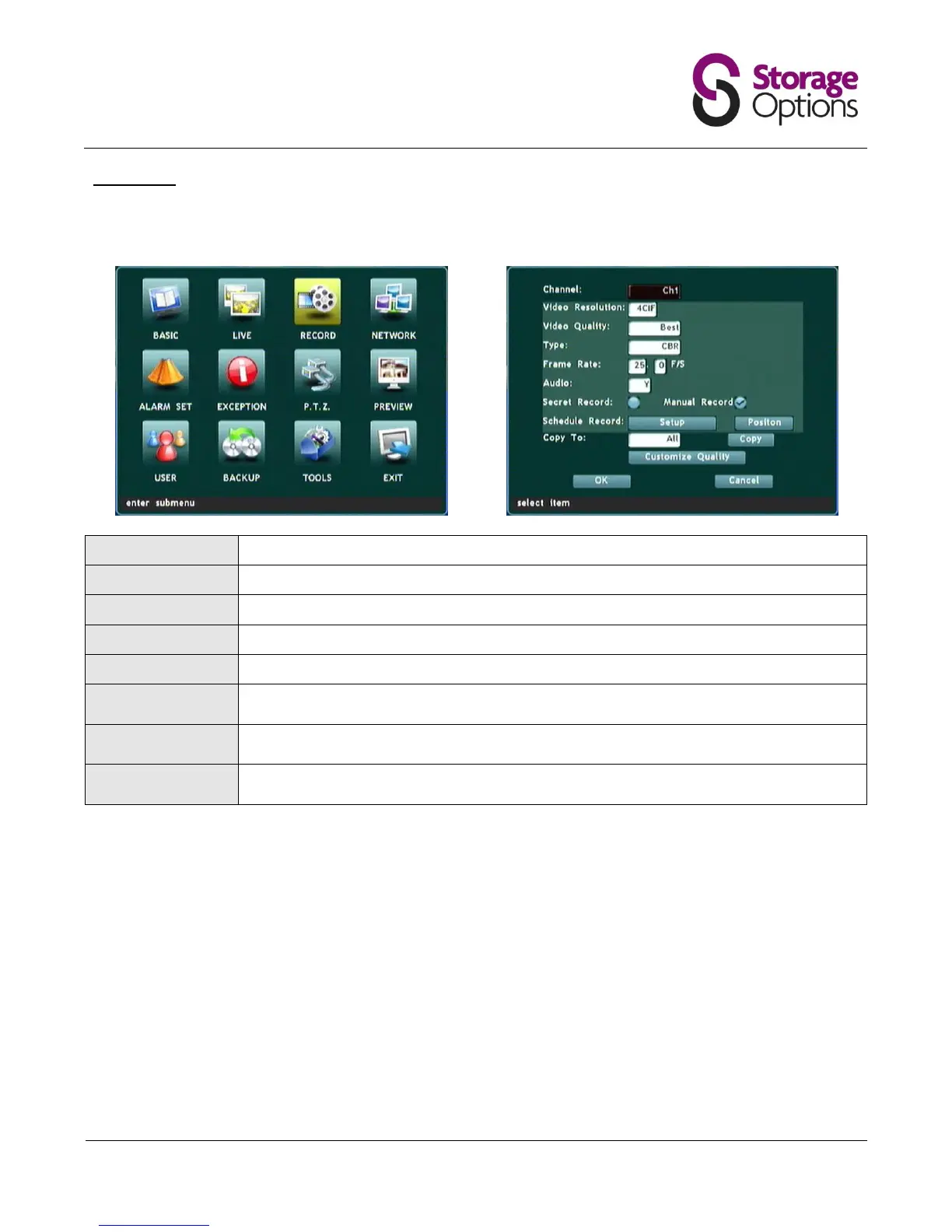
5.4 – Record
This menu allows you to change multiple image quality settings for each camera. The "Copy To" function can be
used to apply the settings from one camera to another or all cameras connected to the system.
Choose the image resolution, CIF (lowest quality) to 4CIF (highest quality).
Choose the overall recording quality.
Choose from Constant Bitrate (CBR) or Variable Bitrate (VBR).
Choose the number of frames to record per second.
When viewing the camera grid, this function will hide the camera's feed by displaying a blue
screen.
Allows the user to set multiple schedules for motion detection-based recording, based on day
of the week and start / stop times.
For advanced users. Allows the user to customise the main video stream (DVR) and
secondary stream (network) for the selected camera, as per "Video Quality" modes.
Please note, higher quality settings will cause more hard disk capacity to be used.



 To Next Page