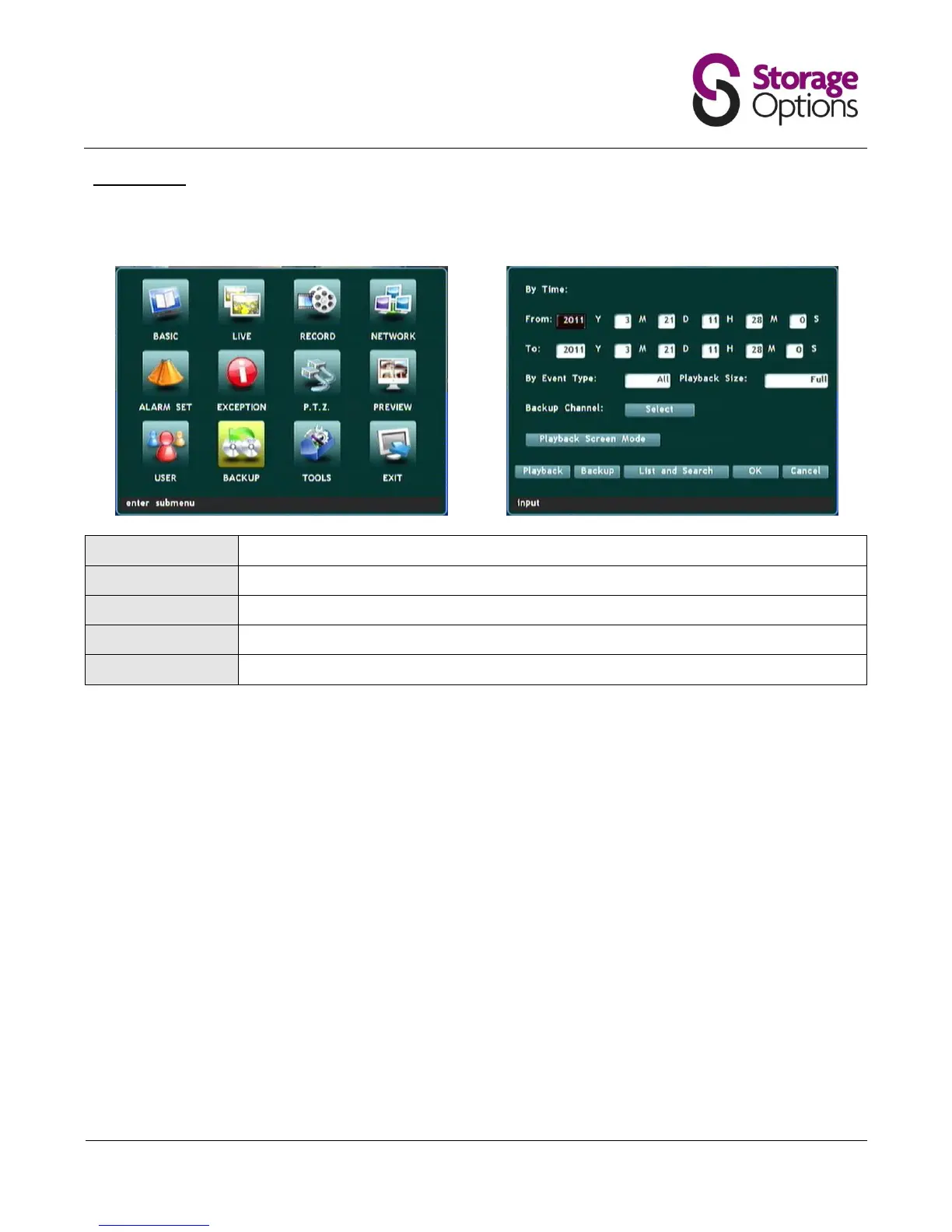
5.11 – Backup
This page allows the user to backup video recordings from all four cameras to a USB device, such as flash drive or
portable HDD. Before using this feature, please connect your USB device to one of the ports on the back of the DVR.
Select a date and time to start the backup from.
Select a date and time to end the backup.
Choose whether all, alarm, or normal recordings should be backed up to the external drive.
Choose full or original video playback size.
Select which camera (1 – 4) to backup.
Once these fields are complete, move down to the "Backup" option and press "Menu/Enter". This will back-up the
selected recordings to the external device. Please be patient as this may take a while, depending on the time range
selected and quality of recordings.



 To Next Page