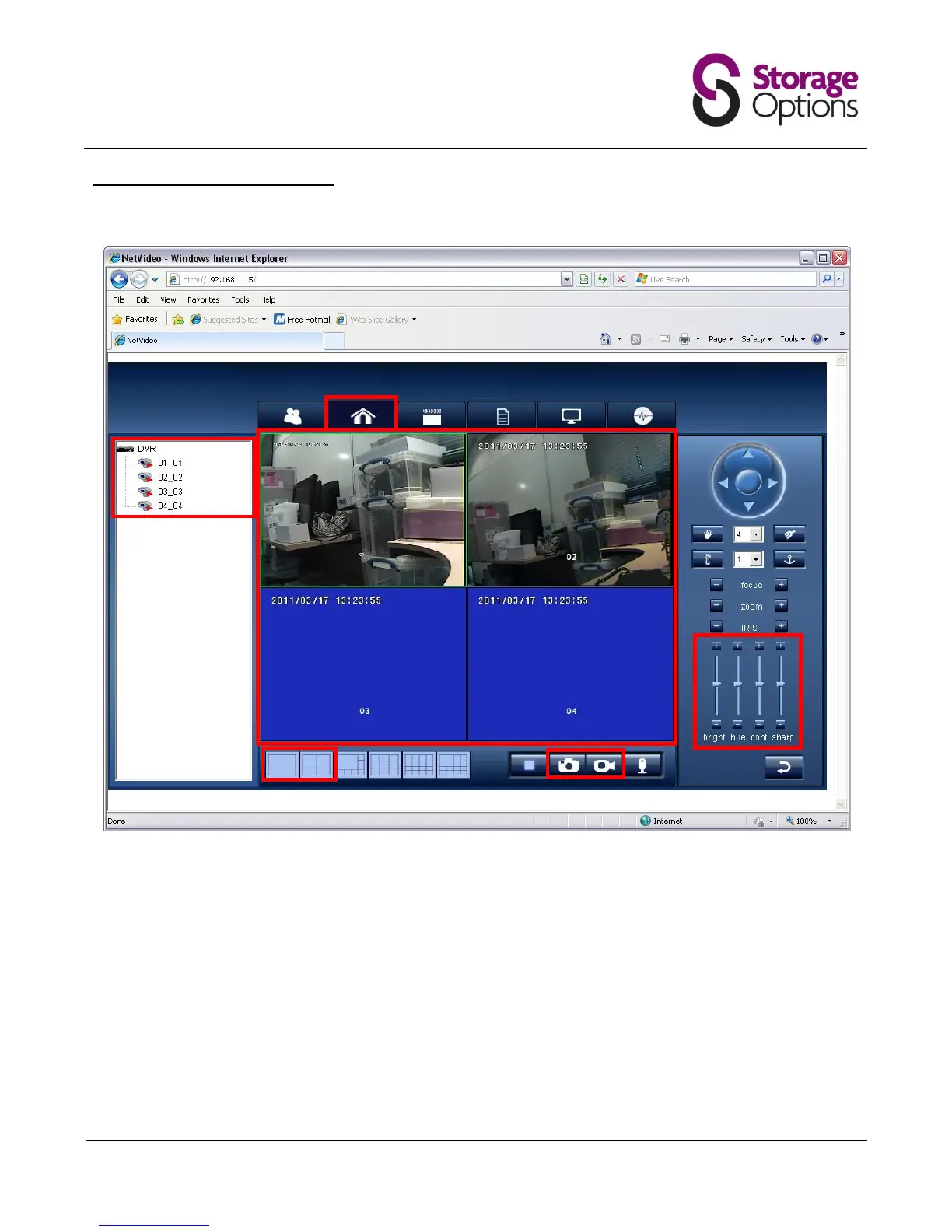
6.2 – View and Record Live Cameras
Once connected to the camera’s Web server, you can view all four camera feeds and also perform other functions.
1. Click the “Home” icon on the menu bar.
2. Double-click or drag each camera to the main window (3) to display the live feed on screen.
3. You can adjust brightness, contrast, hue and sharpness for the cameras with this control panel.
4. The main window displays all activated cameras.
5. Choose how to view the cameras with the grid layout buttons. You can also display a camera full-screen by
double clicking on the video playback window.
6. Take a snapshot or start recording to your computer’s HDD using these controls (please note, depending on
your operating system’s security settings, these functions may not work).



 To Next Page