ISP Immersive Sound Processor
17
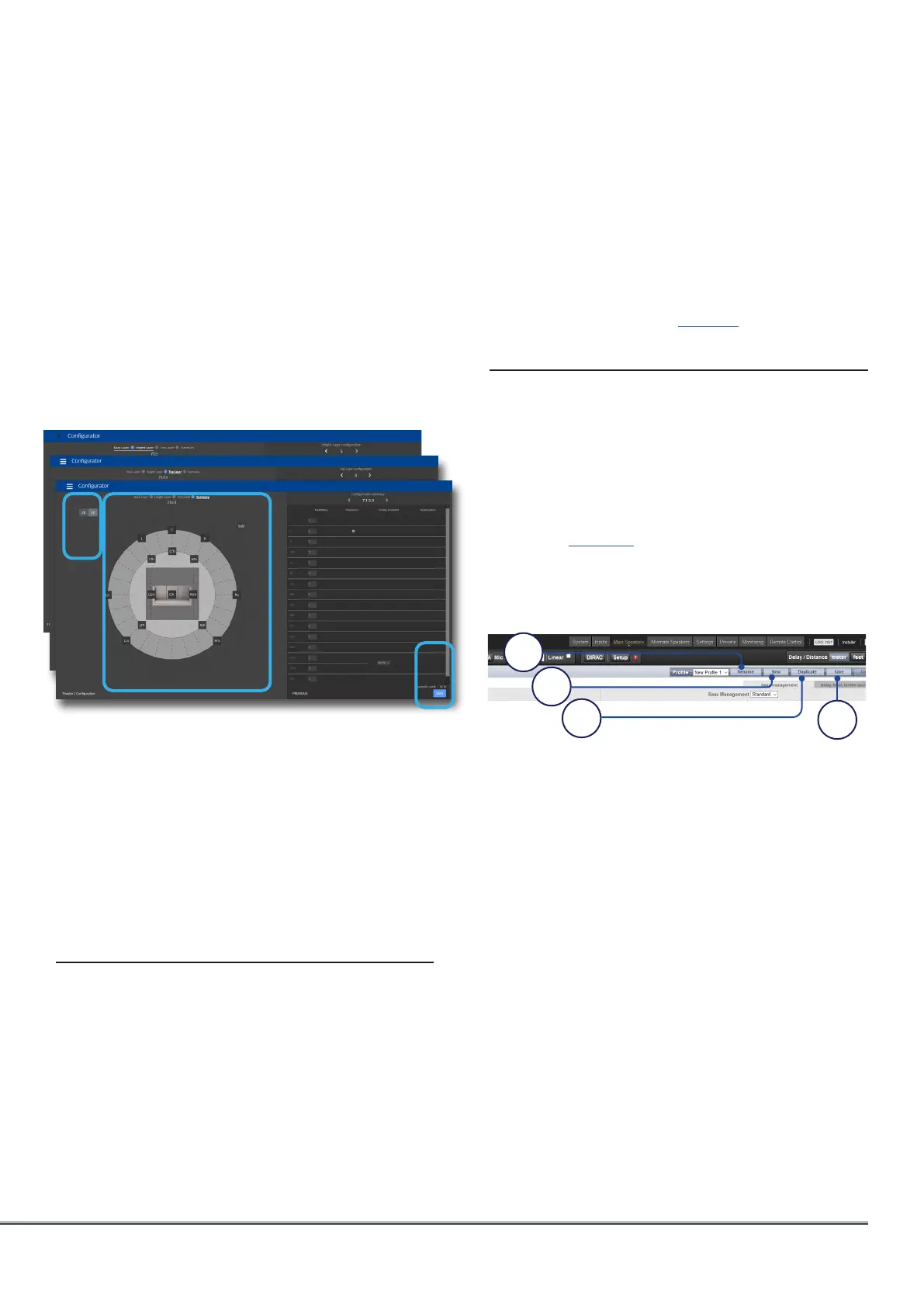
Configuration is shown. A four digits
description is given following this order:,
“Base Layer . LFE . Height Layer . Top Layer”.
H. It is possible to get a 3D view of the
Theater, toggling between 2D and 3D.
I. Save to exit and reach the Speakers
edition page loaded with the default
audio profile “New profile 1”.
Zones
Zones are mono or stereo, and with or without
a link to video output or can be dedicated
to headphone playback when used with an
external headphone amplifier. Stereo Audio/
Video and Headphone Zones include provisions
for adjusting lip sync. Audio only zones do not.
Zones occupy unused channels and can play
concurrently with a theater or without one. Note
that system wide, you can select one input for
the main theater (Main Source) and one Zone
1. Rename
You can rename a profile using Latin-1 table
characters. No special character allowed.
2. New
Click New to build a new fresh profile.
3. Duplicate
Build a variation of a saved profile. For
instance, you cannot edit Dirac reference
profiles directly although it can be useful to
tune levels of replicated speakers. In such
case, create a duplicate of the reference
profile and edit it to adjust the needed
parameters.
4. Save
After any changes to a profile are made or
creation of a new one, you must SAVE your
changes.
firing in ceilings speakers.
E. For each speaker, you can define whether
replication is required. Use this feature
for multiple subwoofers or multiple rows
of surround speakers declaration or any
speaker you wish to replicate. In case
there is no subwoofer in the system,
please select “0” in the subwoofer field.
F. Press Next to reach the next layer and
follow again steps A to E until all three
layers are defined.
G. At the end, a summary of the Speakers
G
I
1
2
3
4
2 input used by all the audio zones (Secondary
source). You can choose the Zone to play either
the Zone2 source or follow the Main Theater
source. Zones have all the same features of a
main theater except that channels are always
“Large”, they cannot include subwoofer channels,
and they are limited to mono or stereo. In order
to control a zone, it must be included in the
preset that is currently selected in the remote
control. See “Presets” on page 35 for more details.
Profiles
For each Theater, Sub-Theater, and Zone, there is
a default profile created. You can save multiple
profiles for different listening preferences with
specific speakers settings (such as different EQ
profiles based on content type).
Profiles can be recalled as part of Presets (see
“Presets”, page 35). A profile includes: Speaker
definition (multi-way, levels, delays), bass
management, manual EQ, and Dirac filter design
if applied.
H



 To Next Page