24
with 12dB to 48dB / octave slope (8
th
order).
5. With LFE
When a channel is set to Large, Large and Sub
or Large with Sub, this channel can optionally
reproduce LFE bass which would normally
be the sole responsibility of the subwoofer
channels. When set to None, no LFE will be
mixed into this channel. When set to a figure
between 0dB and -20dB, LFE bass attenuated
by that figure will be mixed into this channel.
This feature is useful when the main channels
have sufficient bandwidth AND dynamic
range to support the subwoofers in creating
an appropriate amount of bass sound
pressure in the room.
6. Bass Routing
In Expert mode, it is possible to define
multiple bass SUB channels, Bass Zones, made
of the bass redirection of chosen speakers.
• Large and Sub: Channel is not band limited, but
a copy of the bass for this channel is routed to
the bass SUB channel as well. Set the frequency
below which bass should be sent to the bass SUB
channel and the slope at which the crossover
occurs.
• Large with Sub: This special case is only available
in the Expert mode. It enables you to effectively
split a full range loudspeaker into a “small speaker”
plus a “subwoofer”. The HPF frequency and slope
define the characteristic of the “small speaker”
portion. LPF frequency and slope define the
virtual “subwoofer” characteristic. Both are mixed
before being routed to the speaker, thus making
it a Large one from an acoustical stand point.
Subwoofer channels have specific settings. By
definition, subwoofers have limited bandwidth
and some are more limited than others.
• Low Pass LFE: When this is set to ON, the
subwoofer channel has a low pass filter applied
according to that channel’s Frequency and Slope.
This is designed to limit the channel’s ability to
reproduce the upper portion of the bass spectrum.
This is usually done to prevent the subwoofer
from contributing midrange distortion.
• Subsonic SUB: When this is set to ON, a high pass
filter is applied to the channel which restricts the
subwoofer’s ability to reproduce very deep bass
according to the frequency and slope defined for
that channel. Many subwoofers, especially smaller
models do not have the amplifier power or driver
displacement required to accurately reproduce
very deep bass. By actively filtering very deep
bass away from the subwoofer, it is better able to
reproduce bass within it’s useful bandwidth.
3. Frequency
When the channel is set to Small, Large
and Sub or Large with Sub, the crossover
Frequency defines the point below which
bass in this channel is routed to the bass SUB
channel in standard mode. In Expert mode
HPF to the speaker and LPF to the bass SUB
channel can be adjusted individually. Note
that the frequency is the -3dB point along
the slope defined in the next column and is
not an absolute cutoff point.
4. Slope
The rate at which bass is ‘crossed over’ into
the subwoofer when the channel is set to
Small or Large and Sub. Both Linkwitz-Riley
and Butterworth type filters are available
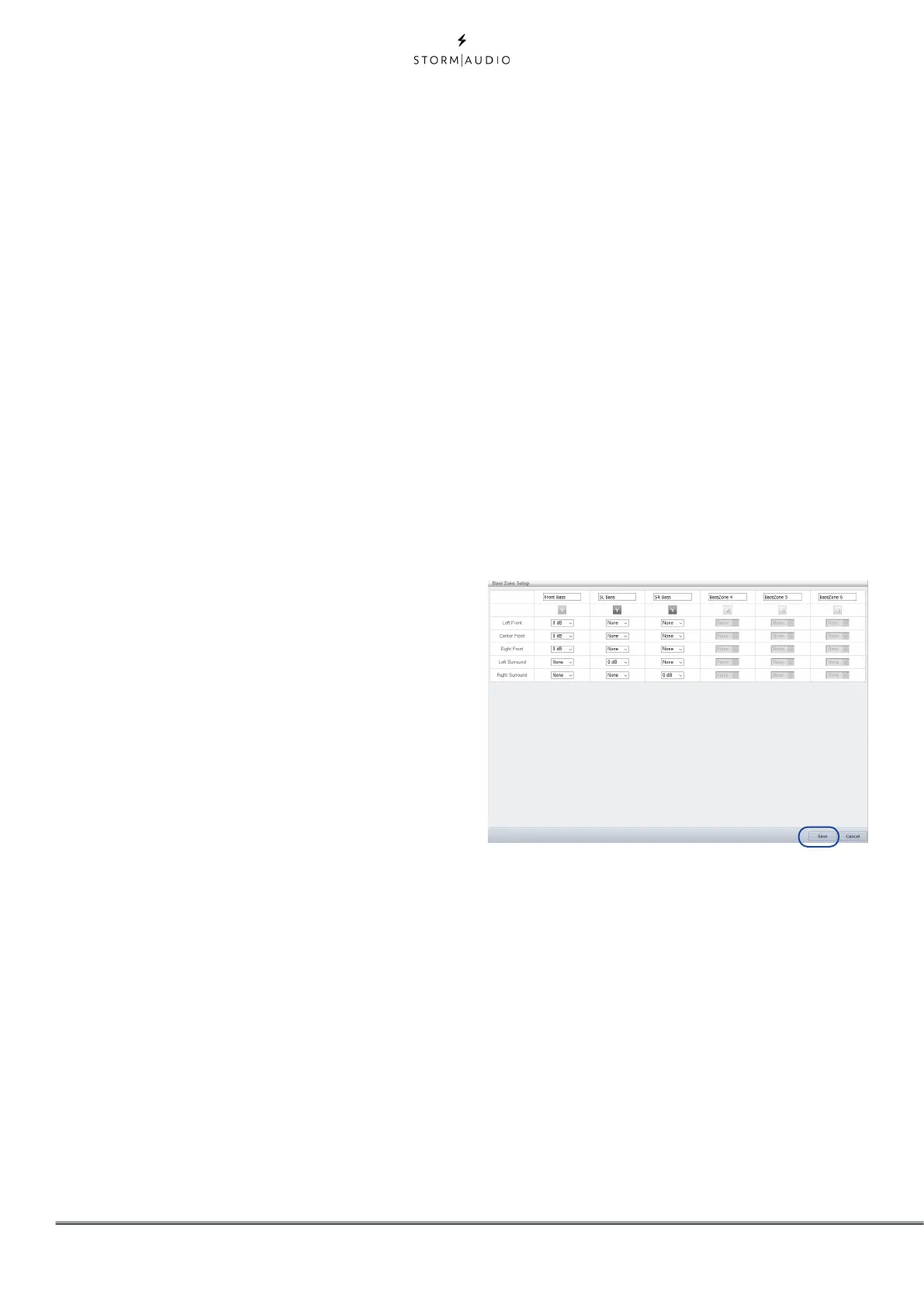
Selecting Bass Zone Setup will give access to
a definition popup.
Up to 6 Bass Zones can be defined. There
is always one by default receiving all the
redirected bass. More can be activated by
toggling the button to Y. Then adjust the
redirection level expected for a certain
channel in the desired Bass Zone. Once fully
defined, you can SAVE to exit the popup.
7. SUB Routing
For each Bass reproducer (Large, Large and
Sub and Large with Sub channels), you can
define which Bass Zone it should reproduce.
When set to None, no Bass Zone will be



 To Next Page