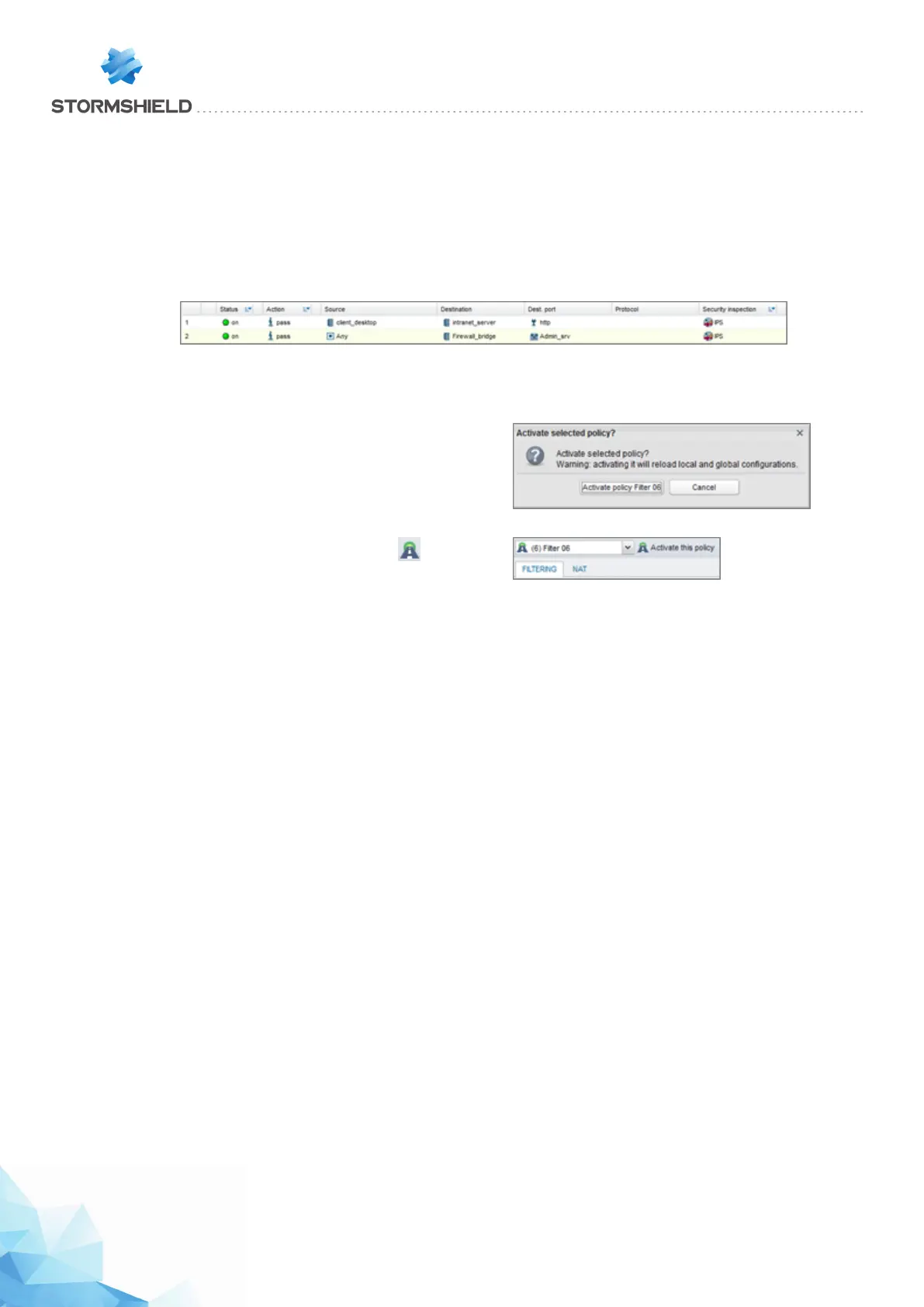
Rule for administering the IPS-Firewall
Following the method described in the paragraph Adding a filter rule, add a rule allowing the IPS-
Firewall to be administered (rule 2):
Source: Any (or a group of authorized hosts)
Destination: Firewall_Bridge object
Port: Admin_Srv object
Activating the filter policy
At the bottom of the Filter-NAT window, click on Save and
apply.
Confirm by clicking on Yes, activate the policy.
The active policy is recognizable by the icon .
Testing the Filter / NAT policy
You have reached the end of the procedure, and your intranet must be accessible from your
client workstation. In a web browser, type the server’s URL, for example, “http://intranet_server_IP_
address”.
If the intranet server’s home page does not appear, check the following points:
l Have you activated your filter/NAT policy and the rules associated with it?
l Has routing between the client workstation and the server been defined (static routes, default
gateway to the IPS-Firewall)?
l Is the web service running on the server?
l - Is there a firewall blocking the connection on the workstation or the server?
Page 391/448 sns-en-user_configuration_manual-v3 - Copyright © Stormshield 2016
SNS - USER CONFIGURATION MANUAL V.3
HOW TO: IMPLEMENTING A FILTER RULE



 To Next Page