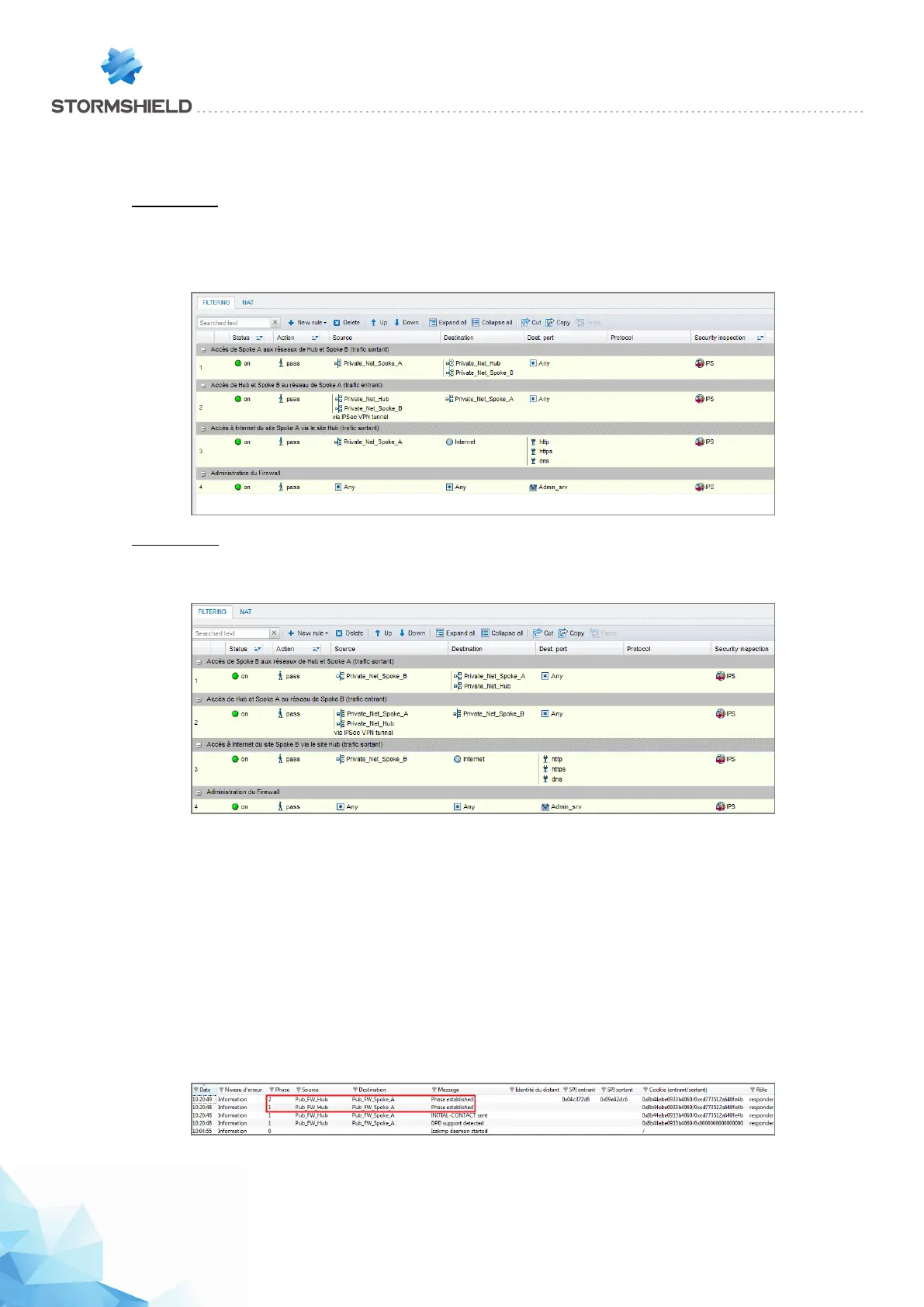
filter on satellite sites (authorized protocols, ports, etc) in order to prevent unnecessary packets
from going through the tunnels. This filter policy will also be on the Hub site.
Spoke A site
Define the filter rules needed for exchanges between Spoke A and Spoke B, Spoke A and the Hub
as well as local traffic to the Internet (centralized on the Hub):
Spoke B site
Define the filter rules needed for exchanges between Spoke B and Spoke A, Spoke B and the Hub
as well as local traffic to the Internet (centralized on the Hub):
Checking the tunnel setup
From a client workstation located on the Spoke A site, first of all set up a connection to a host on
the Hub site (using a ping for example, if you have allowed ICMP in all filter rules), in order to test
the setup of the first tunnel (Spoke A to Hub).
Via the Stormshield Network administration suite
Launch Stormshield Network Realtime Monitor, log on to the IPS-Firewall of the Hub site through
the program and click on the module Logs > VPN. Check that phases 1 and 2 took place correctly
(message “Phase established”):
In the module VPN Tunnels, you can also view the first tunnel as well as the amount of data
exchanged:
Page 424/448 sns-en-user_configuration_manual-v3 - Copyright © Stormshield 2016
SNS - USER CONFIGURATION MANUAL V.3
HOW TO: IPSEC VPN - HUB AND SPOKE CONFIGURATION



 To Next Page