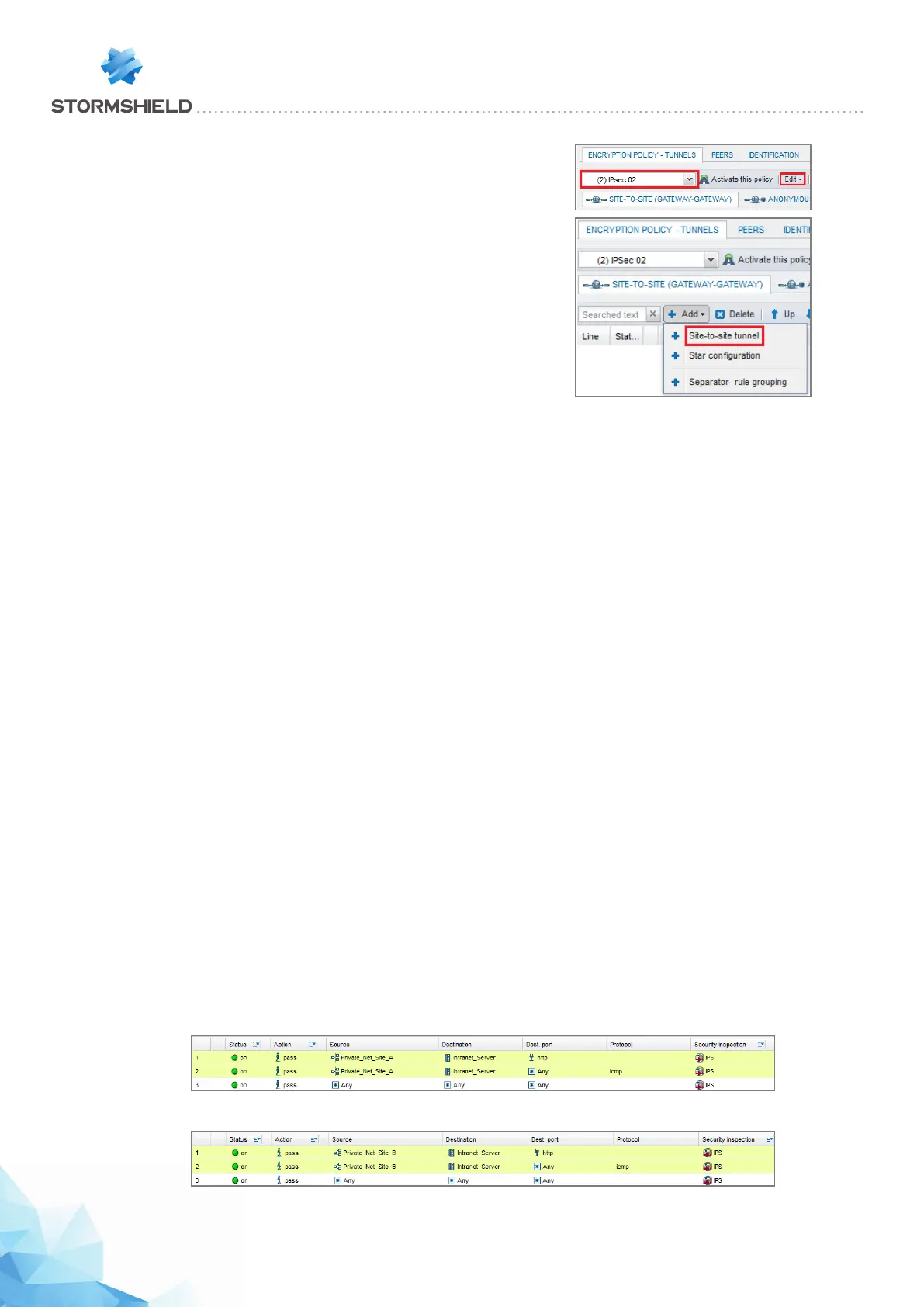
Select the encryption policy you wish to configure; you can rename it
later by clicking on Edit.
Next, click on Add to define the IPSec tunnel. Select the Site-to-site
tunnel model.
Fill in the fields in the wizard with the values adapted to each remote site.
On remote site A:
l Local network: Private_Net_Site_A,
l Remote network: Private_Net_Main_Site,
l Remote gateway: Pub_Main_FW,
l Certificate: the certificate created for the remote IPS-Firewall on site A.
On remote site B:
l Local network: Private_Net_Site_B,
l Remote network: Private_Net_Main_Site,
l Remote gateway: Pub_Main_FW,
l Certificate: the certificate created for the remote IPS-Firewall on site B.
Setting up filter rules
In the menu Configuration > Security policy > Filtering and NAT, select your filter policy.
In the Filtering tab, click on the menu New rule > Standard rule.
In the case presented, client workstations located on remote sites must be able to connect in
HTTP to the intranet server located on the local network of the main site (rule no. 1). You can also
temporarily add, for example, ICMP to test the setup of the tunnel more easily (rule no. 2).
The filter rules will look like this:
On remote site A:
On remote site B:
Page 412/448 sns-en-user_configuration_manual-v3 - Copyright © Stormshield 2016
SNS - USER CONFIGURATION MANUAL V.3
HOW TO: IPSEC VPN - AUTHENTICATION BY CERTIFICATE



 To Next Page