37 MA_441-1-2_A1_180830_en
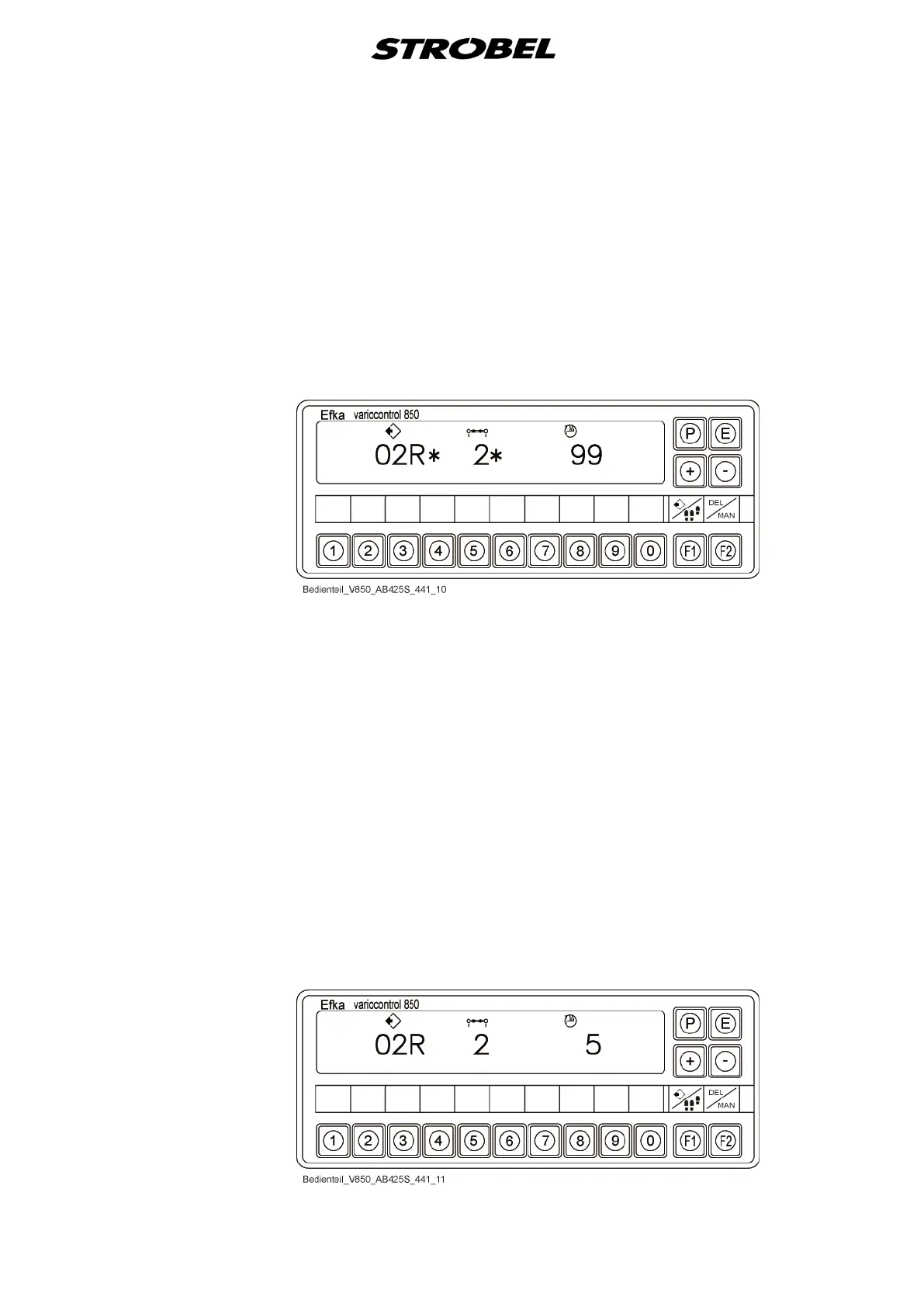
- It starts with the value of the differential transport of sector 1.
- The value "99" indicates that no differential transport has been set for
the current sector.
- Reduction differential transport begins to flash.
- The "*" icon behind the values of the program and sector numbers
indicate that this program number or this sector has not yet been
occupied (if the "*" icon cannot be seen in this display, then this
program number or the sector is already occupied).
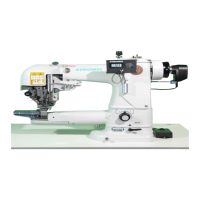
- The corresponding value for differential transport can be set using the
"+/–" buttons.
- The sector is increased with the "E" button or the knee switch and the
next value for the differential transport can be entered.
- Once the desired sectors are programmed, the program is saved by
pressing the "P" button.
- During saving, the second associated program is created
automatically (e.g. 00R+01L, 02R+03L, 04R+05L…)
- Return to the standard display
● Process existing program
Add sector to the end
- Activate programming mode.
- Select and confirm program number.
- Press the "F1" button to display last sector.


 To Next Page