PART 5 Español
19
5.1.1.2 Modificar (Tecla amarilla)
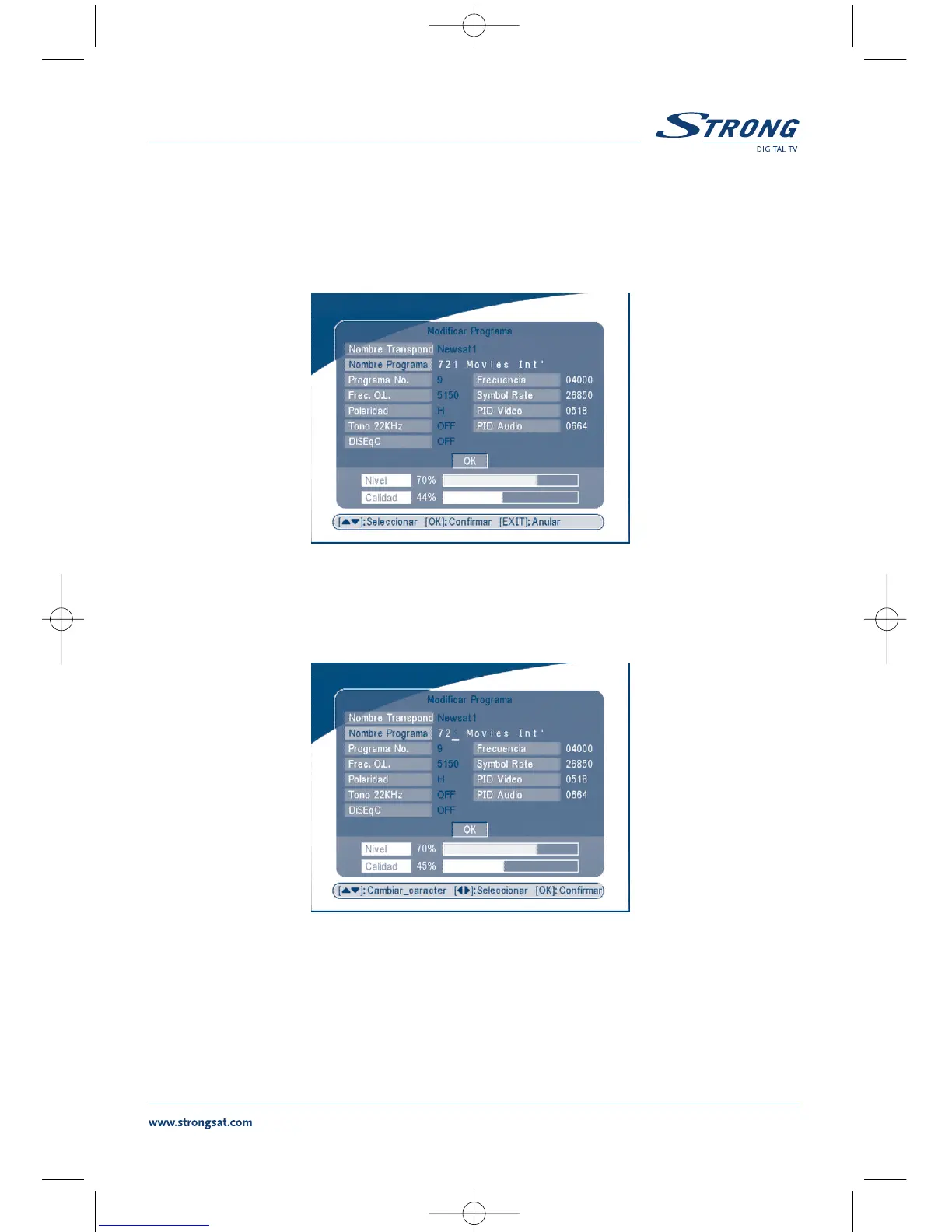
Encender el canal que se quiere modificar, apretar la tecla AMARILLO (MOODIFICAR) PANTALLA 13
en este menú es posible modificar el Nombre Programa, Frecuencia oscilador local, Symbol rate, PID
Video, PID Audio.
PANTALLA 13
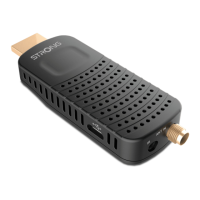
Para modificar el nombre del canal, utilizar SIGUIENTE/ANTERIOR para seleccionar “Nombre progra-
ma” y apretar OK.
PANTALLA 14
Utilizar las teclas DERECHA/IZQUIERDA para mover el cursor sobre el carácter a modificar. Utilizara
las teclas SIGUIENTE/ANTERIOR para cambiar la letra, Para cancelar un carácter es necesario
sustituirlo con el “espacio”.
Terminar la modificación y apretar OK.


 To Next Page