PART 1
z
English
8
P. MOSAIC
Show pictures of 9 channels on the screen simultaneously
Q. PAUSE
Freeze/Resume picture.
R. AUDIO
Shows the list of available audio languages for the channel you are watching. In addition it sets
the current channel audio to stereo ((z)), left-mono ((z or right-mono z)).
S. EDIT
Program edit
T. SAT
Switch the satellite
U. TEXT
Shows current service's Teletext on OSD
V. SUB
Show the list of subtitled languages the current channel supports.
W. RECALL
Switches back to last channel viewed
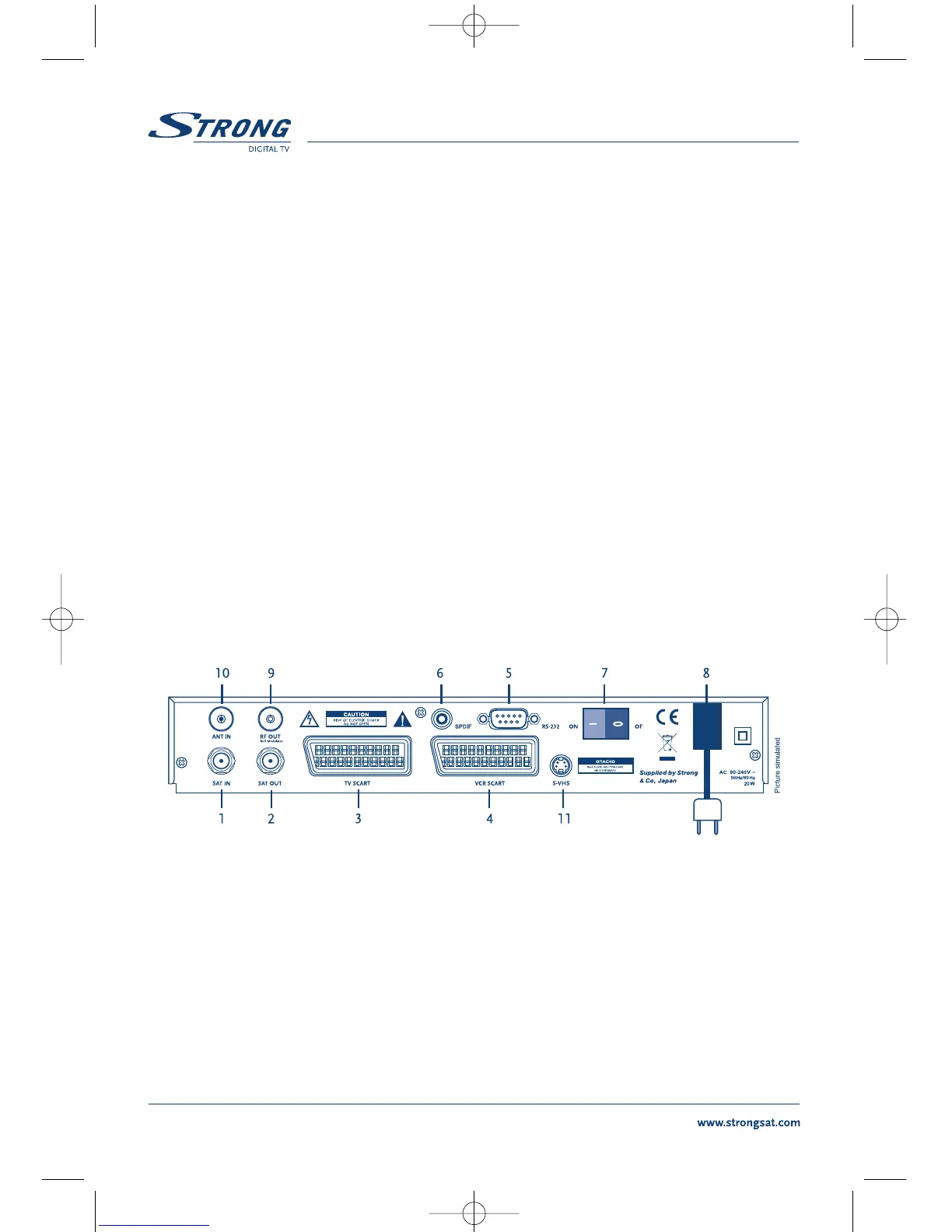
2.3 Rear Panel
FIGURE 3. Rear Panel
1. SAT IN
Connect the digital signal from your LNB on the satellite dish to this connector.
2. SAT OUT
Gives you the possibility to connect an extra receiver (analogue or digital).
3. TV SCART Connector
To connect your receiver to your TV set using a SCART cable.



 To Next Page