PART 5 Español
25
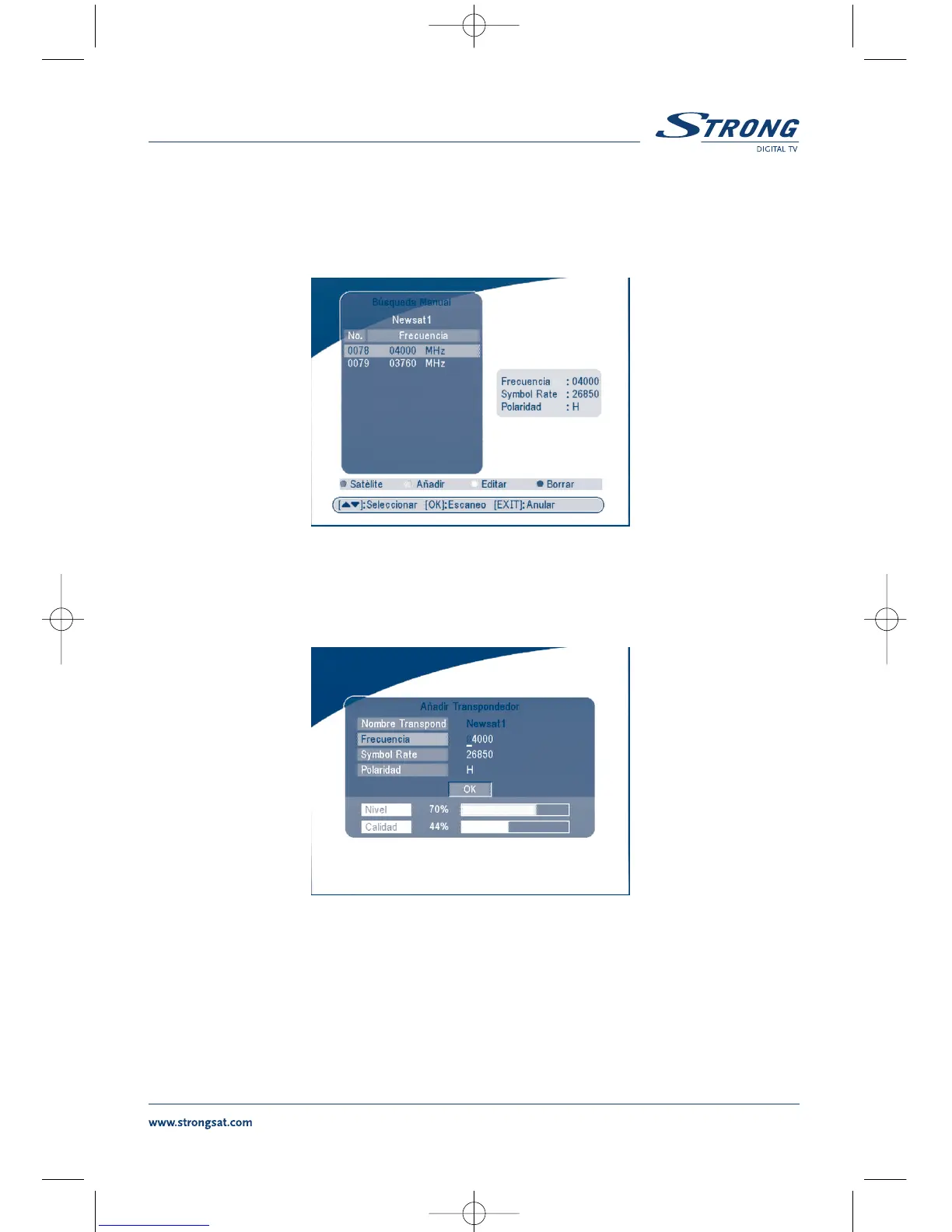
5.2.2 Busqueda Manual
En este menú, es posible añadir, modificar o cancelar un nuevo transponder
Es posible cambiar el satélite apretando la tecla
ROJA.
PANTALLA 25
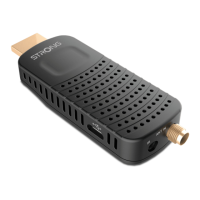
Añadir un Transponder
Apretar la tecla VERDE, el submenú Añadir Transponder aparecerá en la pantalla.
PANTALLA 26
Frecuencia: introducir la frecuencia del transponder.
Symbol Rate: introducir el symbol rate del transponder.
Polaridàd: Seleccionar la polaridad del transponder.


 To Next Page