PART 1
z
English
25
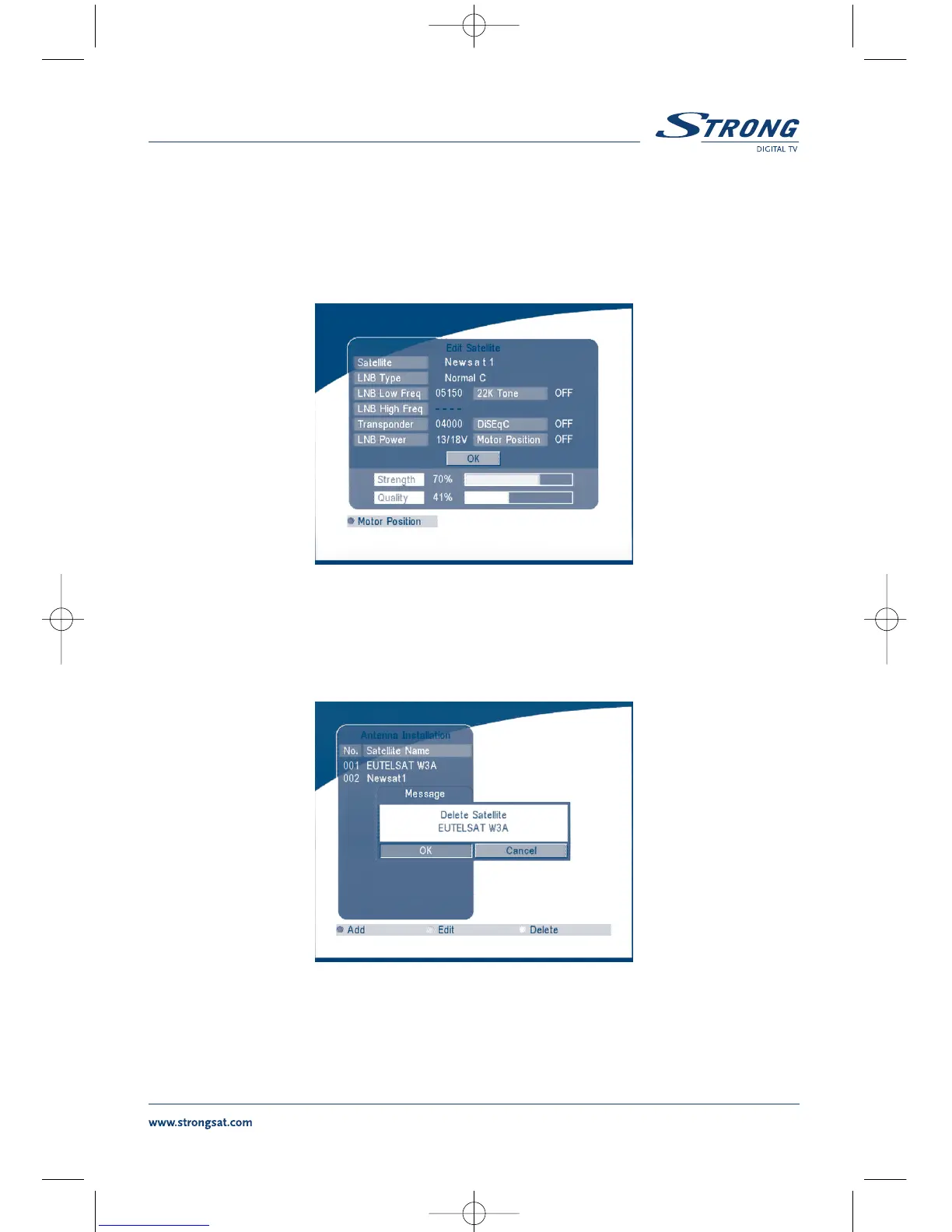
Edit satellite
If the parameters of the satellite were changed or the satellite is a new satellite, you must set the
parameters of the satellite, such as LNB type, LNB low Freq, LNB High Freq, Transponder, LNB Power,
22 k Tone, DiSEqC and Motor Position.
SCREEN 21
Delete satellite
If you want to delete a satellite, press the YELLOW key. Then warning message will appear as below.
SCREEN 22
Select OK and press the OK key to confirm.



 To Next Page