7.5 The preparation process
7.5.1 Prepare the specimen holder for the Xmatic
1. Place your specimens in the specimen holder.
2. Place your specimen holder in the conveyor. See Place and remove the specimen holder
►52.
3. Manually select the number of specimens you have in the holder, or tap the Run button to
start automatic detection, dependent on your settings in Machine settings ►95.
4. Select a method for each specimen holder you have inserted. See Methods ►55
5. The force is adjusted either automatically or manually at your option. See Machine settings
►95.
Note
If you have placed several specimen holders in the conveyor, the specimen
holders are queued based on the order in which you have pressed Run for each
of the specimen holders. To modify the queue, tap Eject, and press Run for each
specimen holder in the order you want them to be processed.
7.5.2 Step selection
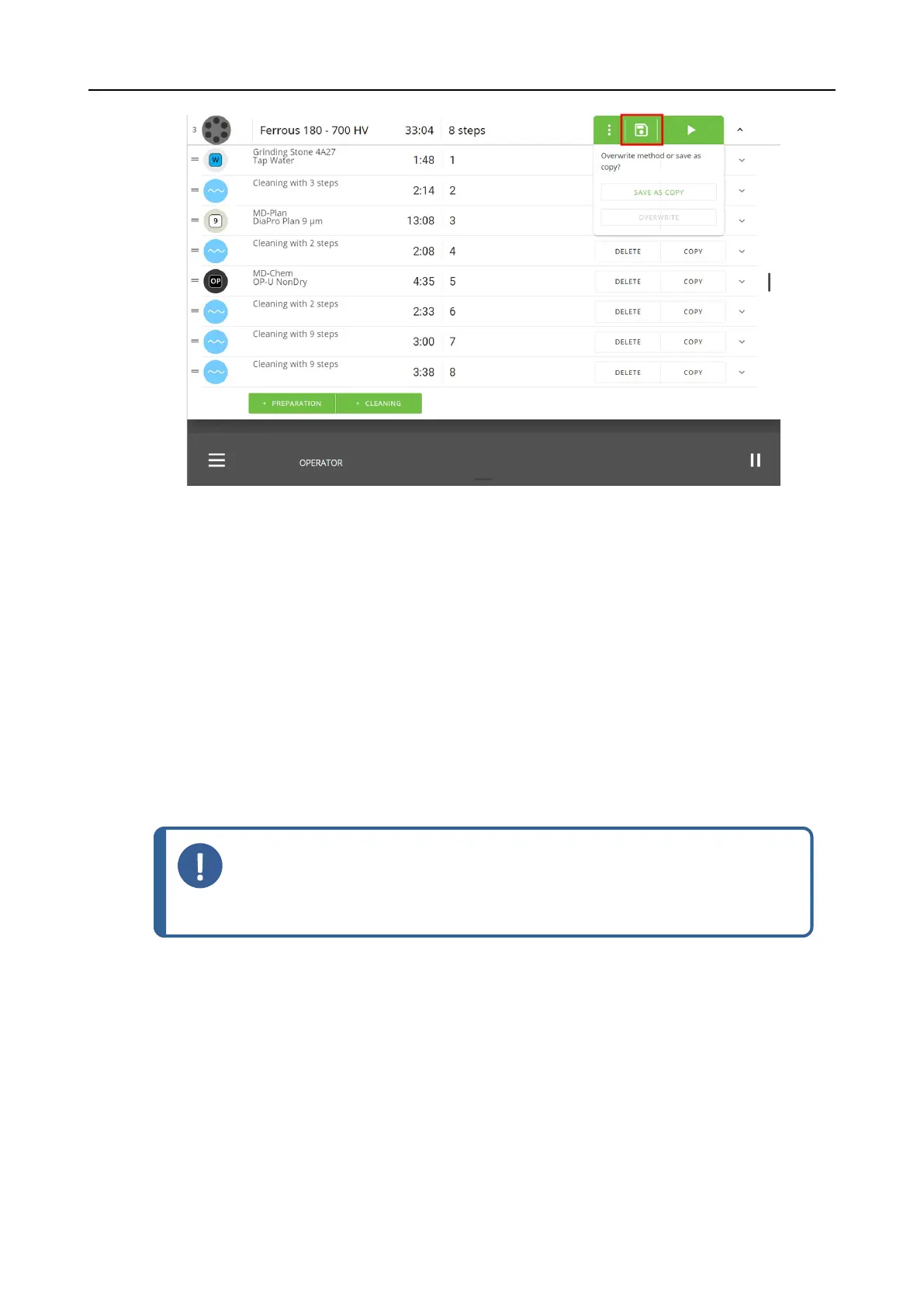
If necessary, you can select steps in your standard or custom methods in a preparation process.
Procedure
1. Tap the 3 dots on the method line to access the Stepselection menu.
7 Operate the device
Xmatic 65









 To Next Page