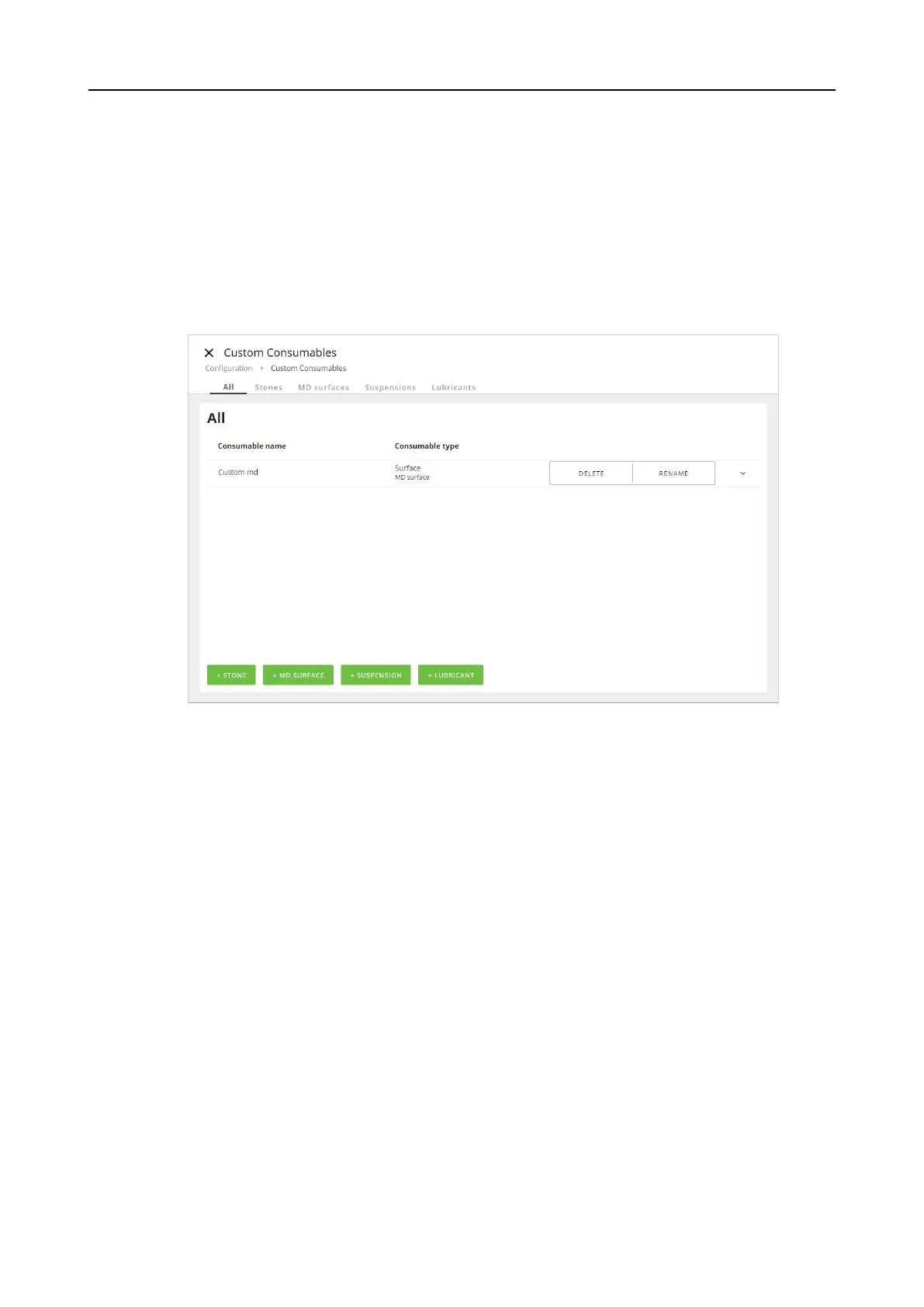
8.3 Custom consumables
Configure custom consumables
1. Log in to the machine as an Administrator.
2. From the Main menu, select Configuration and Custom consumables.
3. In the view, select the type of consumable you want to rename, delete or add, such as
Stone, MD surface, Suspension or Lubricant , either in the menu or on the green buttons.
4. To add a new custom consumable, click on the green button for the consumable in question,
e.g. MD surface.
8 Configuration
Xmatic 83









 To Next Page