ANDROID AUTO™
Cables
Always use a high-quality OEM USB cable.
Ensure the Android phone is fully up to date. Also verify that the
Android Auto app, along with all other apps that work with Android
Auto, are up to date. Android Auto might not function properly if one
of them is outdated or having an issue. The apps can be
downloaded from the Play Store.
For more information, visit: www.android.com/auto/
Connecting an Android Phone
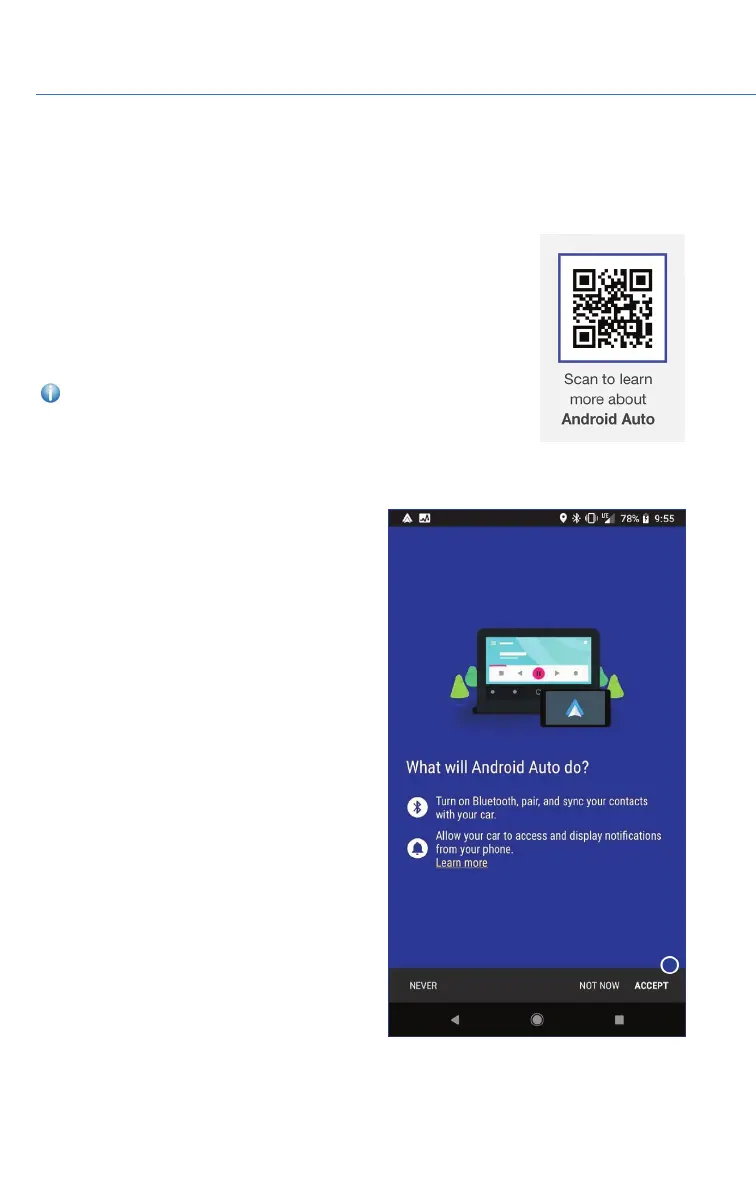
1. To set up Android Auto, first plug the
Android phone into the USB port of the
vehicle using a quality OEM cable. The first
time you plug in, this message will appear.
Select “Accept”. After that, select “Accept”
to any other prompts that appear. Android
Auto might also need to download before
functioning on the vehicle; allow it to do so.
HOW TO APPENDIX
106















 To Next Page