PAIRING A PHONE
To begin using your Bluetooth
®
Hands-free device you must first
pair your phone with the system. Phone pairing provides access to
the contact list on your phone and allows you to use the voice
recognition system to make and receive calls. The system can also
read incoming text messages, as well as allowing you to reply to
texts or send short messages. The system automatically reconnects
to your Bluetooth
®
device and will remember your driver profile.
For instructions on how to pair your phone to the Touchscreen, see
page 98 for Android devices or page 102 for Apple devices.
Visit https://www.subaru.com/owners/index.html for complete
details on what is available by connecting a phone to the Touchscreen.
MAKING A CALL
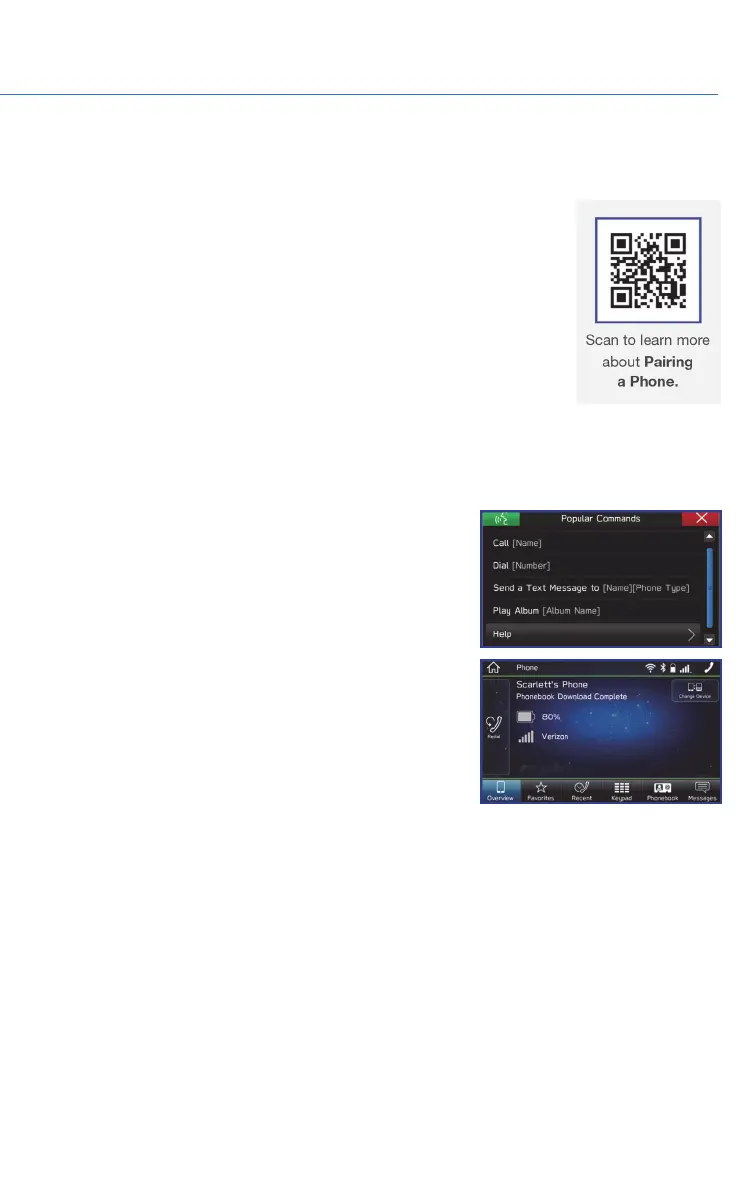
You can make a call through voice recognition by
touching the “Voice Recognition Switch” on the
steering wheel to start or stop the voice recognition
system. After pressing the “Voice Recognition Switch”,
wait for the “Voice Guidance” screen to appear on the
Touchscreen and say “Call [name and phone type]” or
“Dial [number]”.
To make a call from the Touchscreen, start by pushing the “Home” button and then select
“Phone”. After the phone screen displays, select the method you would like to use to make
a call.
• Overview – Allows you to call the last number.
• Favorites – Allows you to place a call to one of your favorites on your phone.
• Recent – Allows you to call someone that has recently called you or that you called.
• Keypad – Allows you to dial any number you would like.
• Phonebook – Displays the phonebook from your phone.
PHONE
61















 To Next Page