KEYLESS ACCESS WITH PUSH BUTTON START (if
equipped)
The Keyless Access with Push-Button Start system features touch-activated door locking
or unlocking and push-button start functions without the key ever leaving your pocket or
purse. You can customize the touch-activated door locking or unlocking settings using the
i/Set switch to navigate to “Vehicle Settings” then “Keyless Entry System” in the
Combination Meter Display or through the STARLINK
®
Touchscreen by selecting
“Settings” then “Vehicle”.
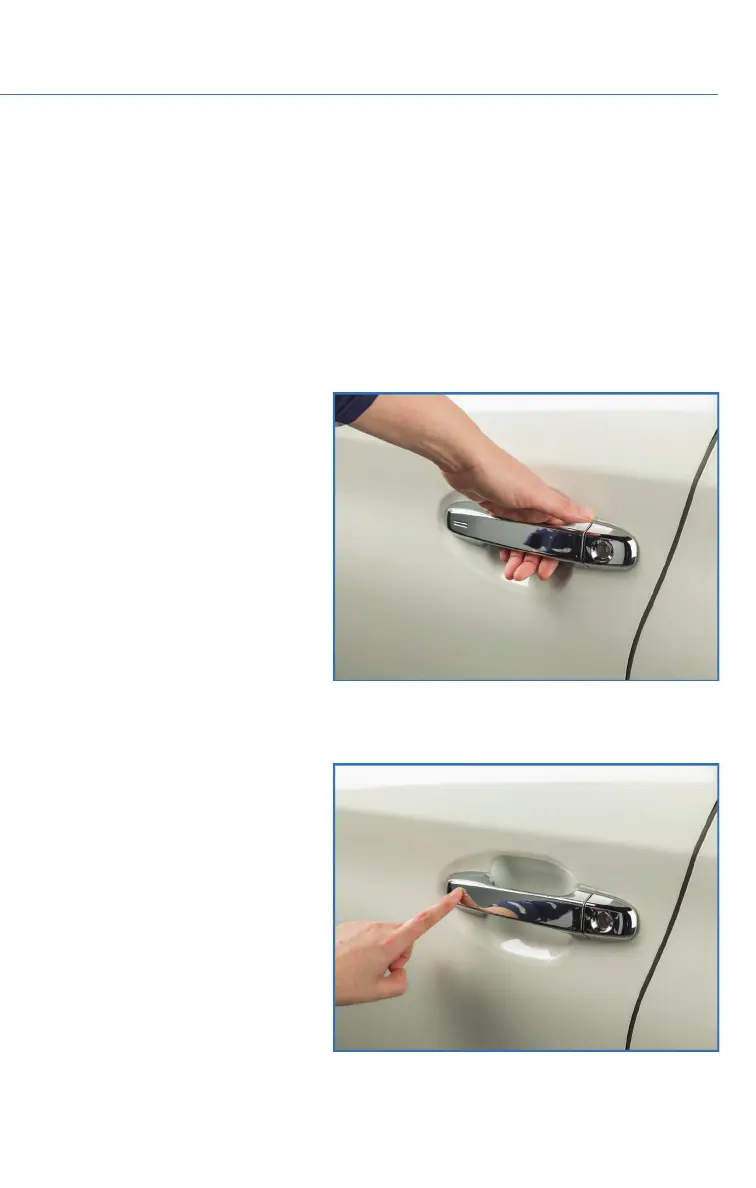
Unlocking Using Door Handles
Grip the driver’s door handle to
unlock the driver’s door (or all
doors depending on the setting).
Grip the front passenger’s door
handle to unlock all doors and the
trunk/rear gate. Two chirps sound
and the hazard warning lights
flash twice.
Locking Using Door Handles
Close all doors and the trunk/rear
gate and touch the door lock
sensor (two lines) on either front
door handle. All doors and the
trunk/rear gate will lock. One
chirp sounds and the hazard
warning lights flash once.
Door Unlock Sensor
Door Lock Sensor
ENTRY AND EXIT
9















 To Next Page