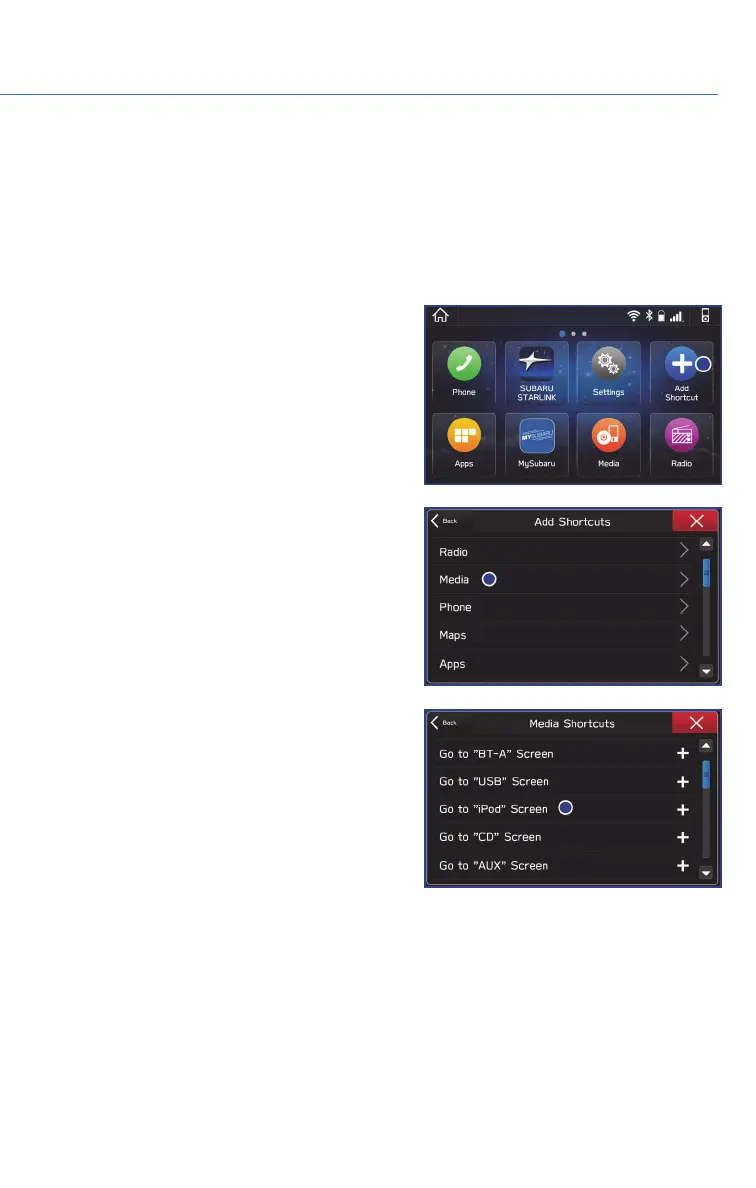
ADDING SHORTCUTS
You can add shortcut icons for various functions to the Home Screen when the Home
Screen Shortcut function is turned on. You can turn on the Home Screen Shortcuts
function by selecting “Settings”, then the “General” tab.
To add shortcut icons to the Home Screen, press the "Home" button.
1. Select “Add Shortcut”.
2. Select the desired function.
3. Select the desired shortcut function.
4. Check that the shortcut icon is displayed
on the Home screen.
STARLINK HOME
55















 To Next Page