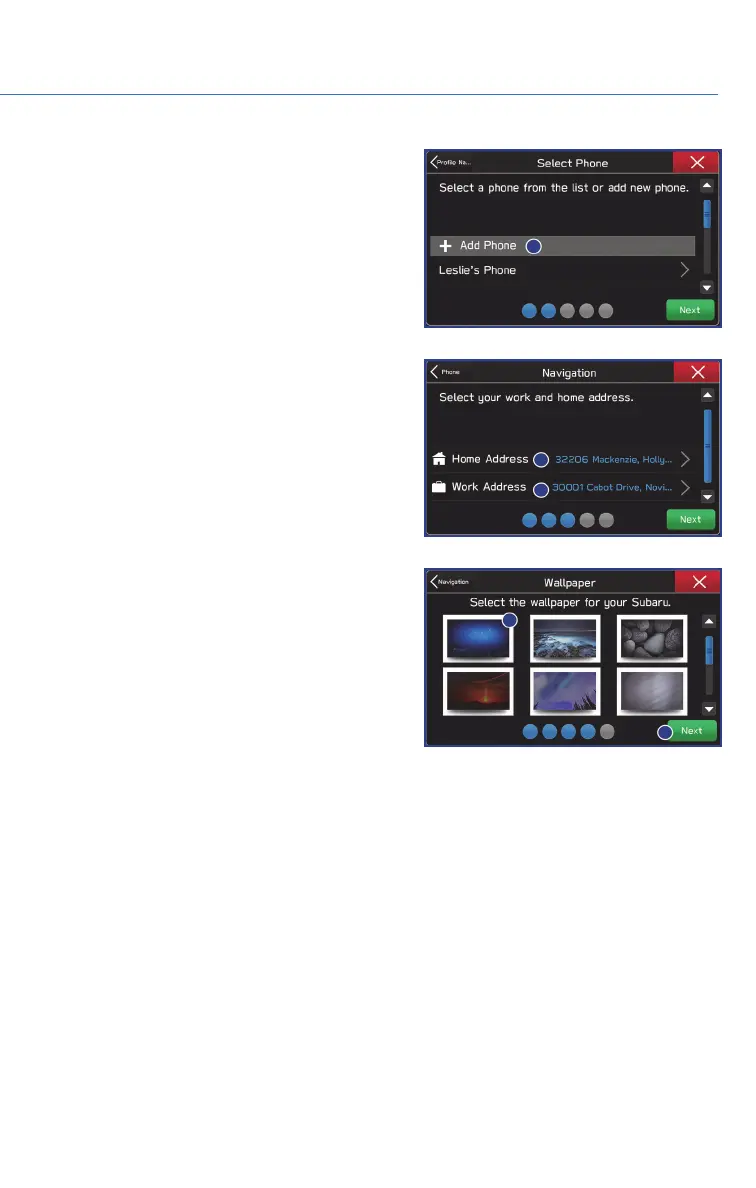
4. Select a paired phone or pair a new phone
(see step-by-step directions to pair a phone
in the How To Appendix). Then select
“Next”.
5. Enter a Home Address and Work Address
(if equipped with navigation). Then select
“Next”.
6. Select a Wallpaper then select “Next”.
7. Select “Finish”.
Retrieving a Driver Profile
The system automatically retrieves the profile once you are in your Subaru with the radio
on and your phone’s Bluetooth
®
active. You can also manually retrieve or change the
profile by following these steps:
1. Press the “Home” button and then select “Settings”.
2. Select “Driver Profile” and then select the profile you want to use and finally select
“Back”.
DRIVER PROFILE
57















 To Next Page