Black plate (195,1)
北米Model "A2480BE-A" EDITED: 2011/ 7/ 26
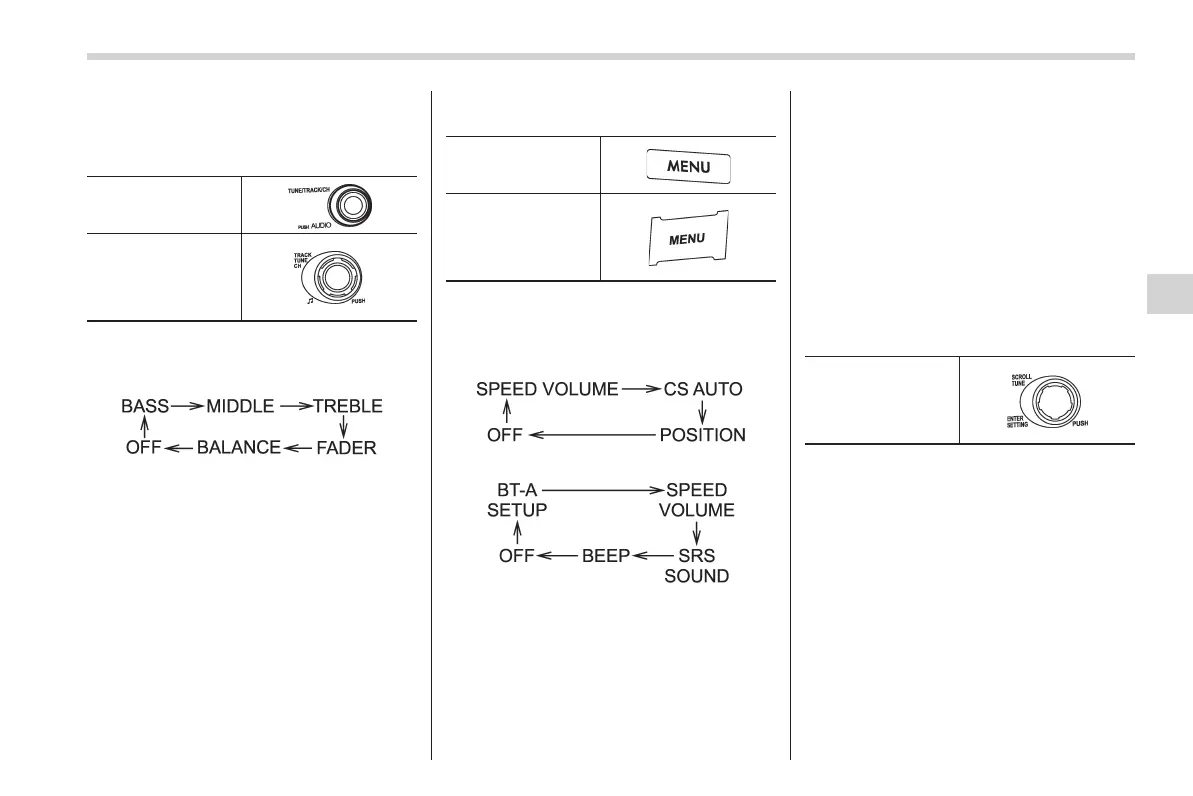
! Tone and balance control (type A
and B audio)
“TUNE” dial:
Type A audio
Type B audio
Each brief pre ss of t he “TUNE” di al
changes the control modes in the follow-
ing sequence.
Choose the preferred level for each mode
by turning the “TUNE” dial.
The control function returns to the tune/
track/channel control mode after approxi-
mately 5 seconds.
! Other settings (type A and B audio)
Type A audio
Type B audio
Each brief press of the “MENU” button
changes the control modes in the follow-
ing sequence.
Type A audio:
Type B audio:
Choose the preferred settings for each
mode by turning the “TUNE” dial.
The control function returns to the tune/
track/channel control mode after approxi-
mately 5 seconds.
! Position setting (type A audio)
Position setting is used to adjust the
sound to the best condition for the
selected seating position.
ALL: The sound is adjusted to the best for
all seating positions.
FR: The sound is adjusted to the best for
the front passenger.
FL: The sound is adjusted to the best for
the driver.
! Audio settings (type C audio)
“SETTING” dial
1. Press the “SETTING” dial to display
the “Setting” menu.
2. Turn the “SETTING” dial clockwise or
counterclockwise to select the preferred
menu. The menu list is as follows.
Audio 5-9
– CONTINUED –
5














 To Next Page