Black plate (207,1)
北米Model "A2480BE-A" EDITED: 2011/ 7/ 26
& Channel and category selec-
tion
! Channel selection by operating the
dial
“TUNE” dial:
Type A audio
Type B audio
Type C audio
Turn the “TUNE” dial clockwise to select
the next channel and turn the “TUNE” dial
counterclockwise to select the previous
channel.
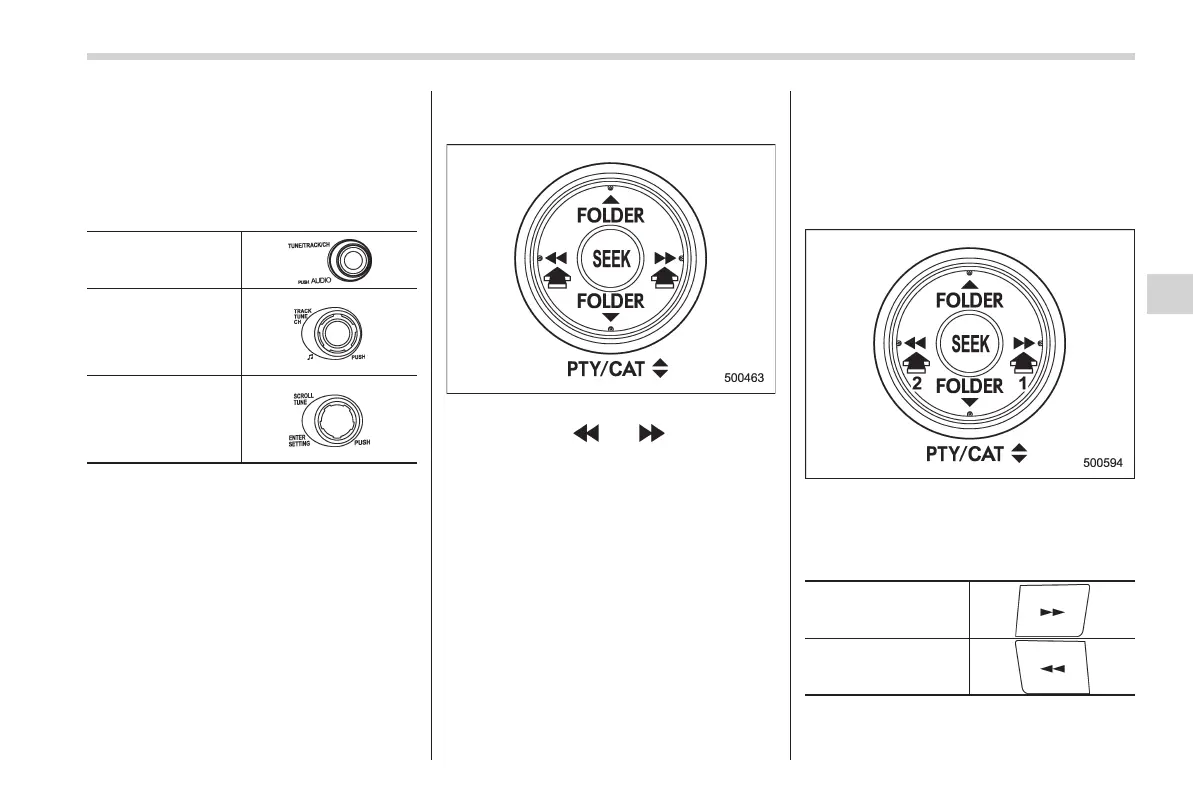
! Channel selection by pressing the
button (type A audio)
When in the SAT mode, briefly press the
“SEEK” button “
” or “ ” to select the
channel.
! Skip channel selection (type A and
B audio)
When in the SAT mode, press and hold
the following buttons to change to the
channel selection mode.
Type A audio:
1) Change the channel up by 10 channels
2) Change the channel down by 10 chan-
nels
Type B audio:
Change the channel
up by 10 channels
Change the channel
down by 10 channels
Audio 5-21
– CONTINUED –
5














 To Next Page