Black plate (227,1)
北米Model "A2480BE-A" EDITED: 2011/ 7/ 26
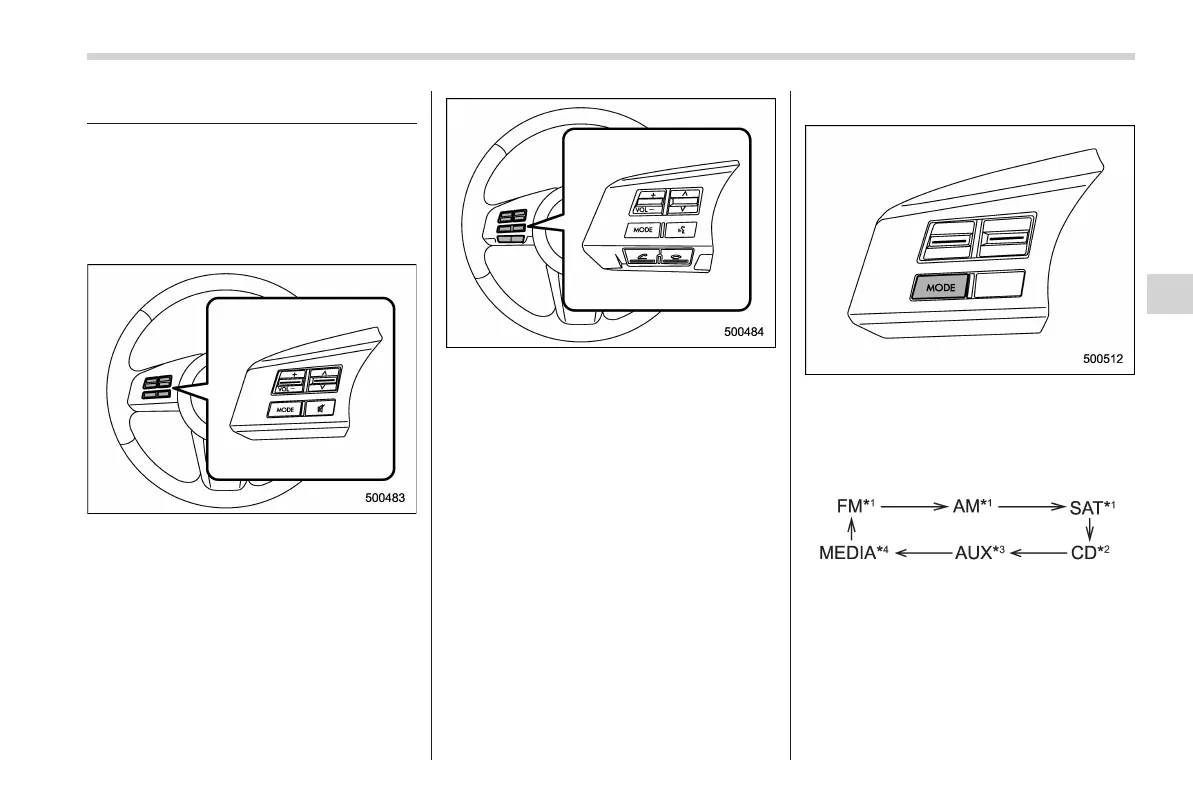
Audio control buttons
NOTE
For models with the genuine SUBARU
navigation system, refer to the Owner’s
Manual supplement for the navigation
system.
Models without Hands-free system
Models with Hands-free system
These buttons are located on the spokes
of the steering wheel. They allow the
driver to control audio functions without
taking his/her hands off the steering
wheel.
& MODE button
This button is used to select the desired
audio mode. Each time it is pressed, the
mode changes to the next one in the
following sequence.
Type A audio:
*1: The frequency last received in the selected
waveband will be displayed.
*2: Only when a CD is in the player.
*3: Only when an auxiliary audio product is
connected.
*4: Only when an iPod is connected using the
iPod adapter that is available as a dealer
option.
Audio
5-41
– CONTINUED –
5














 To Next Page