Black plate (198,1)
北米Model "A2480BE-A" EDITED: 2011/ 7/ 26
5-12 Audio
FM/AM radio operation
Press the “FM” or “AM” button (type A and
B audio)/“FM/AM” button (type C audio)
when the radio is off to turn on the radio.
& FM selection (type A and B
audio)
Type A audio
Type B audio
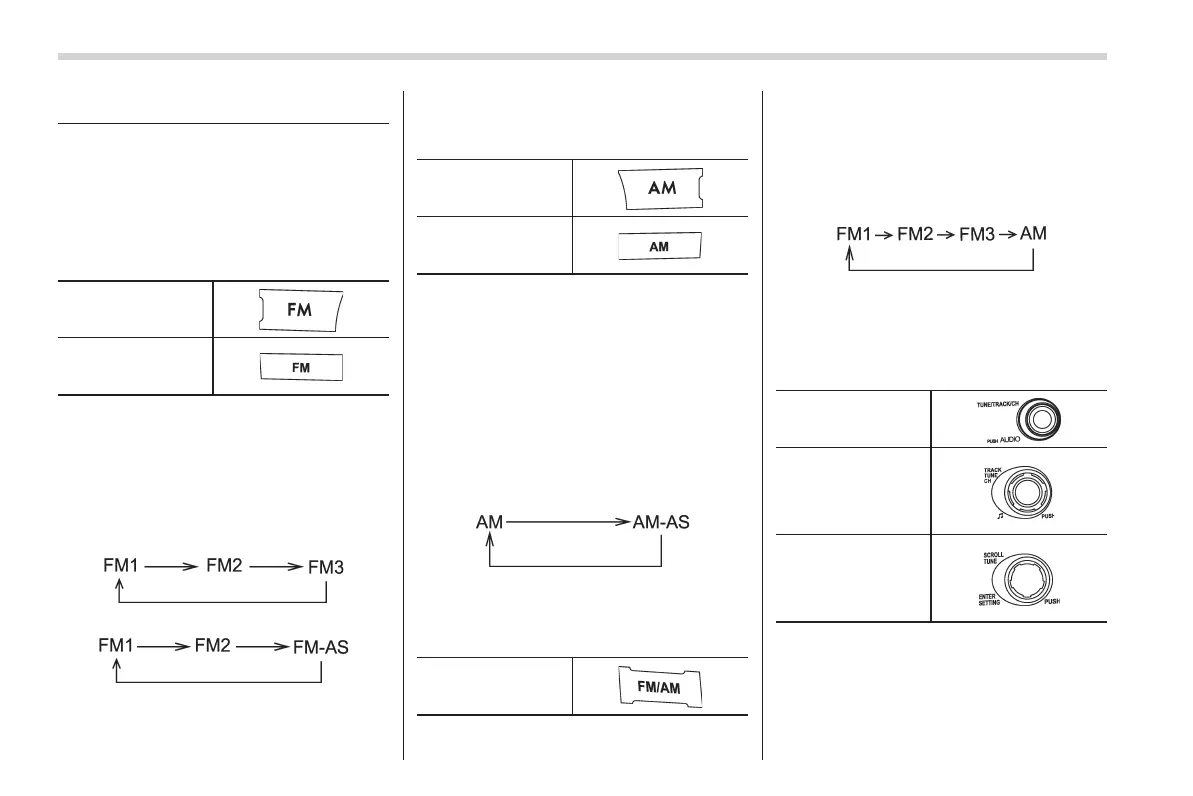
Press the “FM” button when the radio is on
to select the preferred reception mode.
Each brief press of the “FM” button
changes the radio in the following se-
quence starting from the last FM radio
band that you selected.
Type A audio:
Type B audio:
& AM selection (type A and B
audio)
Type A audio
Type B audio
! Type A audio
Press the “AM” button when the radio is on
to select AM reception starting from the
last radio band and the last frequency
interval that you selected.
! Type B audio
Each time the “AM” button is briefly
pressed the radio changes in the following
sequence starting from the last radio band
that you selected.
& FM/AM selection (type C
audio)
“FM/AM” button
Press the “FM/AM” button when the radio
is on to select the preferred reception
mode.
Each brief press of the “FM/AM” button
changes the radio in the following se-
quence starting from the last radio band
with you selected.
& Tuning
! Manual tuning
“TUNE” dial:
Type A audio
Type B audio
Type C audio
Turn the “TUNE” dial clockwise to in-
crease the tuning frequency and turn the
“TUNE” dial counterclockwise to decrease
it.
Each time the dial is turned, the frequency














 To Next Page