Black plate (127,1)
一般Model "A2510GE-B" EDITED: 2015/ 6/ 25
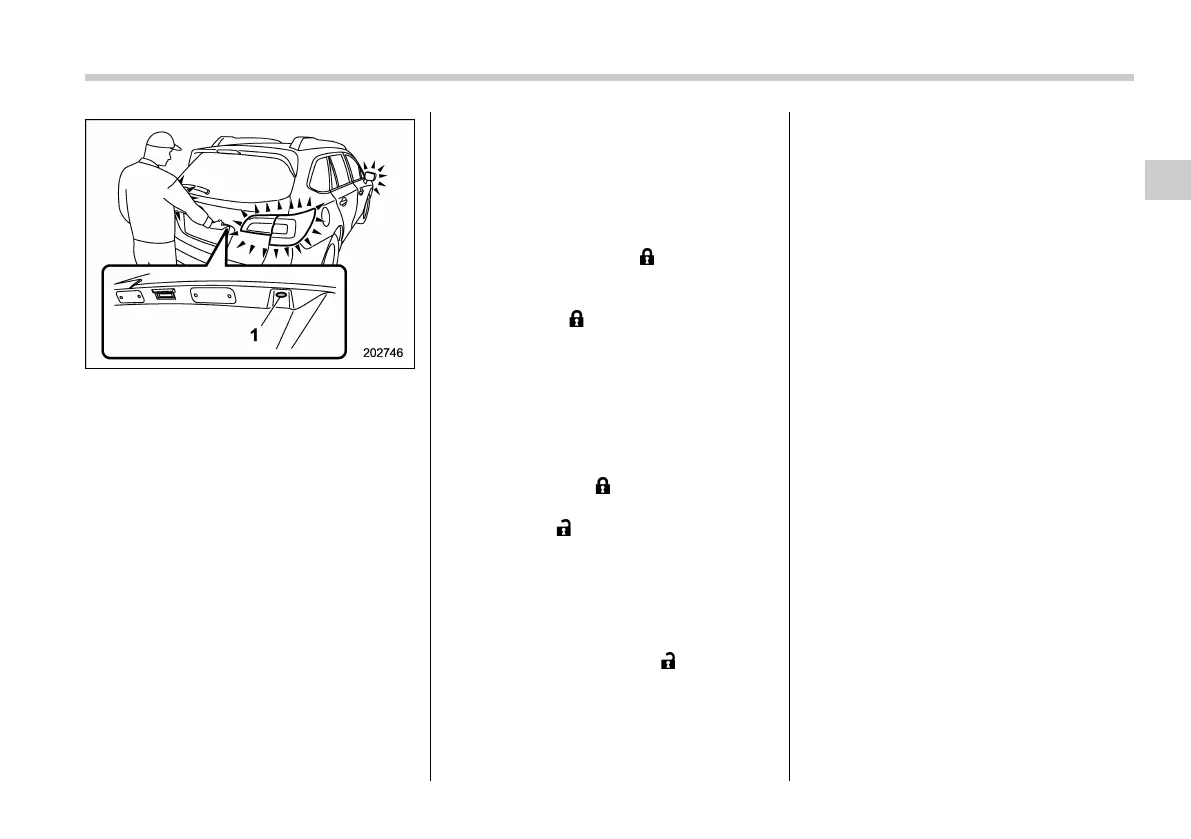
1) Rear lock button (Outback)
While all doors (for Outback, including the
rear gate) are locked, you can unlock the
doors (including rear gate) without a key
by performing the following procedure.
. Sedan: press the trunk opener button
. Outback: press the rear lock button
NOTE
PIN Code Access will be helpful if the
key is accidentally left in the vehicle. It
is recommended that a 5-digit security
code (PIN code) is registered.
& Registering a PIN code
! Preparation
1. Turn off the ignition switch.
2. Close all doors (including trunk/rear
gate).
3. Press and hold the “
” button on the
access key. Then all doors (including rear
gate) will be locked.
4. Keep the “
” button pressed, and
press the following button within 5 sec-
onds after step 3.
. Sedan: the trunk opener button
. Outback: the rear lock button
5. Press and hold the above button for
more than 5 seconds. Then a chirp will
sound.
6. Release the “
” button and trunk
opener button/rear lock button.
7. Press the “
” button on the access key
while the chirp sounds.
Then the chirp will stop and the prepara-
tion is complete.
NOTE
If you do not press the “ ” button on
the access key, the chirp will sound for
30 seconds. In this case, the prepara-
tion for registering a PIN code does not
complete even if the chirp stops.
! Registration
For example, to register “32468” as the
PIN code, perform the following proce-
dure.
Sedan:
1. Press the trunk opener button three
times.
2. After a buzzer (ding) sounds once,
press the trunk opener button twice.
3. After a buzzer (ding) sounds once,
press the trunk opener button four times.
4. After a buzzer (ding) sounds once,
press the trunk opener button six times.
5. After a buzzer (ding) sounds once,
press the trunk opener button eight times.
6. Perform steps 1 to 5 again within
approximately 30 seconds after the buz-
zer starts sounding intermittently.
7. All doors will be unlocked and locked.
Then the PIN code will be registered.
Outback:
1. Press the rear lock button three times.
2. After a buzzer (ding) sounds once,
press the rear lock button twice.
3. After a buzzer (ding) sounds once,
press the rear lock button four times.
4. After a buzzer (ding) sounds once,
press the rear lock button six times.
5. After a buzzer (ding) sounds once,
press the rear lock button eight times.
Keys and doors/PIN Code Access (models with “keyless access with push–button start system”)
2-19
– CONTINUED –
2















 To Next Page