Black plate (148,1)
一般Model "A2510GE-B" EDITED: 2015/ 6/ 25
2-40
Keys and doors/Sunroof
allow an unattended child to
remain in the vehicle. Failure to
follow this procedure could re-
sult in injury to a child operating
the sunroof.
. Never try to check the anti-en-
trapment function by deliberately
placing part of your body in the
sunroof.
CAUTION
. Do not sit on the edge of the open
sunroof.
. Do not operate the sunroof if
falling snow or extremely cold
conditions have caused it t o
freeze shut.
. The anti-entrapment function
does not operate when the sun-
roof is being tilted down. Be sure
to confirm safety before tilting
the sunroof down.
The sunroof operates on ly whe n the
ignition switch is in the “ON” position.
& Sunroof switches
The sunroof has both tilting and sliding
functions.
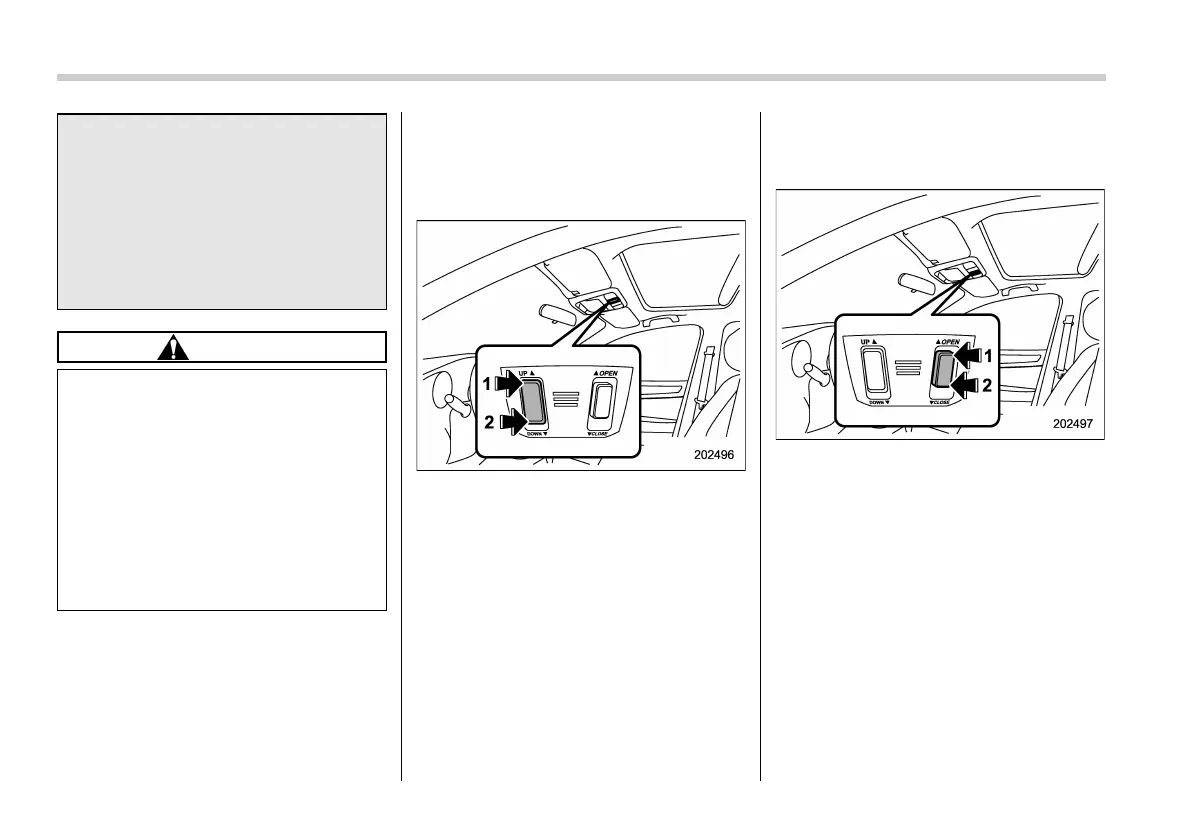
! Tilting sunroof
“UP/DOWN” switch
1) Raise
2) Lower
The raising function will operate when the
sunroof is fully closed. The lowering
function will only operate when the sun-
roof is raised.
Press the “UP” side of the “UP/DOWN”
switch to raise the sunroof.
Press the “DOWN” si de of the “UP/
DOWN” switch to lower the sunroof.
Release the switch after the sunroof has
been raised or has been lowered com-
pletely. Pressing the switch continuously
may cause damage to the sunroof.
! Sliding sunroof
“OPEN/CLOSE” switch
1) Open
2) Close
Press the rear side of the “OPEN/CLOSE”
switch to open the sunroof. The sun shade
will also be opened together with the
sunroof. The sunroof will stop at a position
approximately 7 cm (2.8 in) away from the
fully opened position. Press the switch
again to open the sunroof completely.
Press the front side of the “OPEN/CLOSE”
switch to close the sunroof.
To stop the sunroof at a selected mid-way
position while opening or closing it, mo-
mentarily press the front side or rear side















 To Next Page