Black plate (255,1)
一般Model "A2510GE-B" EDITED: 2015/ 6/ 25
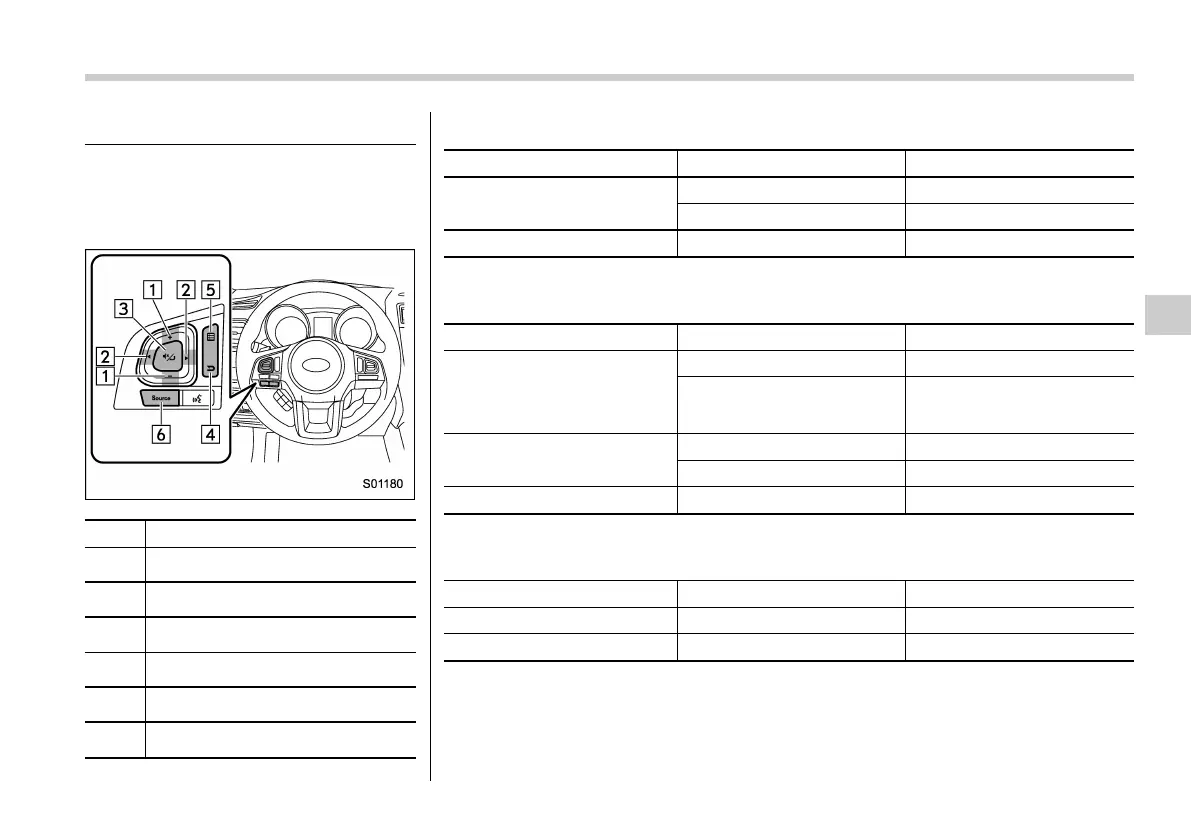
Audio/visual remote controls
& Steering switches
Some parts of the audio/visual system can
be adjusted using the switches on the
steering wheel.
No. Switch
&
1
“+/−” switch
&
2
“<>” switch
&
3
Mute/Enter switch
&
4
Back switch
&
5
List switch
&
6
“Source” switch
“+/-” switch
Mode Operation Function
Except list screen
Press Volume up/down
Press and hold Volume up/down continuously
List screen Press
Move cursor up/down
“<>” switch
Mode Operation Function
AM/FM Radio
Press Preset channel up/down
Press and hold
Seek up/down continuously
while the switch is being
pressed
Audio CD, MP3/WMA/AAC
disc, USB, iPod, BT audio
Press Select a track/file
Press and hold Fast forward/rewind
List screen Press
Move cursor left/right
Mute/Enter switch
Mode Operation Function
Except list screen Press Audio ON/OFF
List screen Press
Select cursor entry
Audio/Audio/visual remote controls
5-23
– CONTINUED –
5















 To Next Page