Black plate (281,1)
一般Model "A2510GE-B" EDITED: 2015/ 6/ 25
& USB memory
Audio files on the USB memory can be
played back.
! Overview
The USB Audio playback screen can be
reached by the following methods:
. Connect a USB memory. Refer to
“Connect ing and disco nnecting a USB
memory/portable device” F5-8.
. Select
USB / iPod
(USB / iPod) on the
“Select Audio Source (Select Audio
Source)” screen. Refer to “Selecting an
audio source” F5-17.
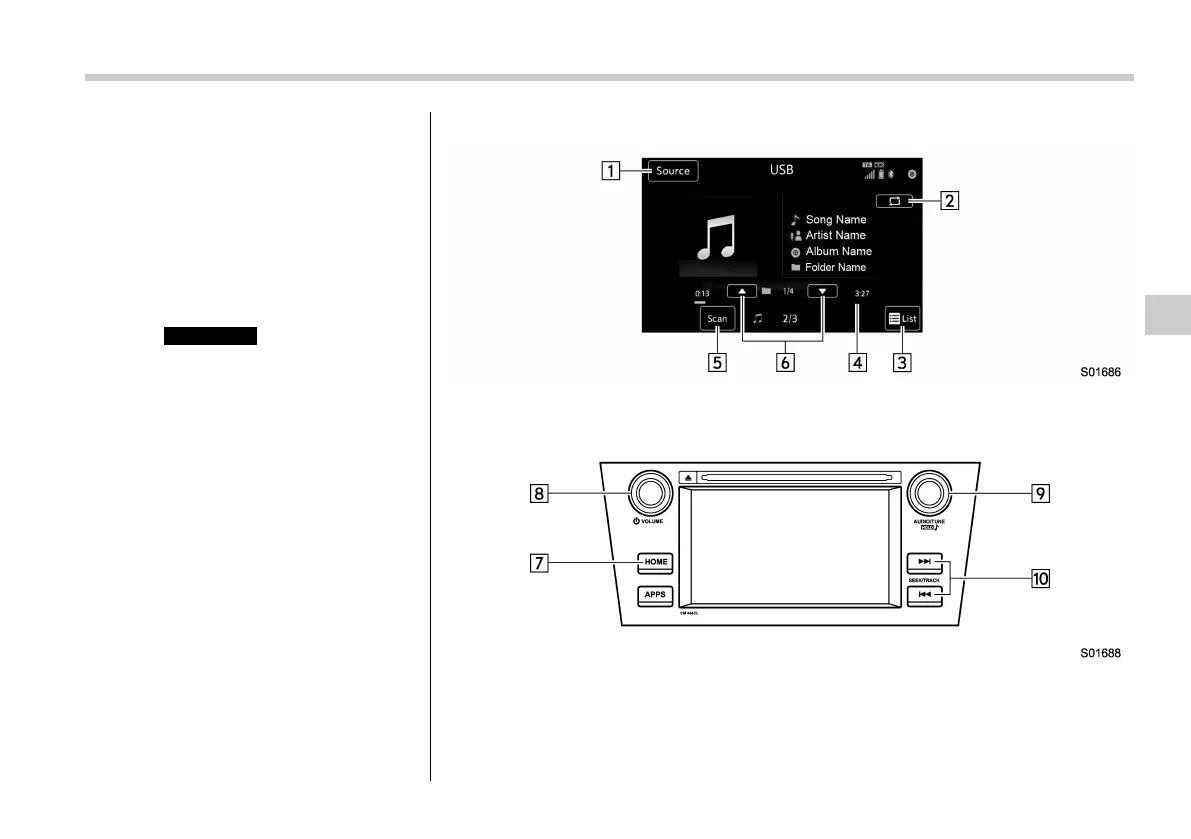
Control screen (for Europe, for Australia)
Control panel (for Europe LHD models)
Audio/Media operation
5-49
– CONTINUED –
5















 To Next Page