Black plate (316,1)
一般Model "A2510GE-B" EDITED: 2015/ 6/ 25
5-84
Audio/Phone operation (Hands–free system for cellular phones)
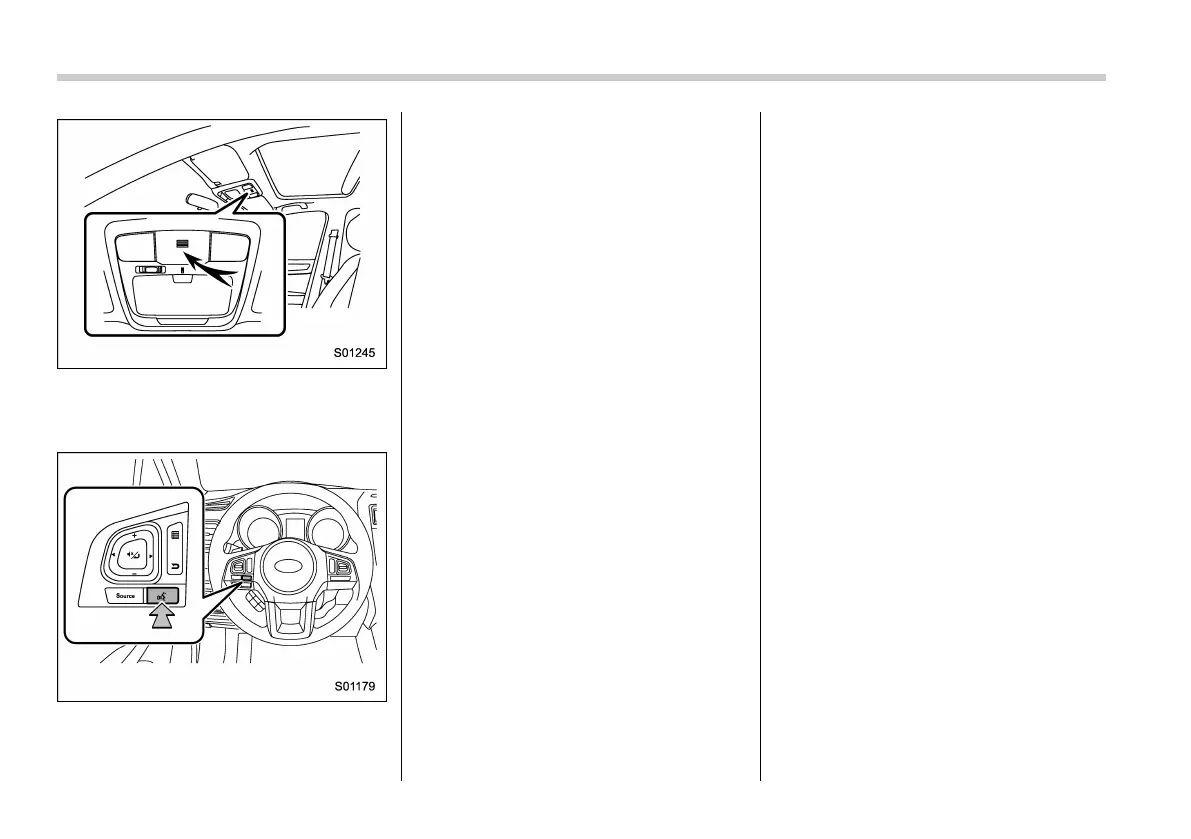
! Voice command system
Press this switch to operate the voice
command system.
. The voice command system and its list
of commands can be operated. Refer to
“Voice command system operation” F5-
101.
NOTE
. The other party’s voice will be heard
from the front speakers. The audio/
visual system will be muted during
phone calls or when hands-free voice
commands are used.
. Talk alternately with the other party
on the phone. If both parties speak at
the same time, the other party may not
hear what has been said. (This is not a
malfunction.)
. Keep call volume down. Otherwise,
the other party’s voice may be audible
outside the vehicle and voice echo may
increase. When talking on the phone,
speak clearly towards the microphone.
. The other party may not hear you
clearly when:
– Driving on an unpaved road.
(Making excessive traffic noise.)
– Driving at high speeds.
– The roof or windows are open.
– The air conditioning vents are
pointed towards the microphone.
– The sound of the air conditioning
fan is loud.
– There is a negative effect on
sound quality due to the phone
and/or network being used.
! About the contacts in the contact
list
. The following data is stored for every
registered phone. When another phone is
connected, the following registered data
cannot be read:
– Contact data
NOTE
When a phone’s registration is deleted,
the above-mentioned data is also de-
leted.
! When selling or disposing of the
vehicle
A lot of personal data is registered when
the hands-free system is used. When
selling or disposing of the vehicle, initialize
the data. Refer to “Other settings” F5-13.
. The following data in the system can
be initialized:
– Contact data
– Call history data
– All phone settings
NOTE
Once initialized, the data and settings
will be erased. Pay much attention
when initializing the data.















 To Next Page