Black plate (334,1)
一般Model "A2510GE-B" EDITED: 2015/ 6/ 25
5-102
Audio/Voice command system operation
NOTE
When the voice command mode is
audio mode, voice guidance for the
voice command system can be skipped
by pressing the talk switch.
2. Say the command.
. Say “Help” or “Phone”.
. Say “Audio”.
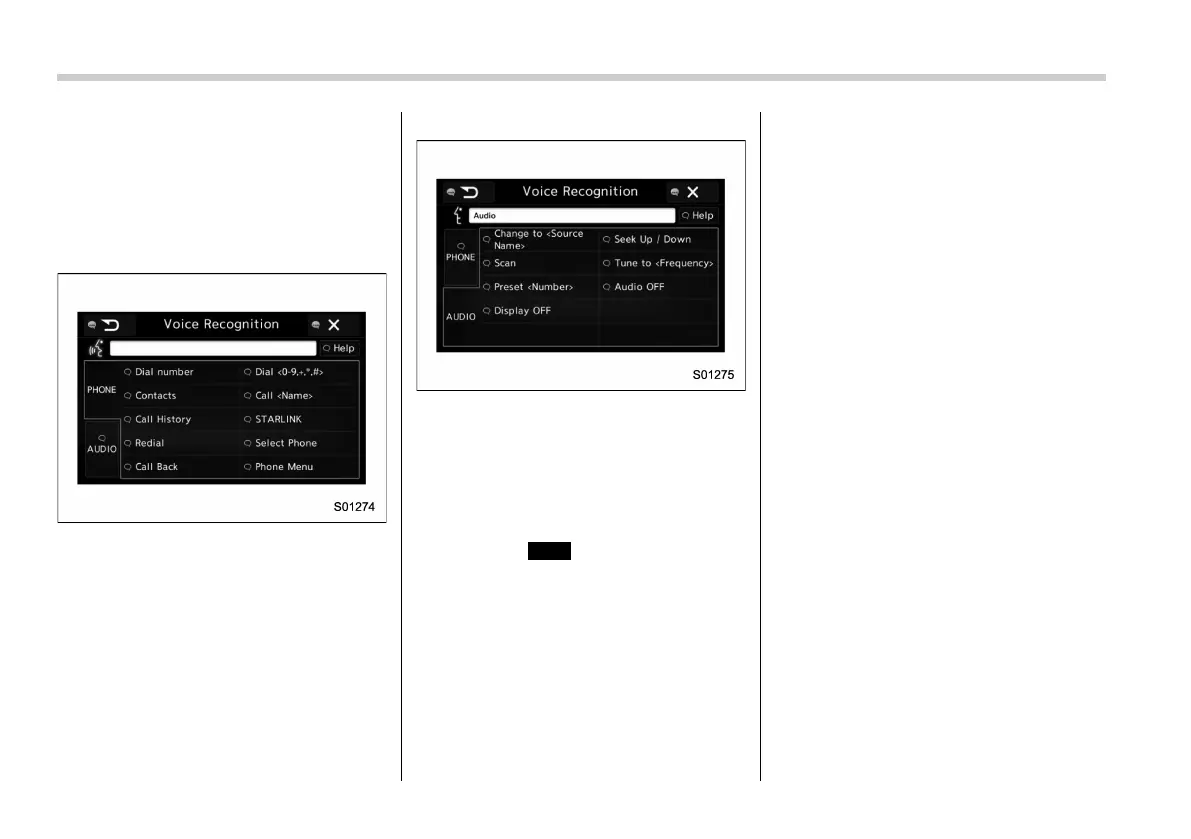
. Commands related with each func-
tion are displayed on the screen of the
each function tab. Some commonly
used commands are displayed on the
screen of the main tab. Even if any tab
is selected, all commands can be
operated.
. Saying
Help
(Help) prompts gui-
dance to offer examples of commands
and operation methods.
. To cancel voice recognition, select
“6”, or press and hold the talk switch.
NOTE
If the system does not respond or the
confirmation screen does not disap-
pear, press the talk switch and try
again.
! Voice command example: Call
name
1. Press the talk switch.
2. Say
“Call <contacts>”
.
. A confirmation screen will be dis-
played showing the recognition re-
sults. If multiple matching items are
found, a selection screen will be
displayed. Say
“<number>”
or select
the number.
NOTE
. In the same manner as it is dis-
played on the screen, “Call <con-
tacts>” (Call <contacts>), after saying
“Call a contact ”
say the name of a
contact. For example:
“Call a contact”
,
“John Smith”
or
“Call a contact”
,
“Mary Davis”
. Short or abbreviated names in the
contacts list may not be recognized.
Change names in the contacts list to
full names.
. Sometimes a voice recognition re-
sult confirmation screen will be dis-
played. After confirming the result, say
“Yes”
or
“No”
.
. When the system recognizes multi-
ple names from the contacts list, a
name candidate list will be displayed















 To Next Page