46
Settings
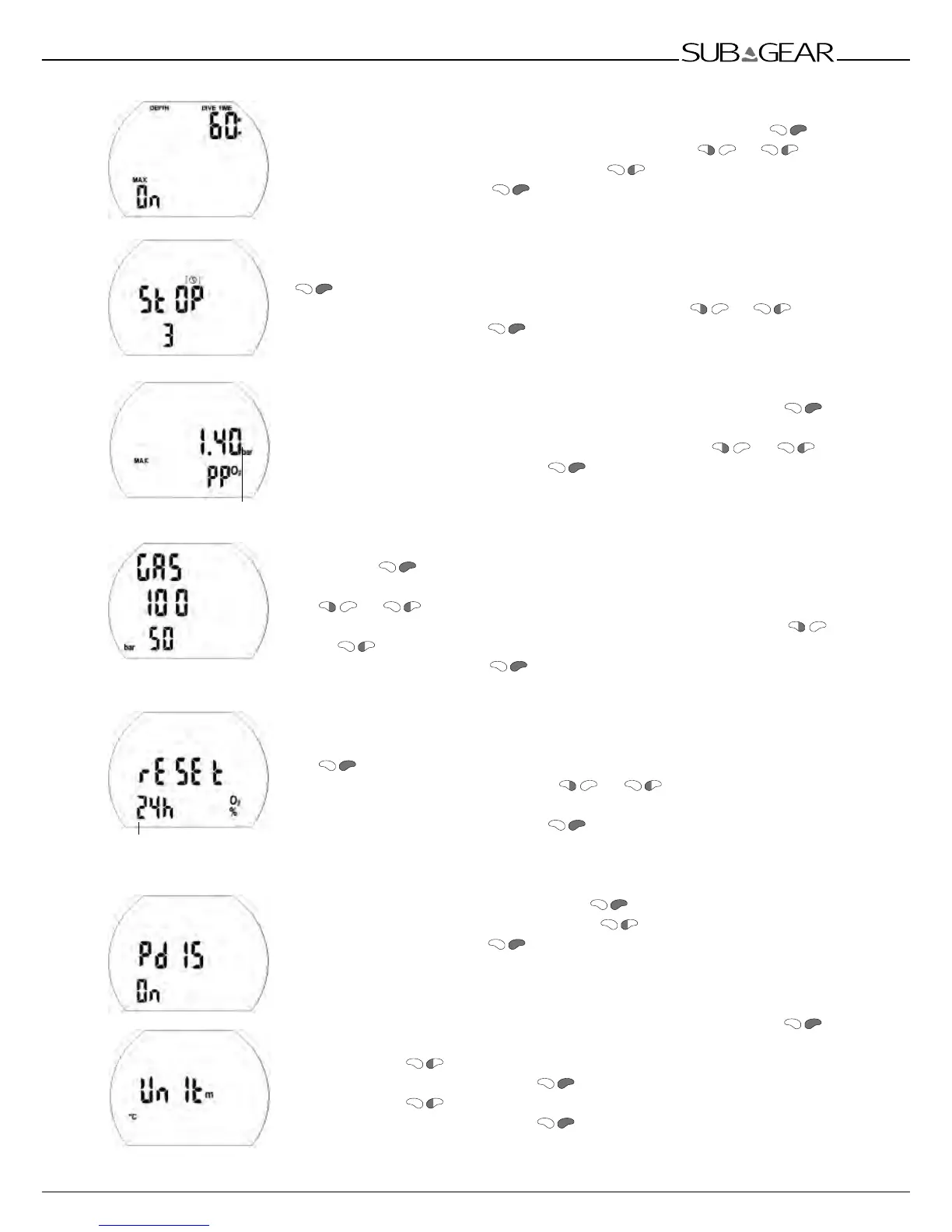
Setting the dive time alarm
1. Confirm that you wish to change the dive time alarm by pushing .
2. Change the value in increments of 5 minutes by pushing or .
3. Switch between 'on' or 'off' by pressing
.
4. Confirm the setting with .
Setting the safety stop counter time
1. Confirm that you wish to change the safety stop counter time by pushing
.
2. Change the value in increments of 1 minute by pushing or .
3. Confirm the setting with
.
Setting the maximum partial pressure of oxygen (ppO
2
max)
1. Confirm that you wish to change the ppO
2
max by pushing .
The current value starts to flash.
2. Change the value in increments of 0.05bar by pushing or .
3. Confirm the selected value with .
Setting the Tank pressure warning and alarm
1. Confirm that yo.u wish to change the tank pressure warning or alarm by
pushing
.
2. Change the warning value in increments of 5 bar (50 PSI) by pushing
or .
3. Change the alarm value in increments of 5 bar (50 PSI) by pushing
or .
4. Confirm the setting with .
Setting the time limit to reset the O
2
% mix to air
1. Confirm that you wish to change the time limit of the reset by pushing
. The current setting starts to flash.
2. Change the time limit by pushing or .
(1 - 48hrs or no reset: "– – h")
3. Confirm the selected value with
.
Setting the PDIS
1. Confirm that you wish to change PDIS
.
2. Switch between 'on' or 'off' by pressing .
4. Confirm the setting with .
Selecting the units
1. Confirm that you wish to change the units by pushing
.
The selected units are displayed (m / ft / °C / °F).
2. Switch with
between "m" and "ft".
3. Confirm the selected unit with . "°C" or "°F" starts to flash.
4. Switch with between "°C" and "°F".
5. Confirm the selected unit with .
ppO
2
max
Time limit to reset O
2
mix to air



 To Next Page